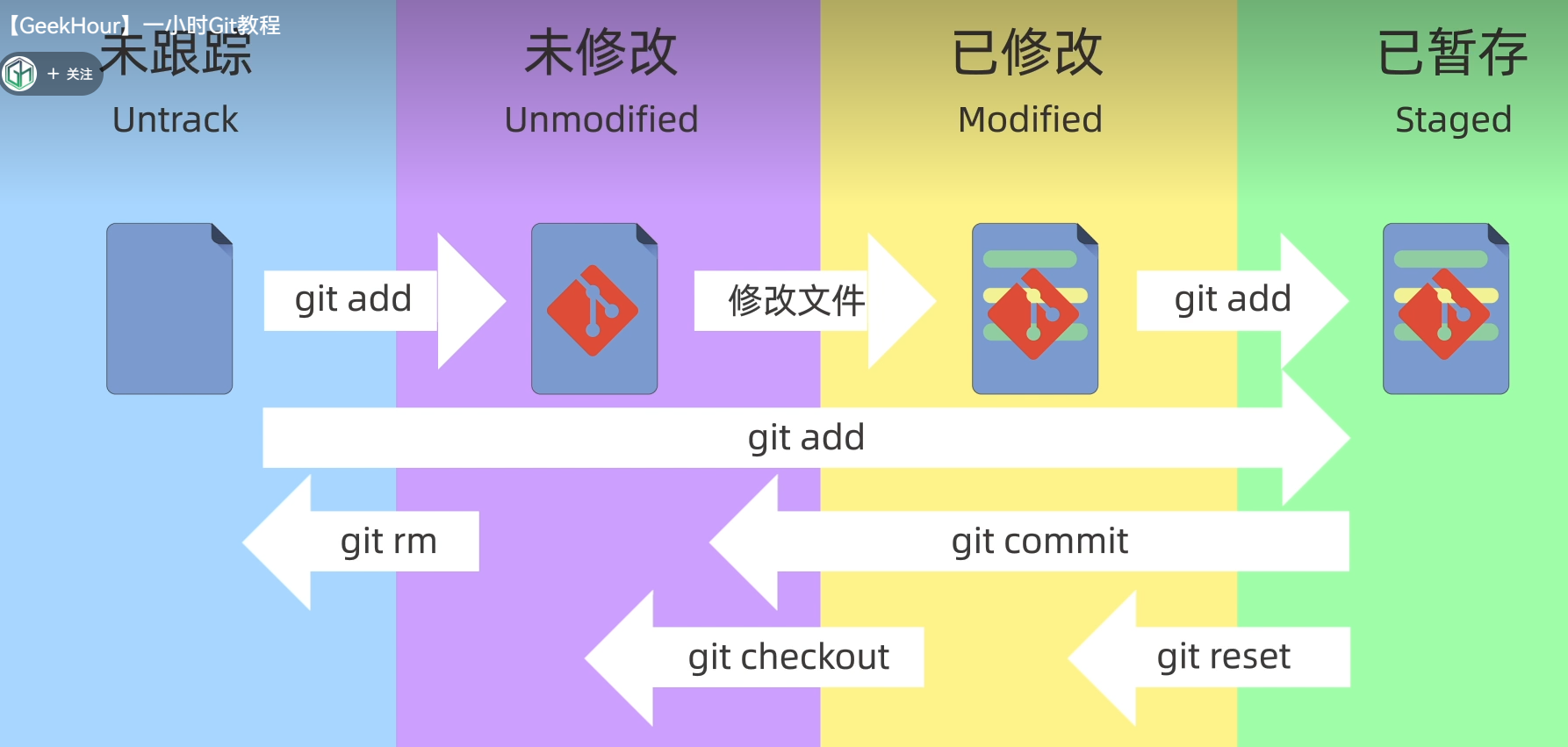
git几种状态
git reset的三种模式
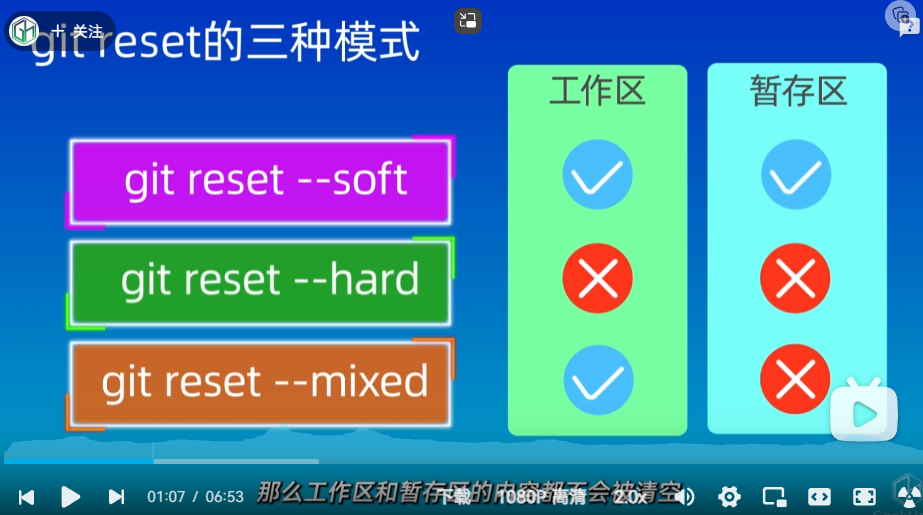
- git reset – soft 工作区和暂存区回说某一个版本,不会删除工作区和暂存区的内容
- git reset –hard 工作区和暂存区回溯上某个版本,会删除工作区和暂存区的内容
- git reset – mixed 工作区和暂存区回溯上某个版本,不会删除工作区的内容,但会删除暂存区的内容
git diff的使用
git中有工作区、暂存区和版本库
- git diff head(比较工作区和暂存区的差异) head表示当前分支的最新提交
- git diff –cached(比较暂存区和版本库之间的差异)
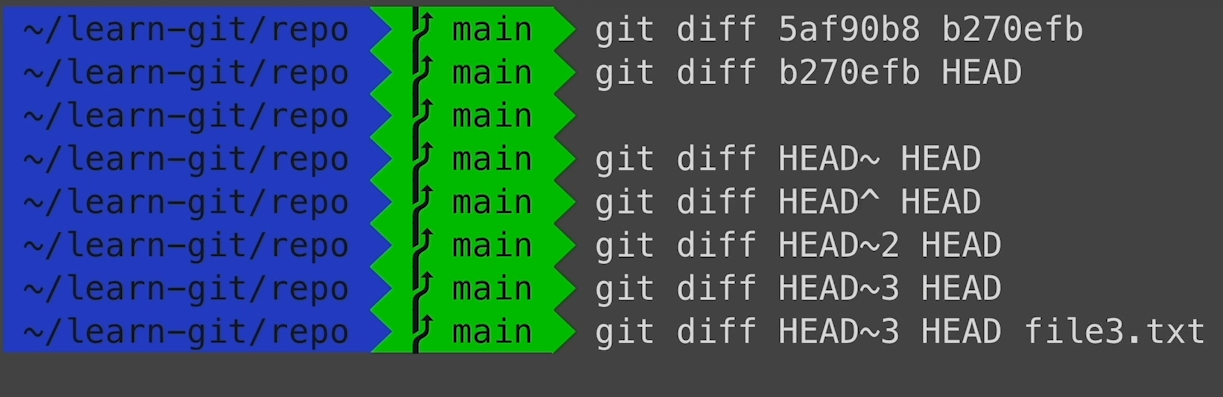
- git diff其他用法 ~2表示head之前的两个版本
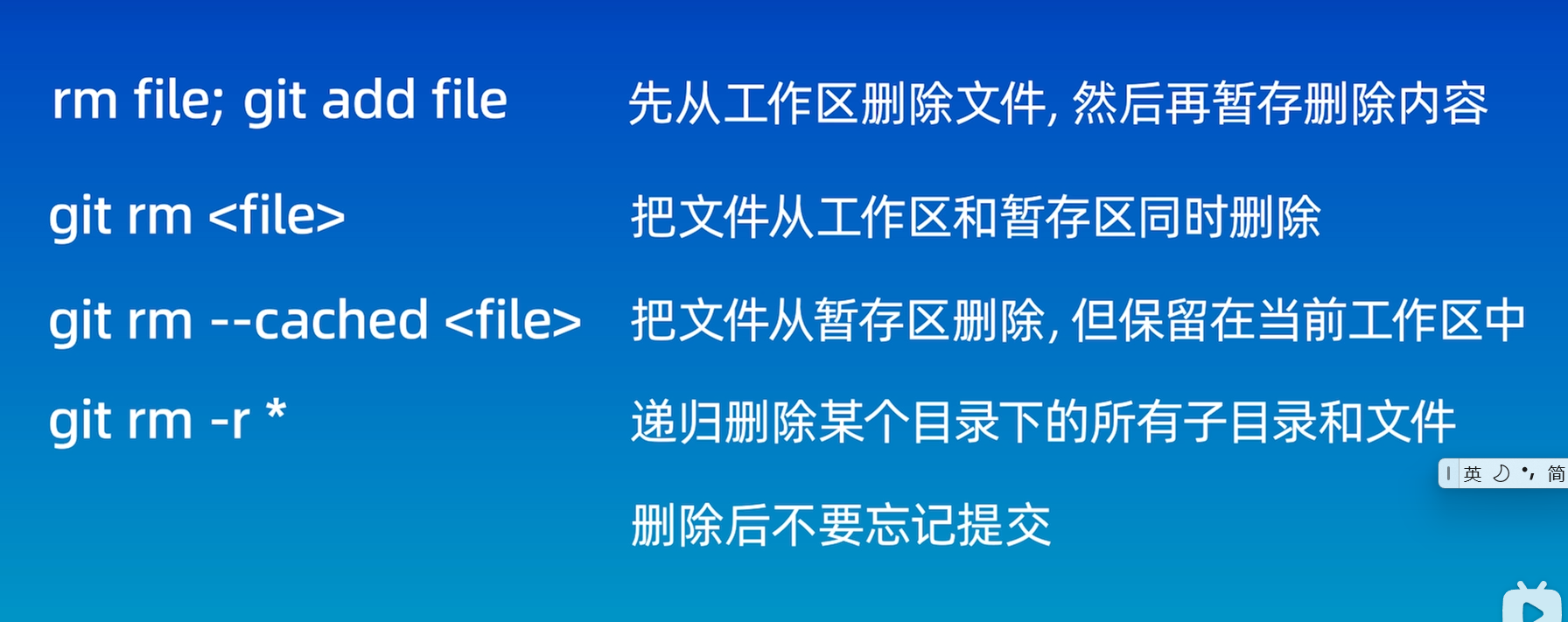
git删除操作
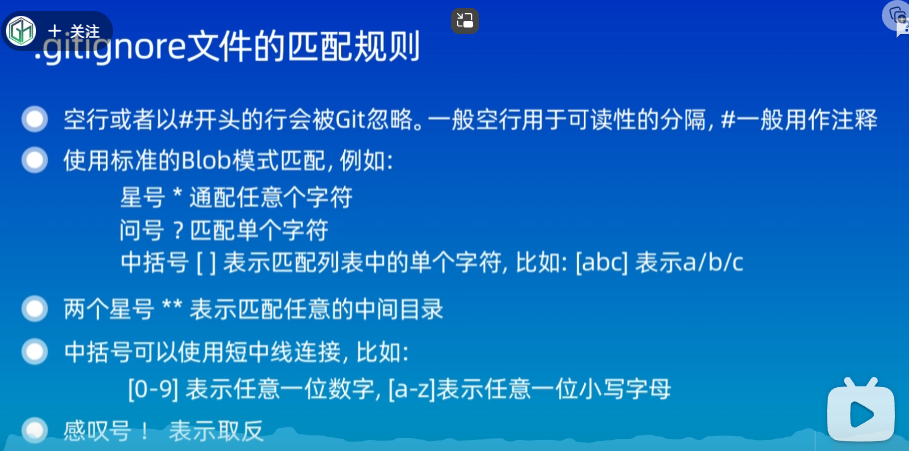
.gitignore文件的匹配规则
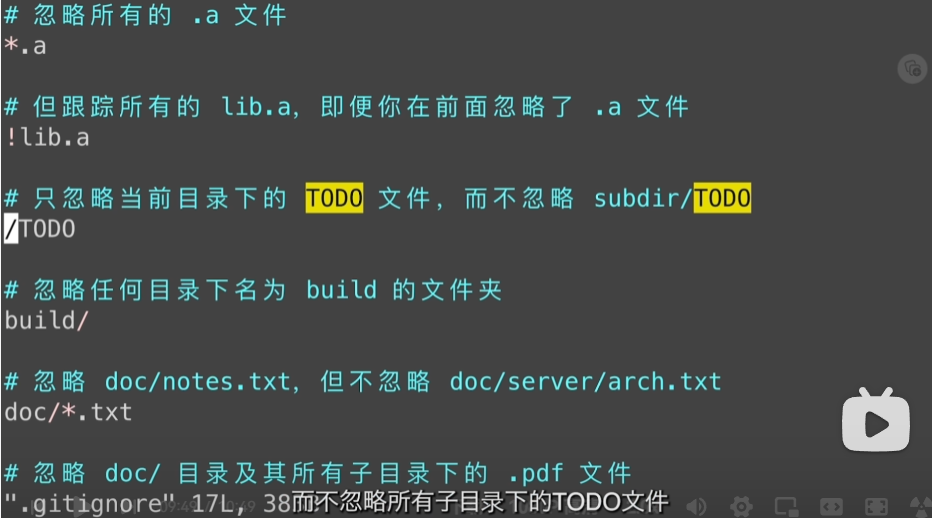
列子
ssh配置和克隆仓库
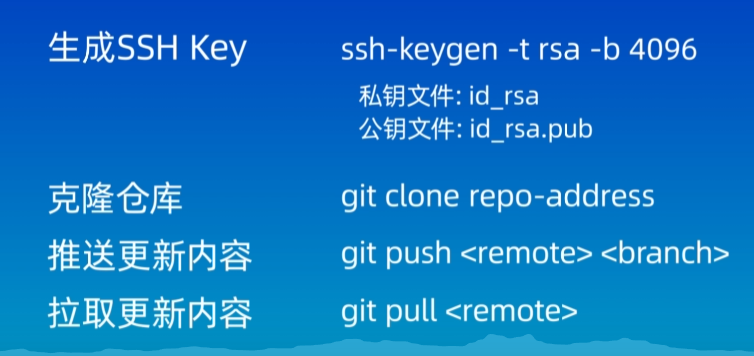
git关于远程仓库的使用
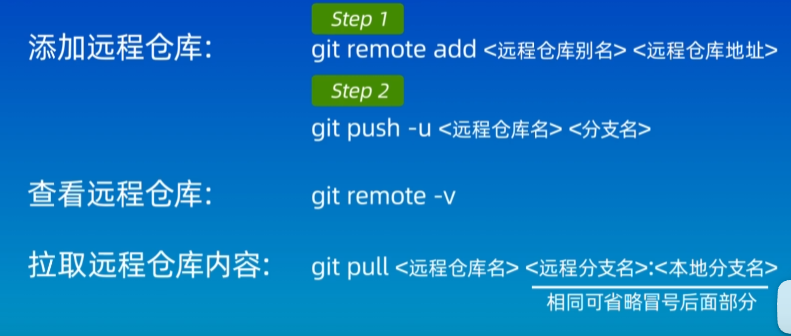
在vscode中使用git
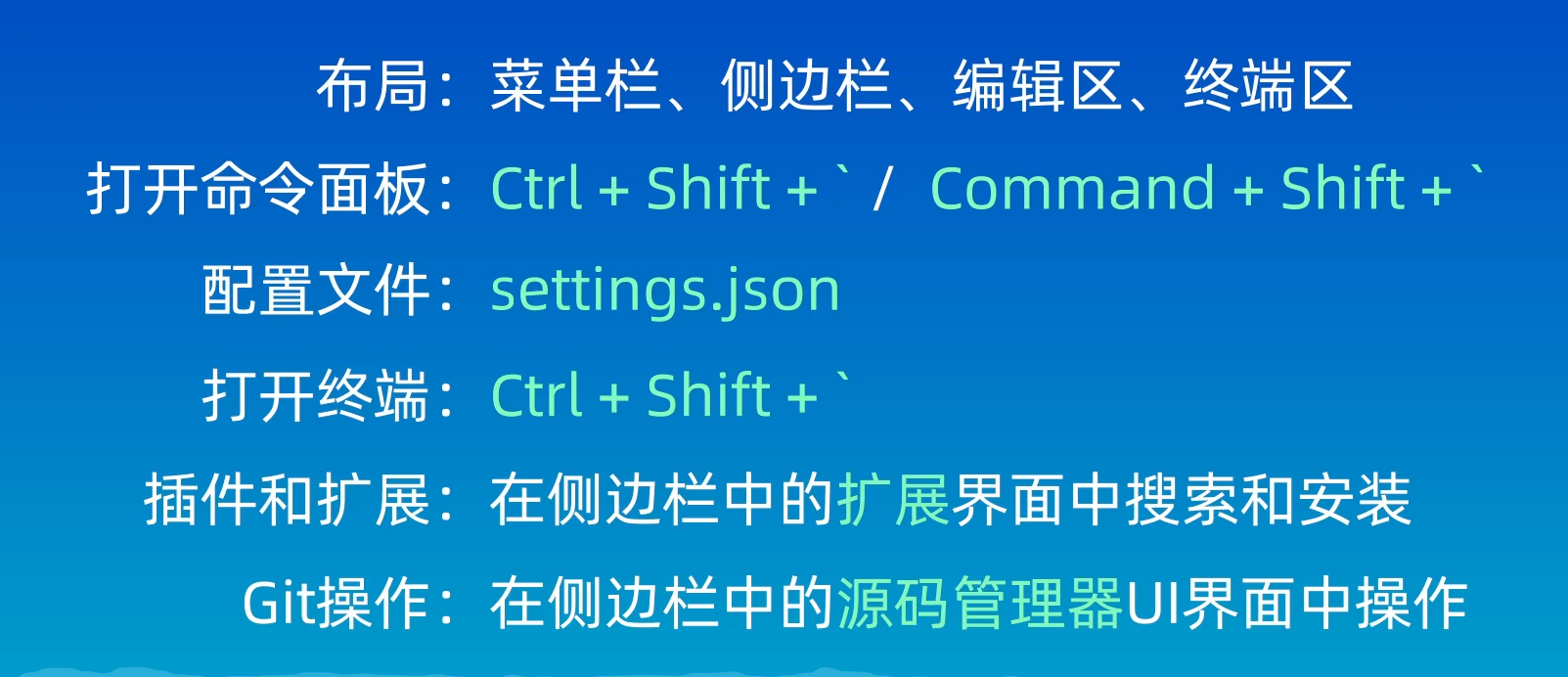
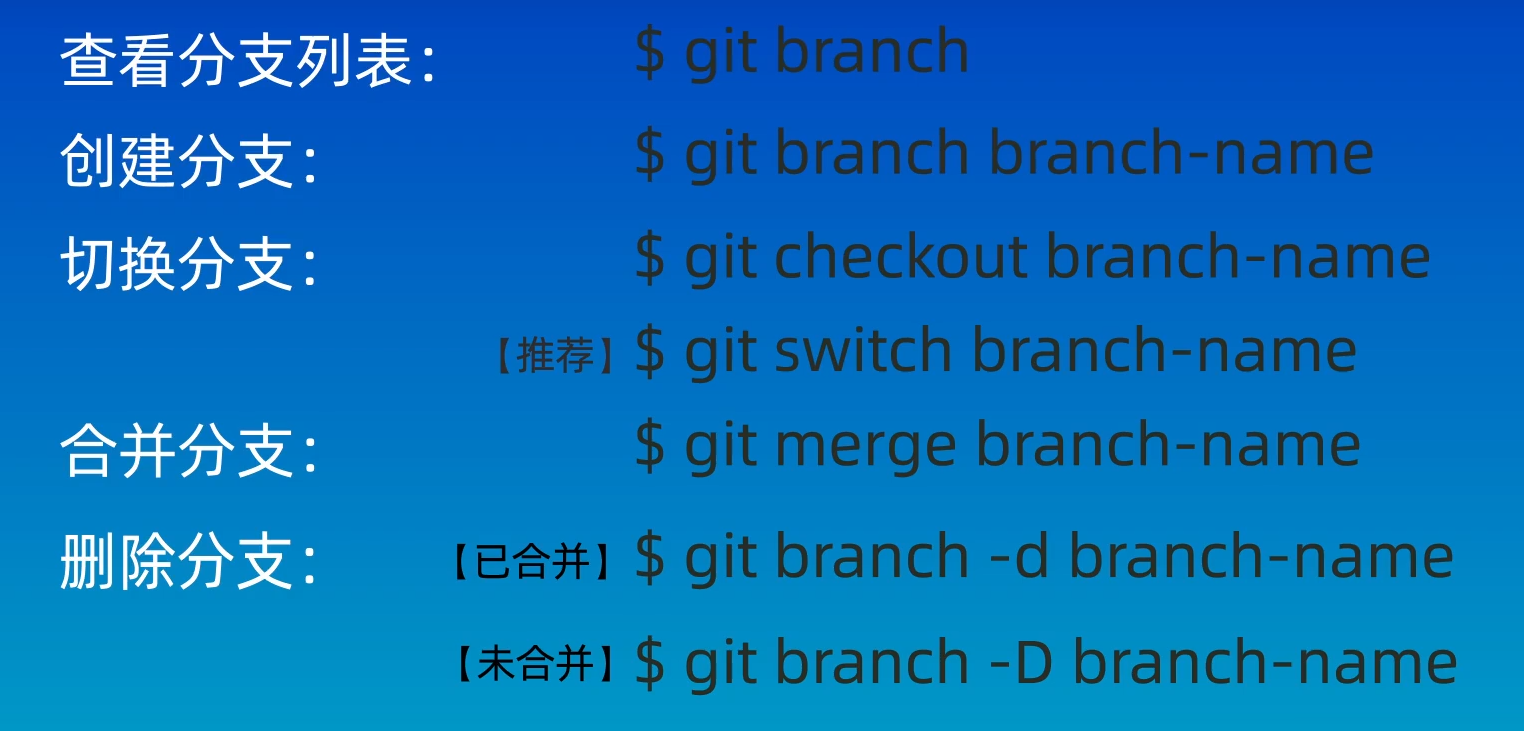
git中分支操作
git合并冲突如何解决
出现如下错误
![]()
使用 git status查看其状态

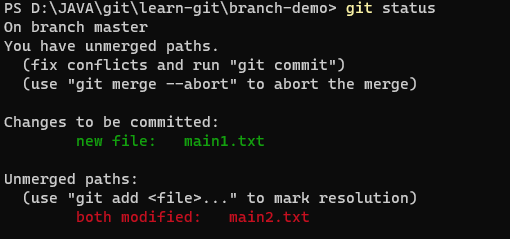
3.使用 git diff查看需要修改的地方
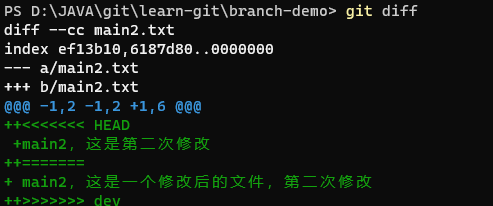
4.利用notepad main2.txt打开文件,去掉+<>=号后将两个句子合并到一起,最后再add和commit和git commit -m”merg”
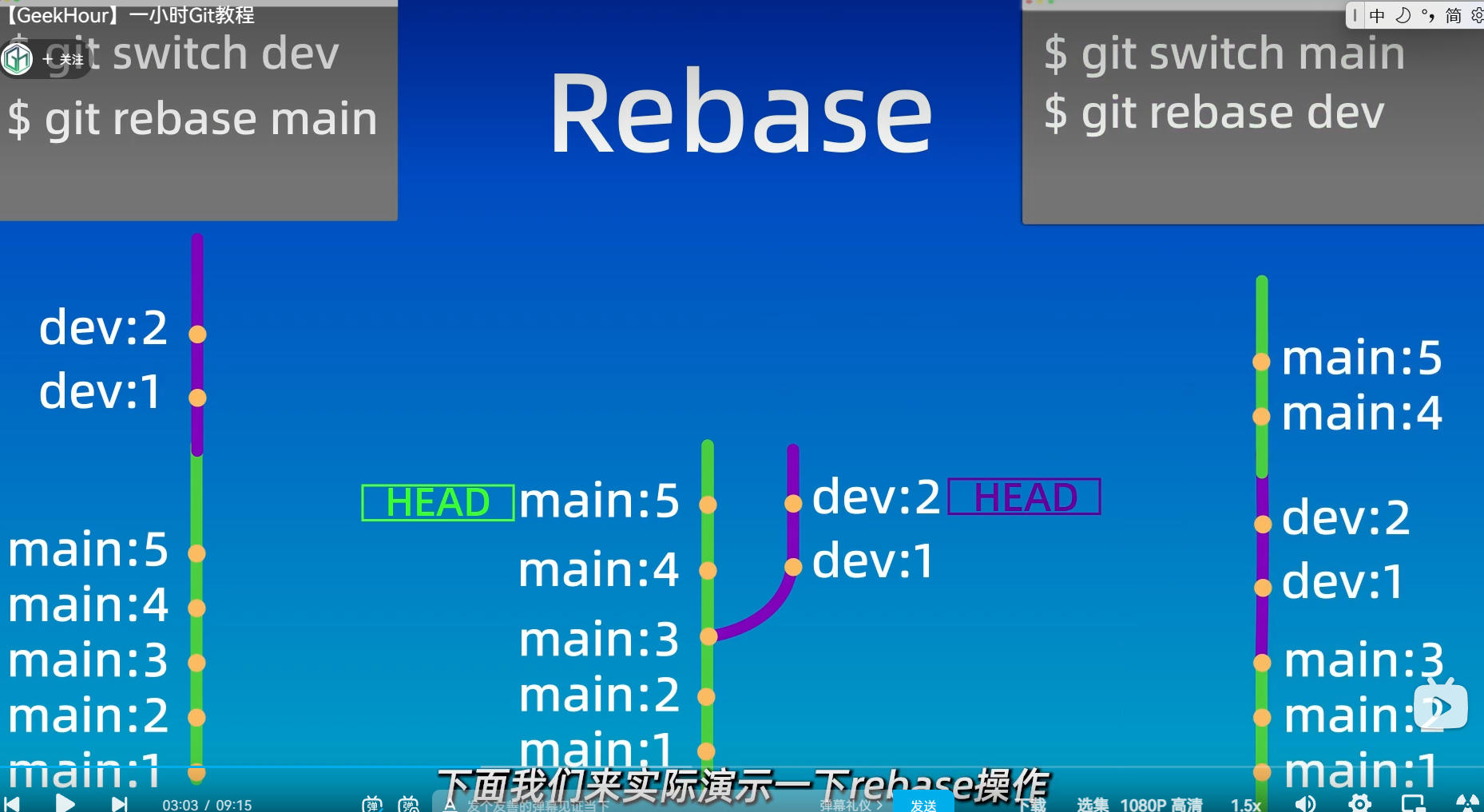
git中rebase的使用
git回溯

git定义别名

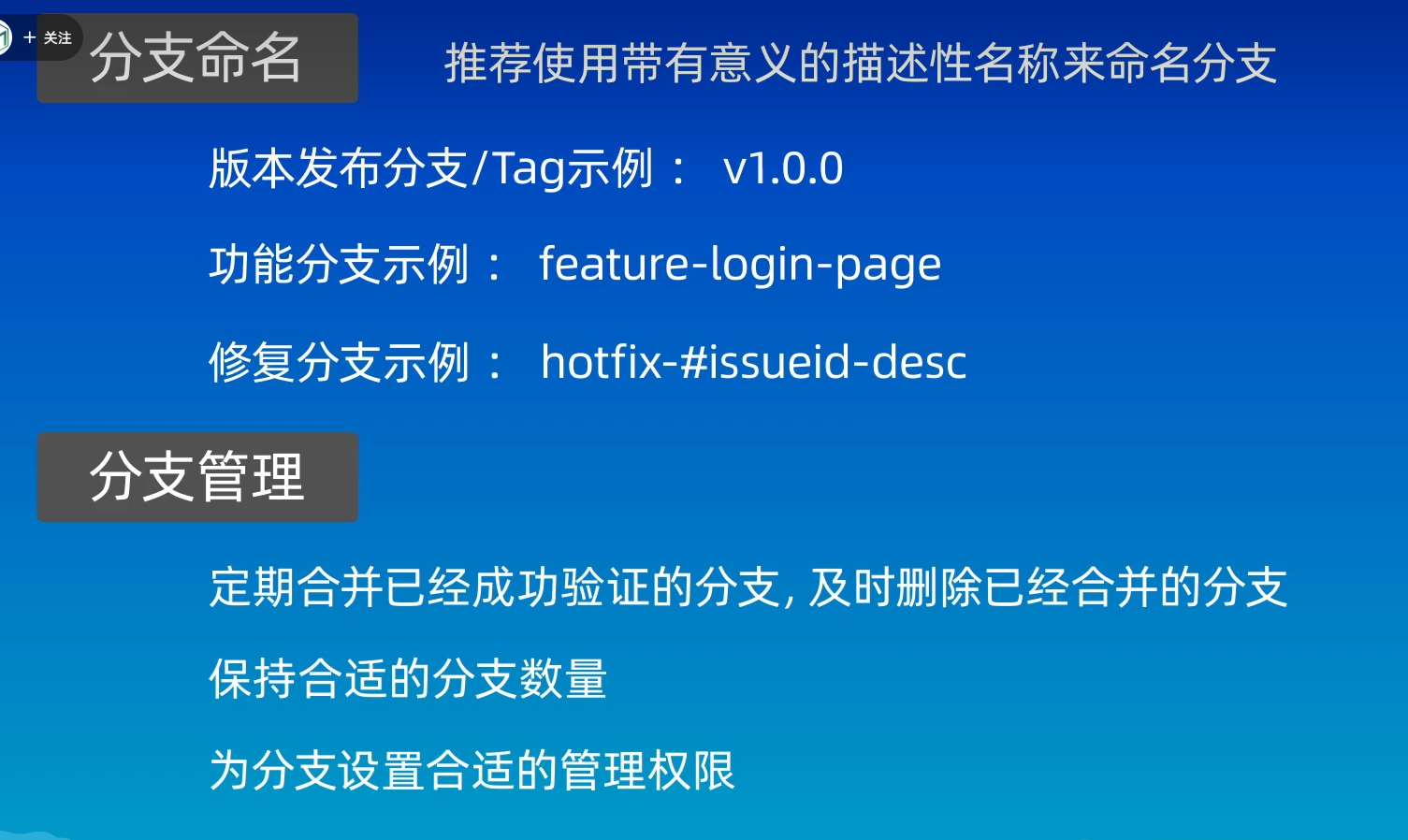
保持良好的git命名习惯