
1.SpringBootWeb快速入门
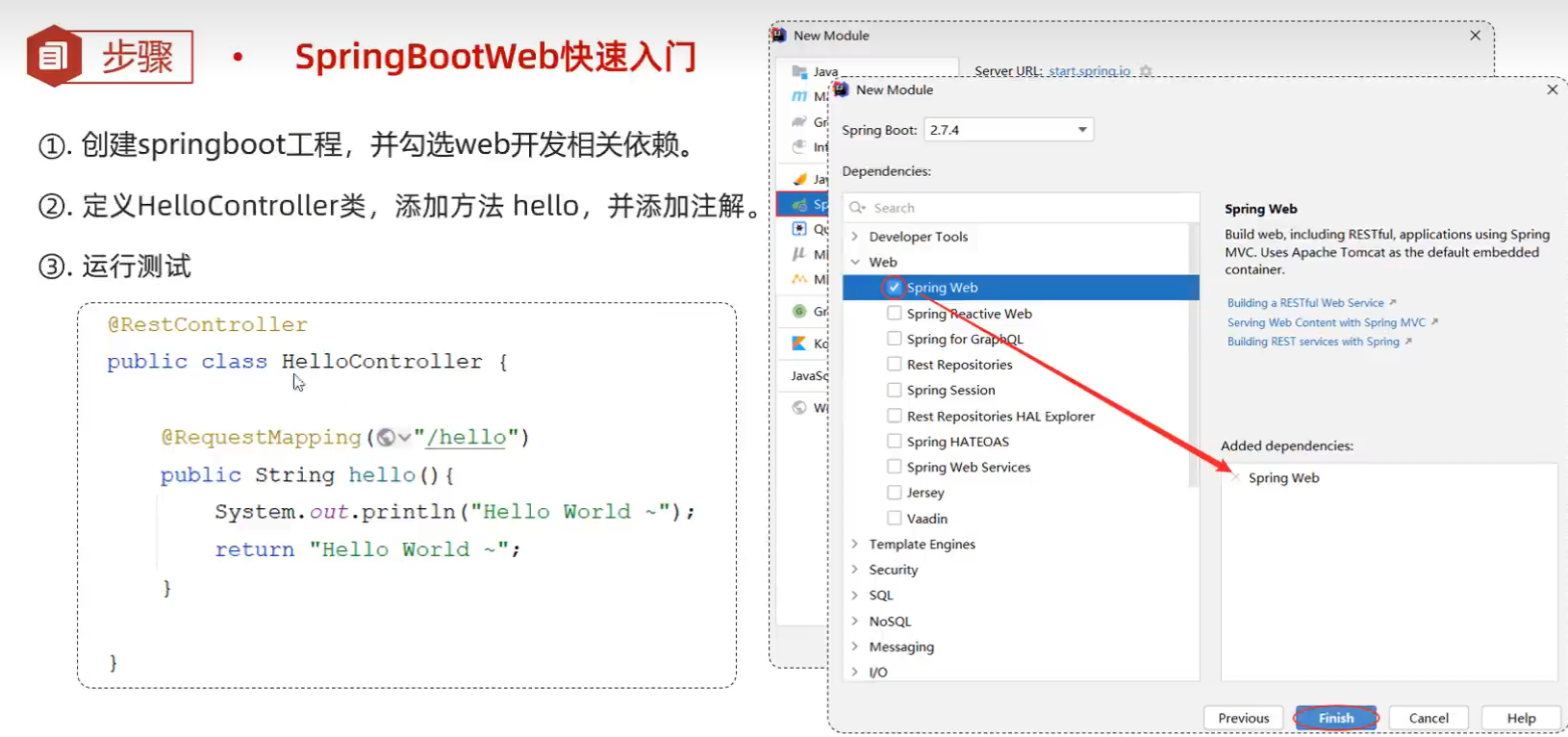
注意:java版本与jdk版本不一致
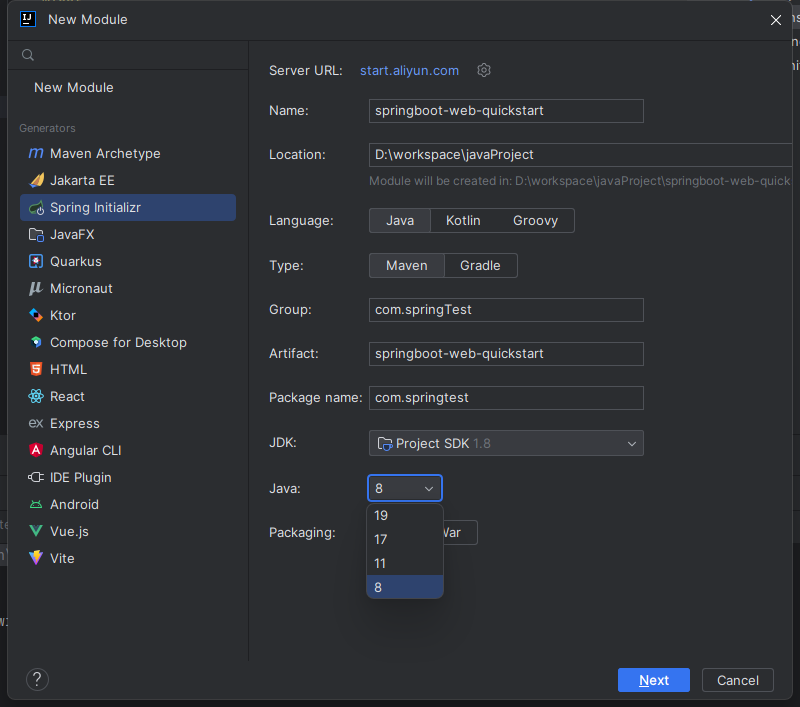
创建springboot时遇到的问题,本人用的是1.8版本的jdk,但是java对应的版本只有17/21
- 解决办法:我们可以通过阿里云国服去间接创建Spring项目
- 参考链接:IDEA2023版本创建Sping项目只能勾选17和21,却无法使用Java8?(已解决)_spring initializr不能选择java8-CSDN博客
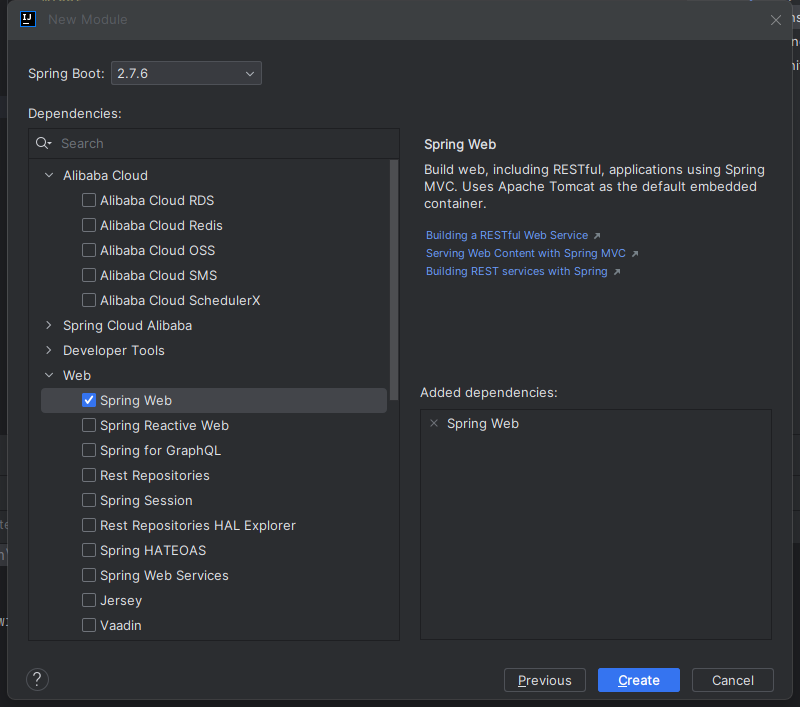
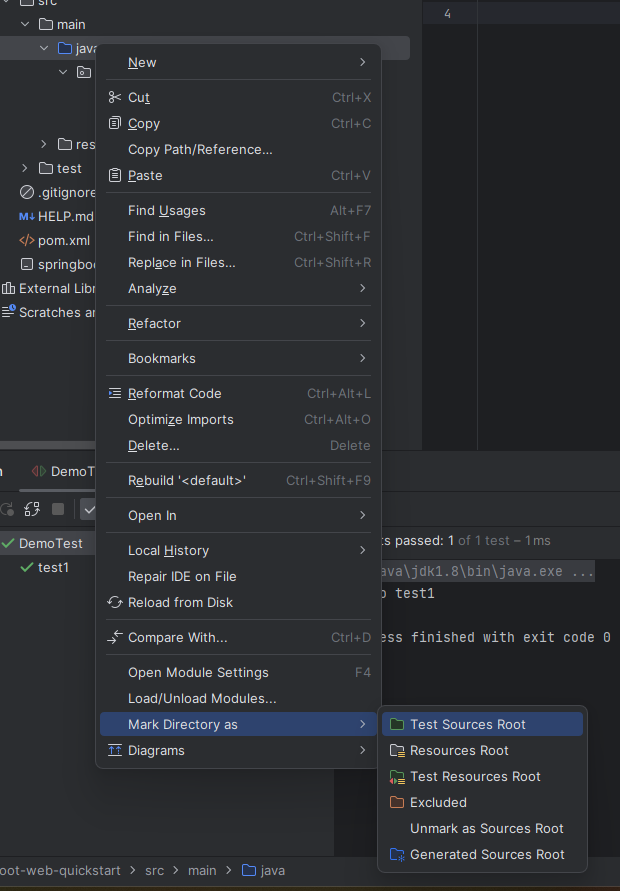
注意:创建不了java.class文件
这里没有创建Java选项的可以在目录Java那里点击鼠标右键选择将目录标记为——»源代码根目录
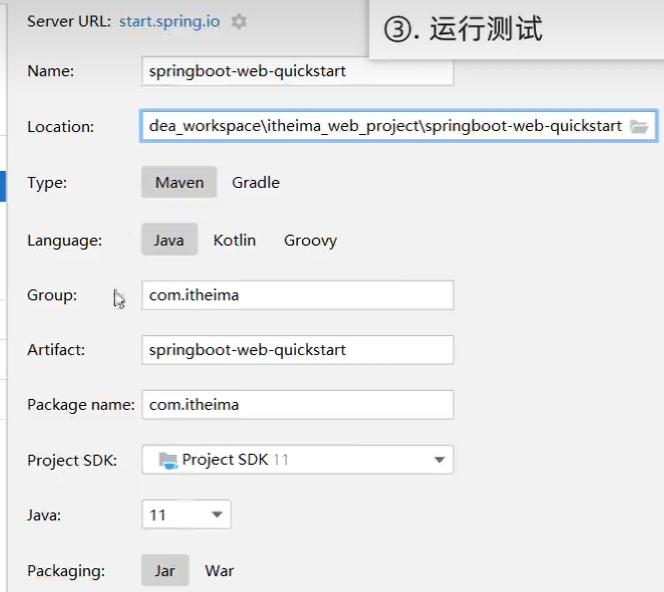
2.创建springboot
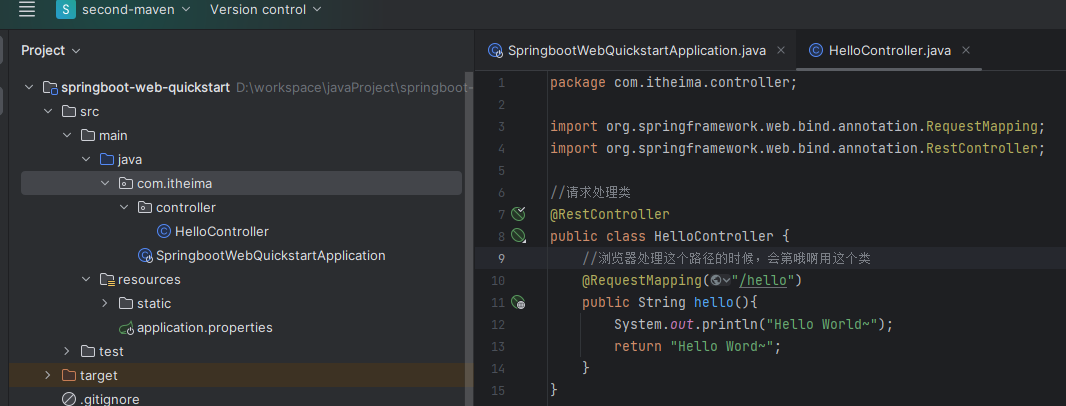
新建一个controller.hello.class,并编写以下代码,在浏览器说如localhost:8080/hello就可以访问到
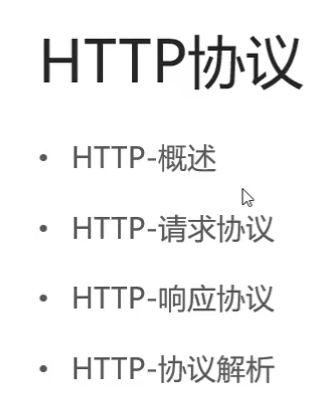
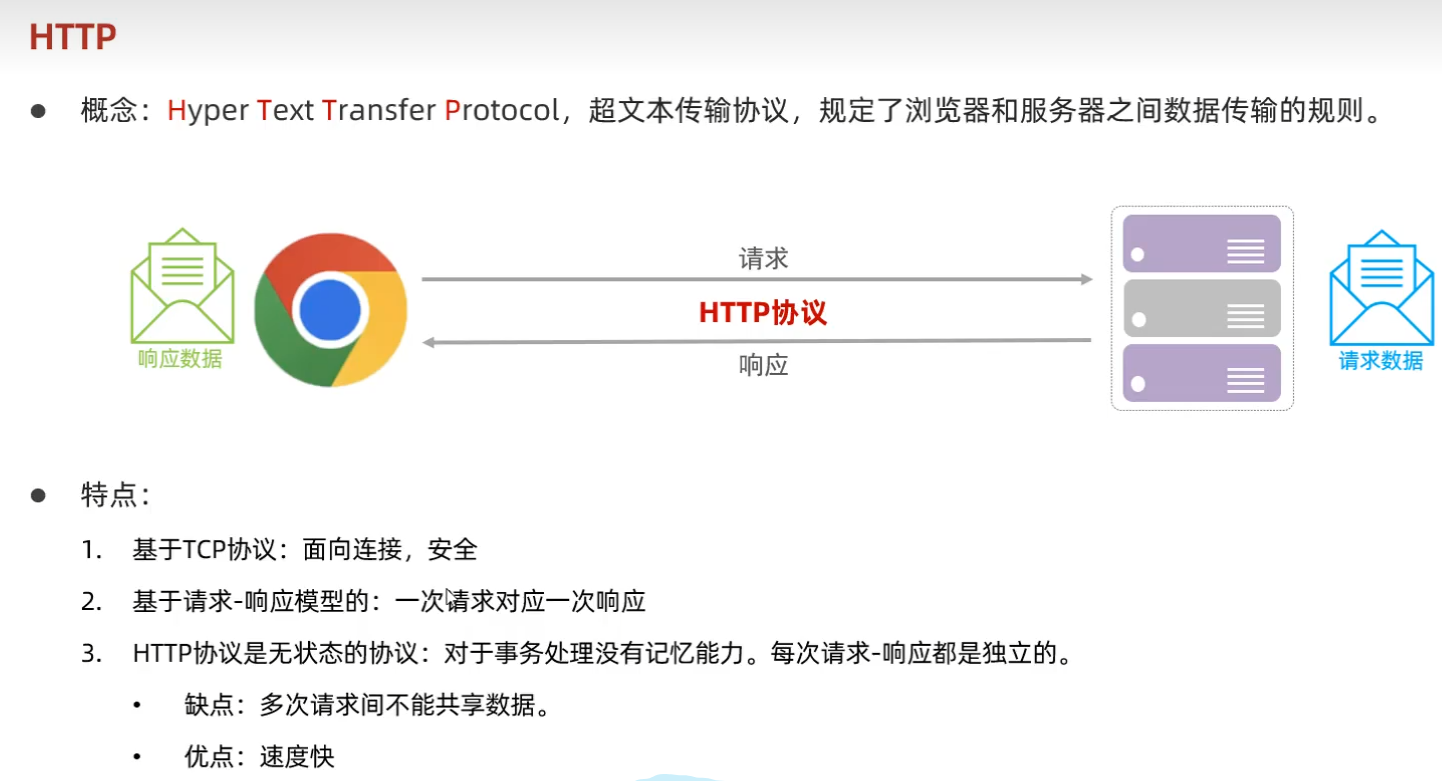
3.HTTp协议
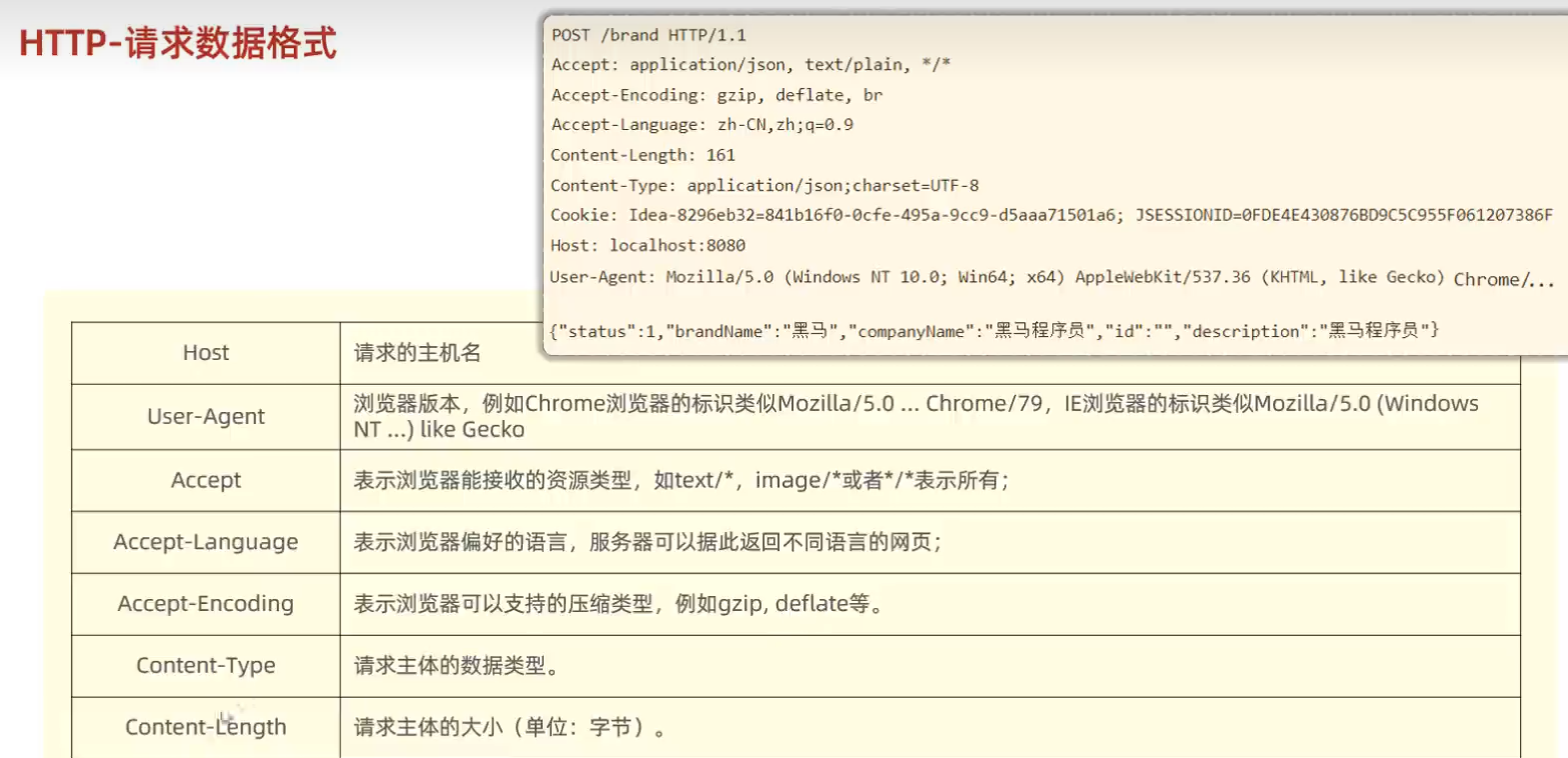
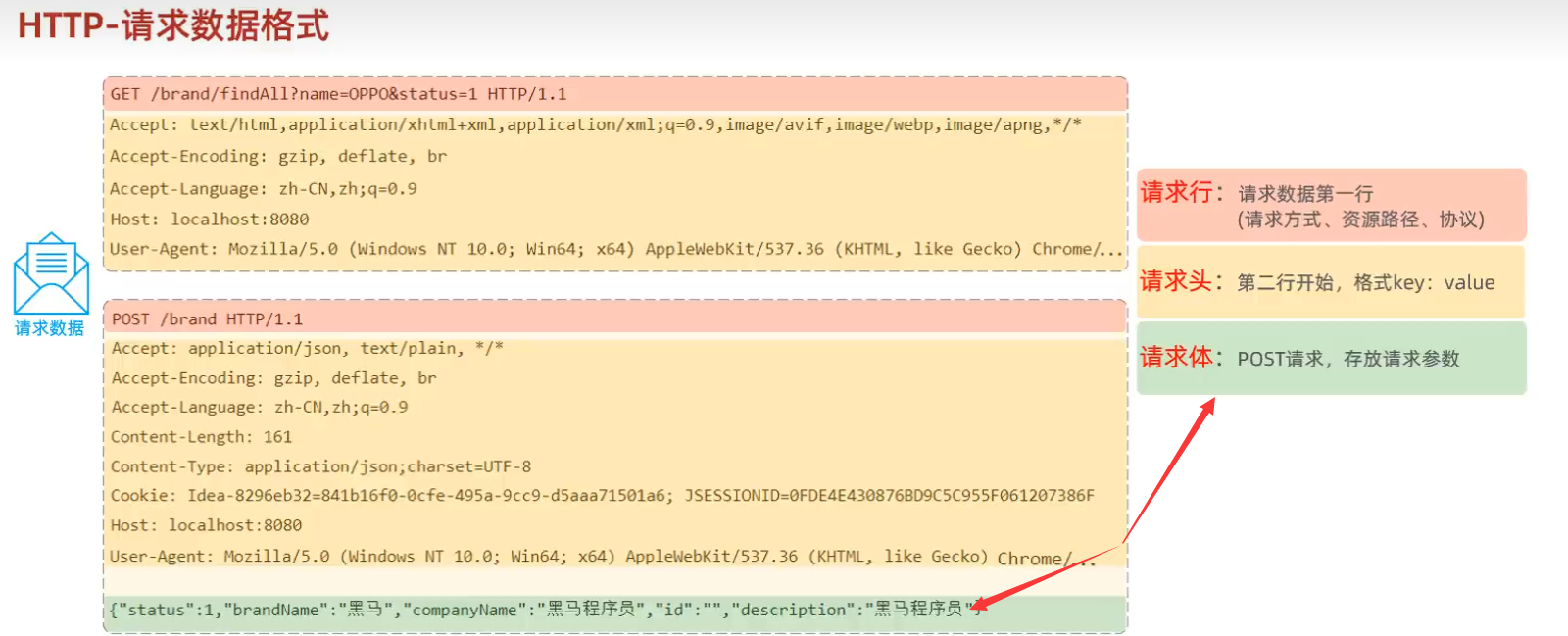

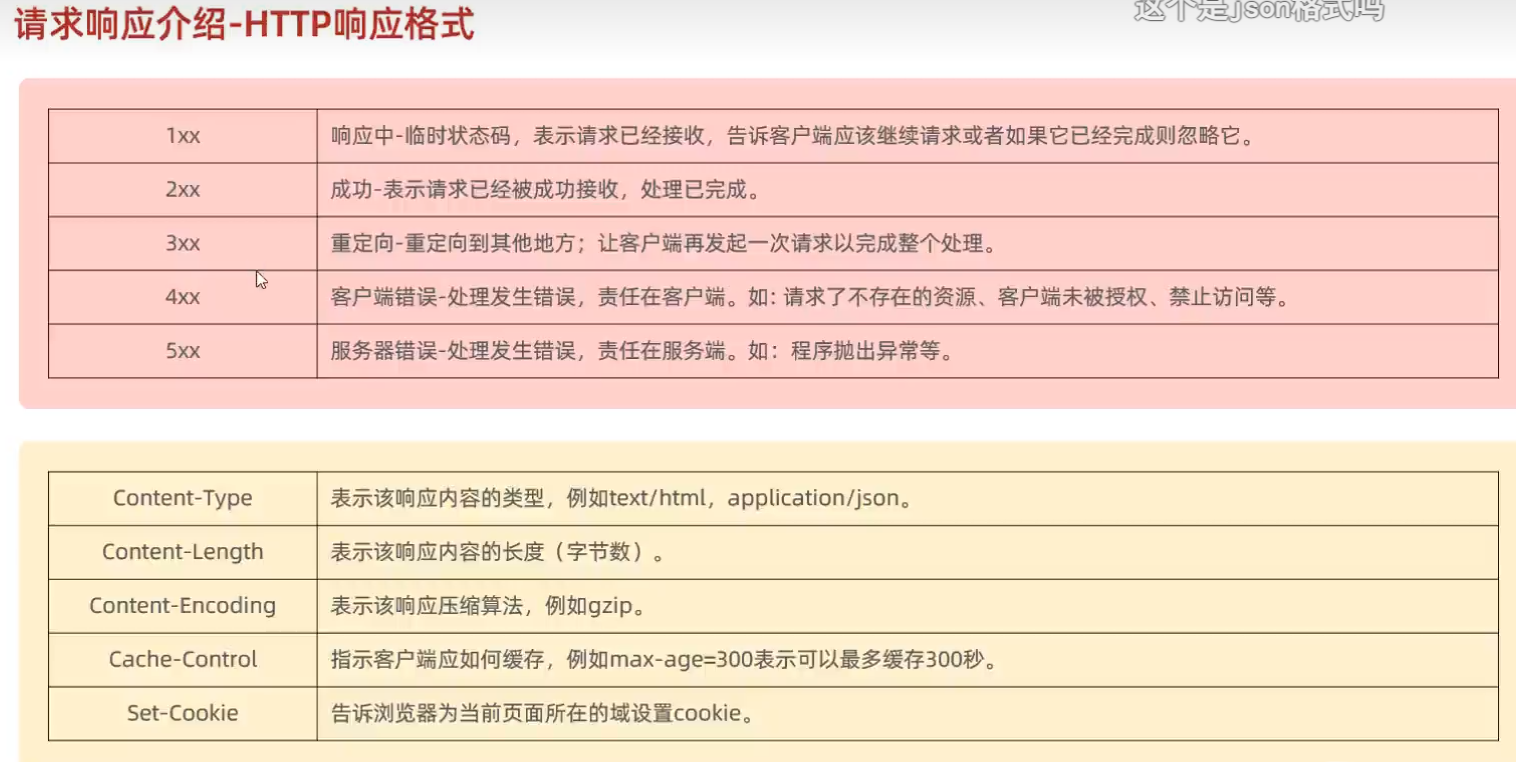
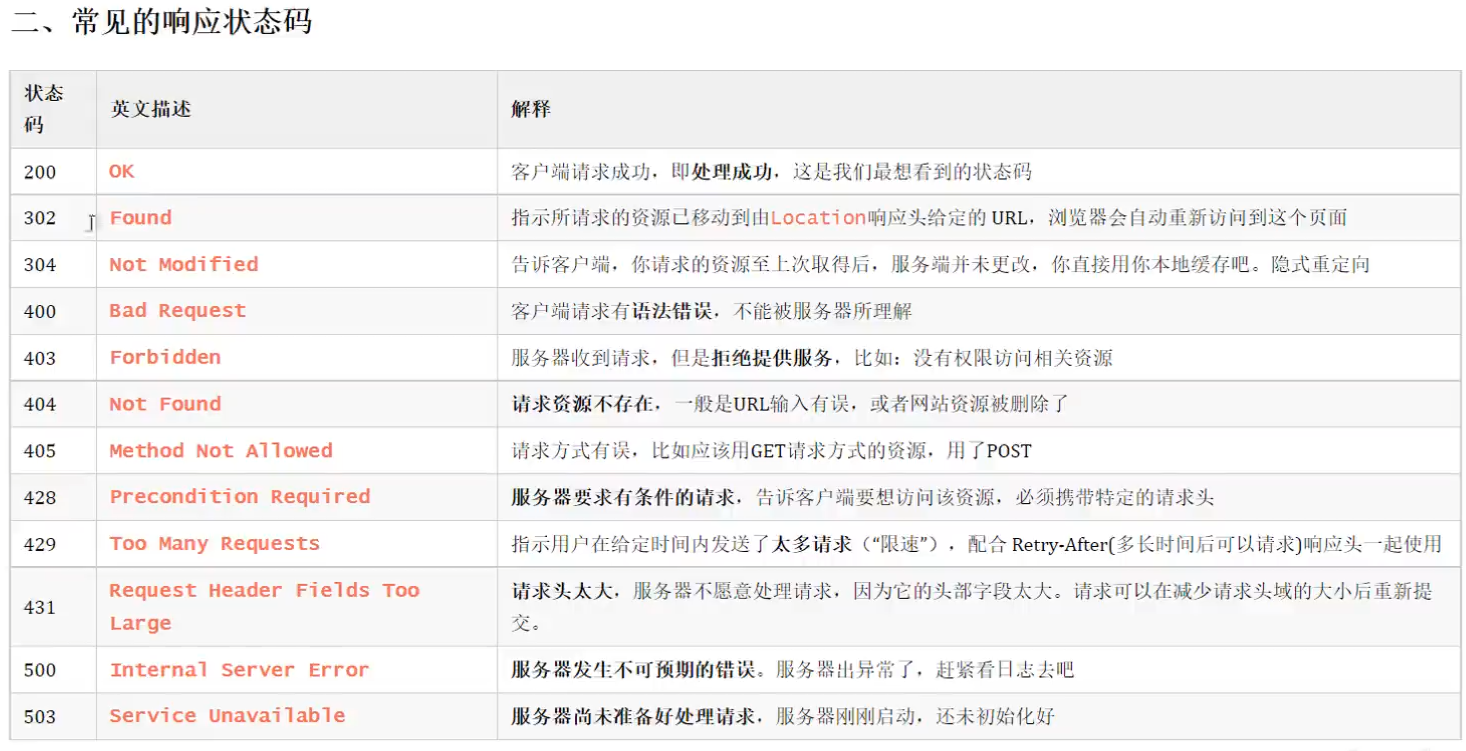
状态嘛大全:
| [HTTP - 状态 | Status - 开发者手册 - 腾讯云开发者社区-腾讯云 (tencent.com)](https://cloud.tencent.com/developer/chapter/13553) |
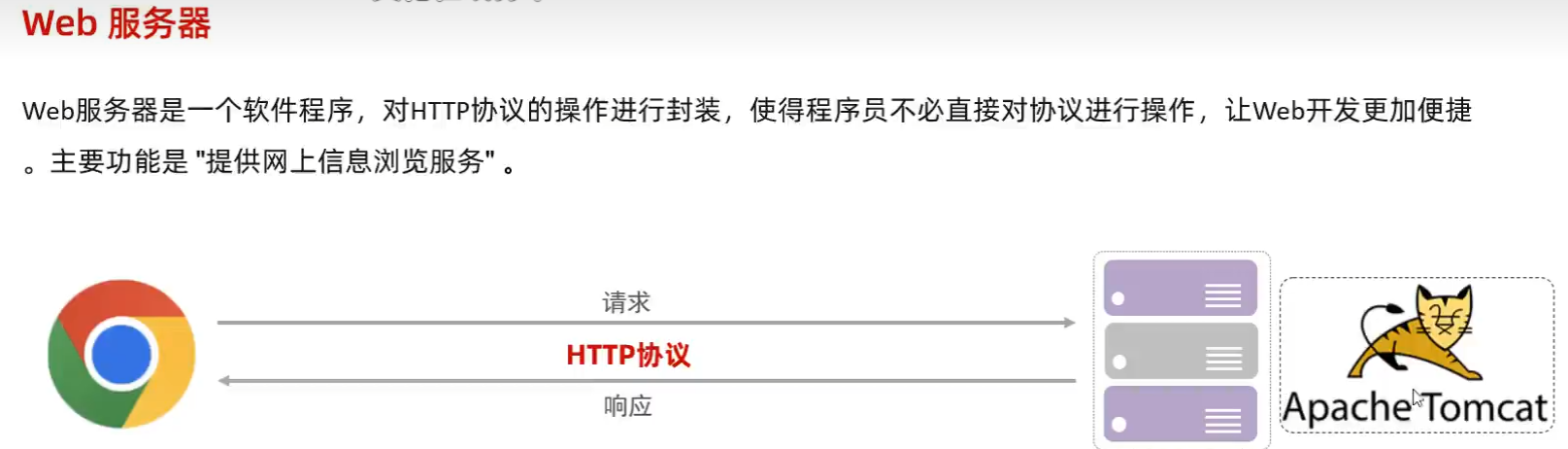
4.Web服务器
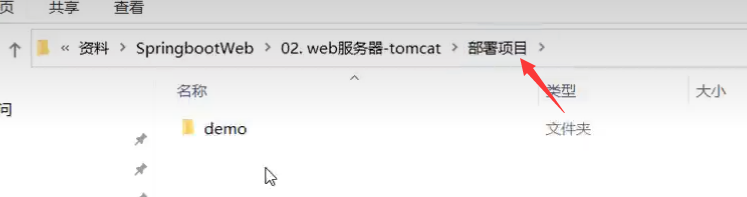
如何将项目布置到tomcat中
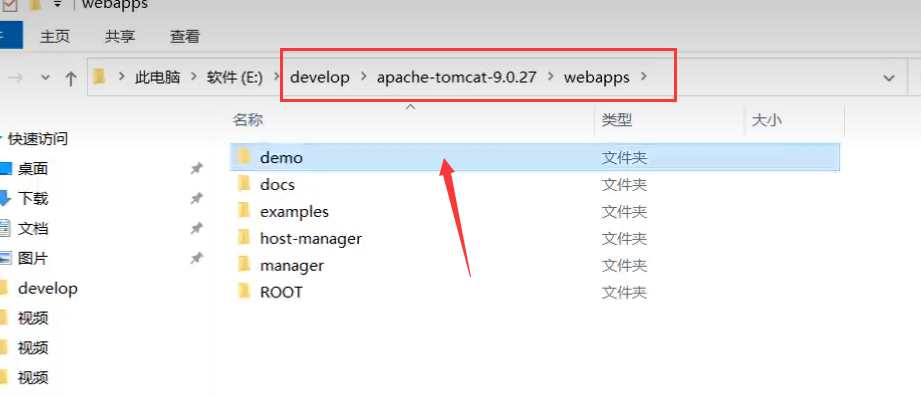
启动tomcat
访问
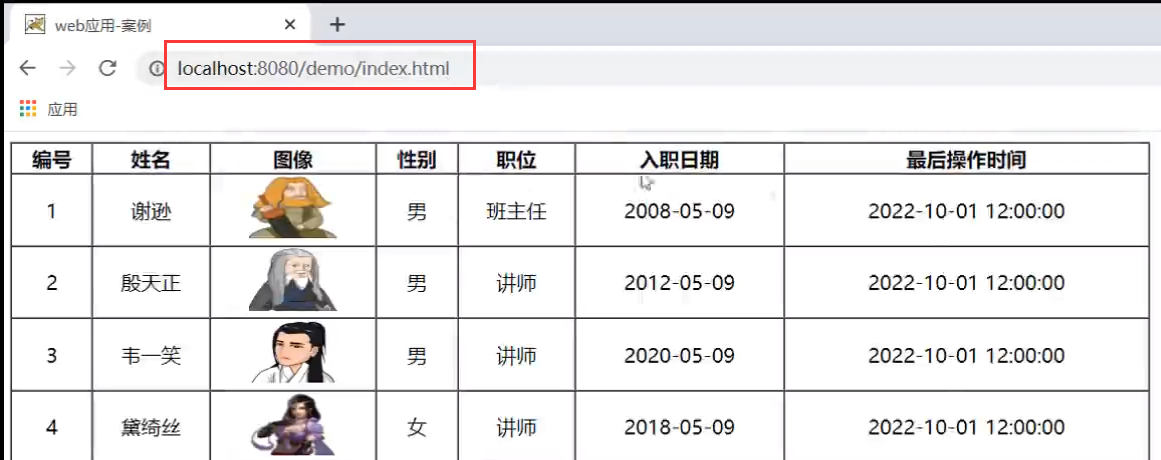
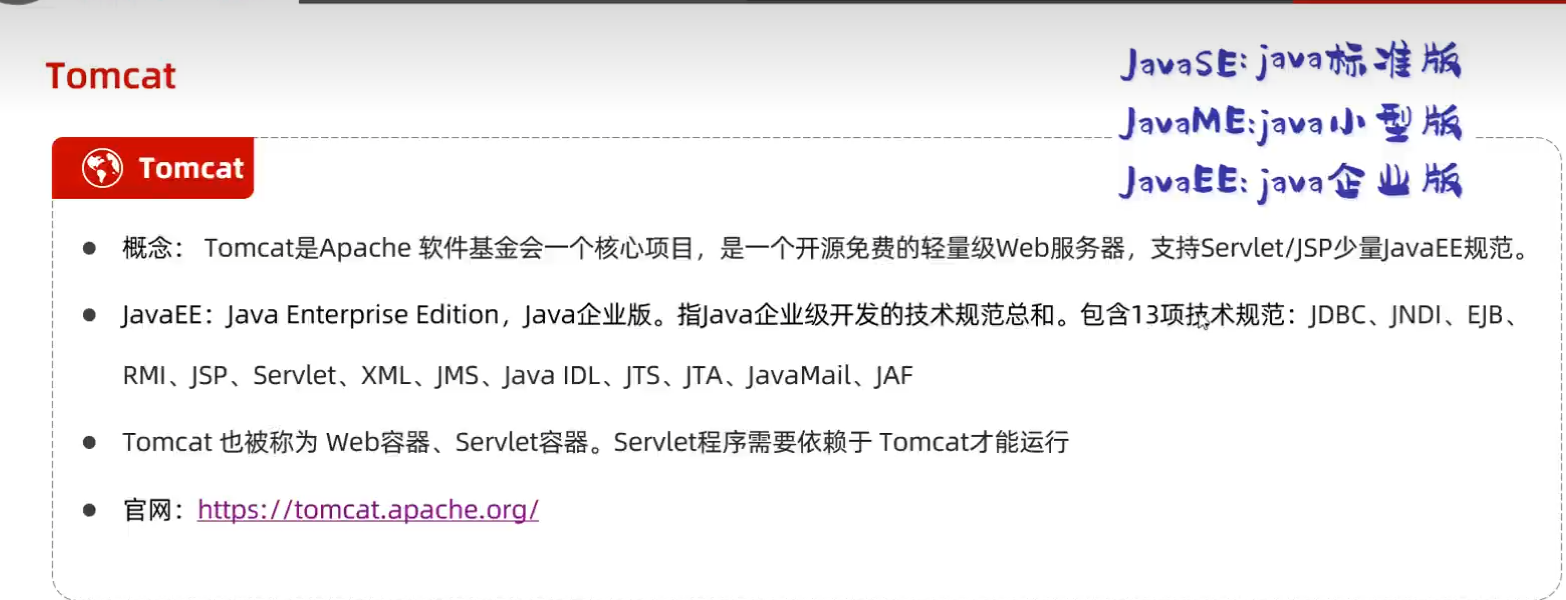
Tomcat介绍
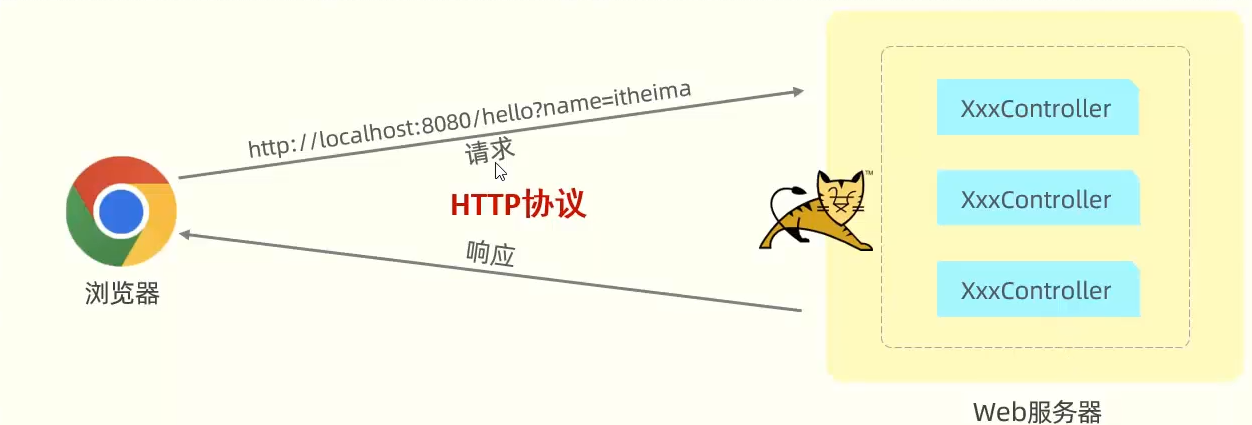
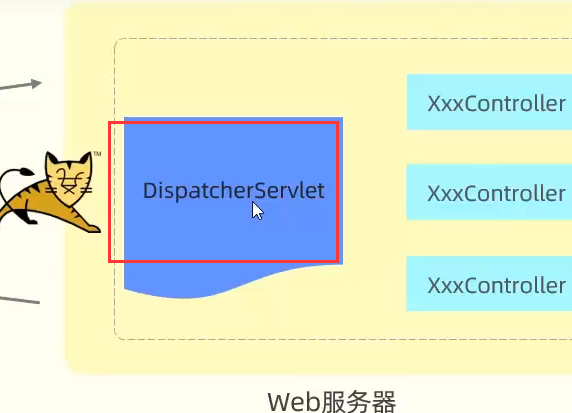
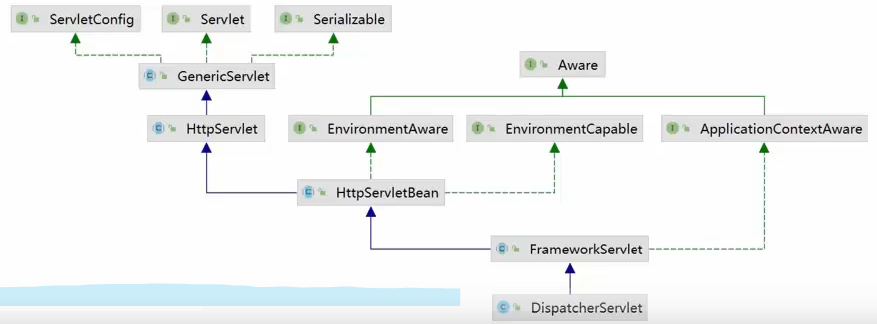
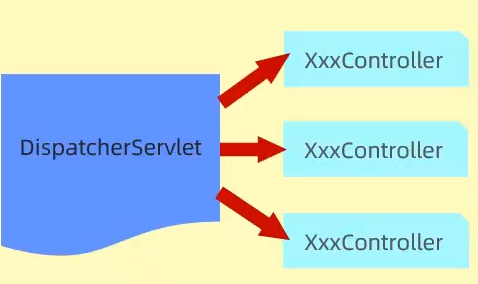
dispatcherServlet叫做核心控制器或者前端控制器
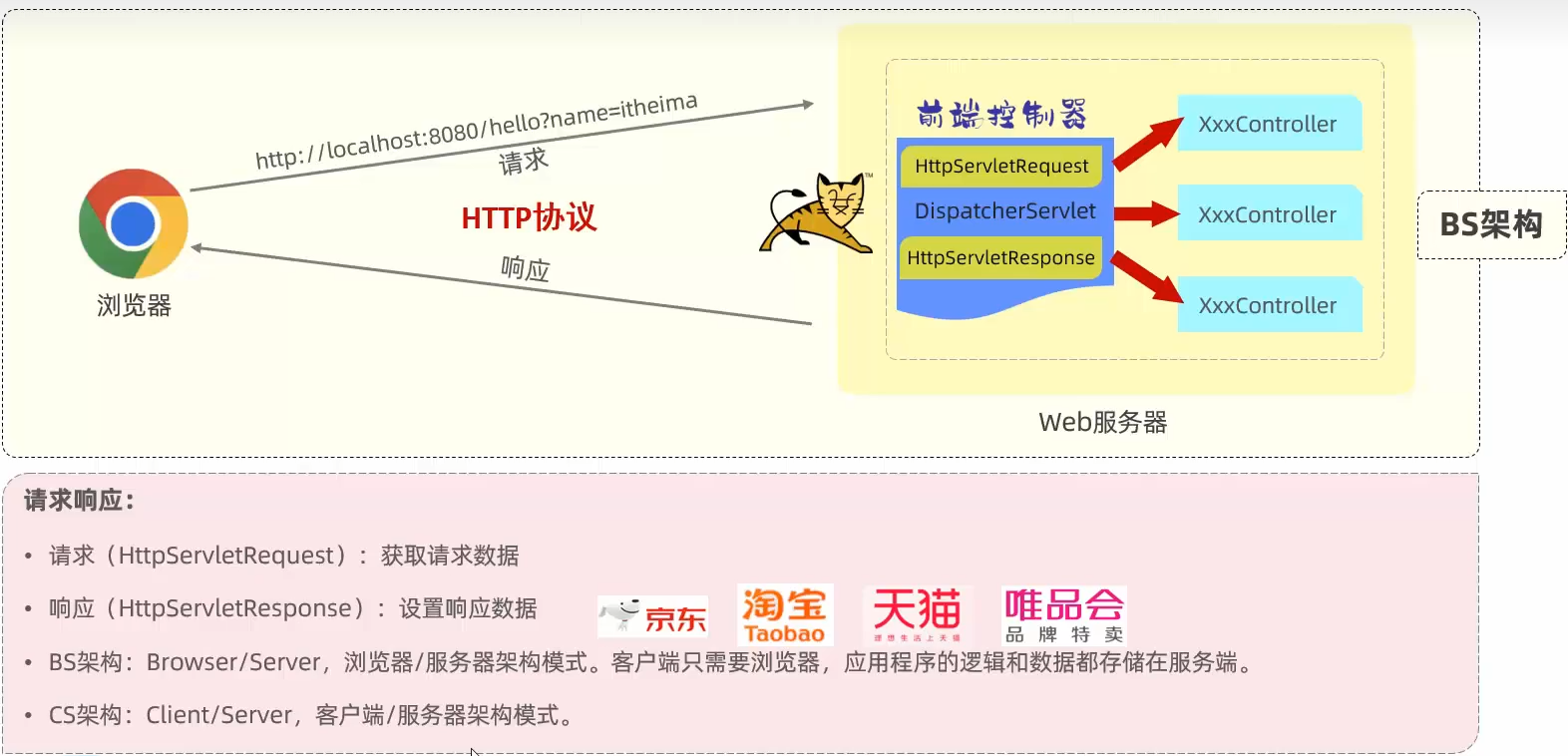
请求响应
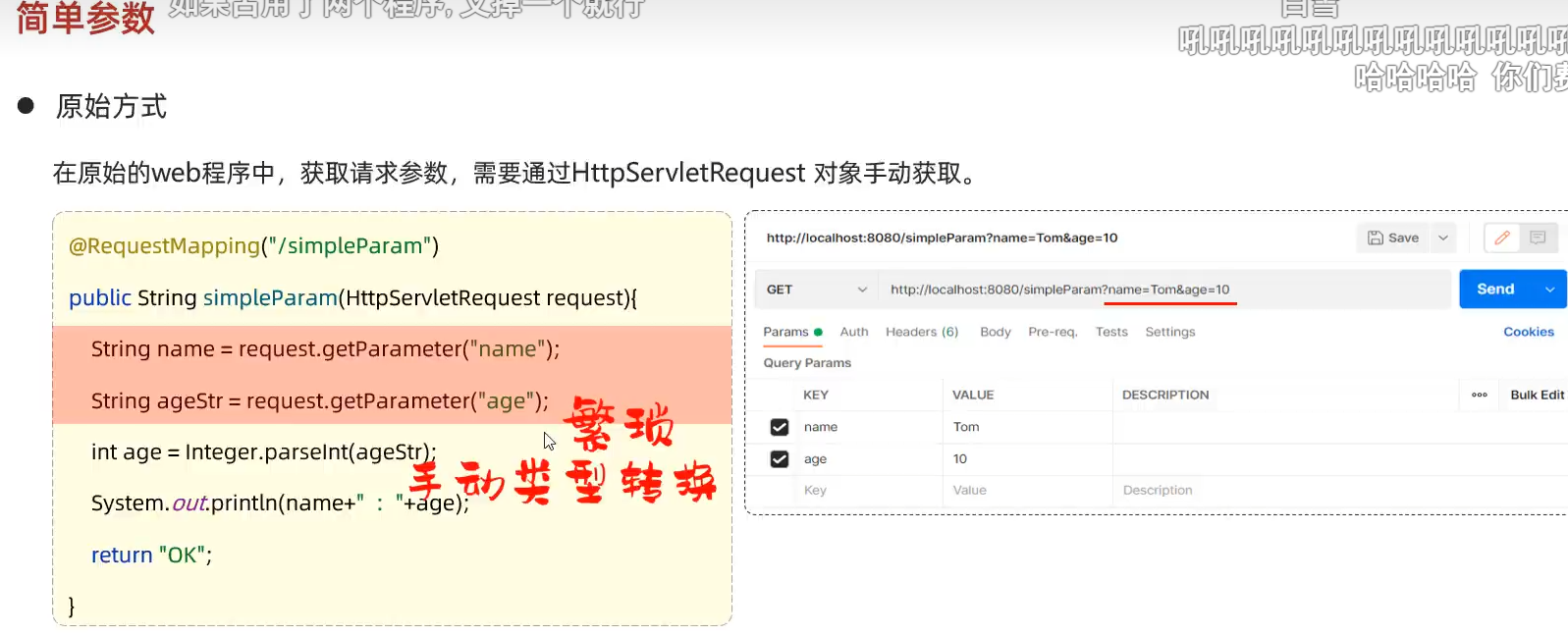
原始方式
SpringBoot方式
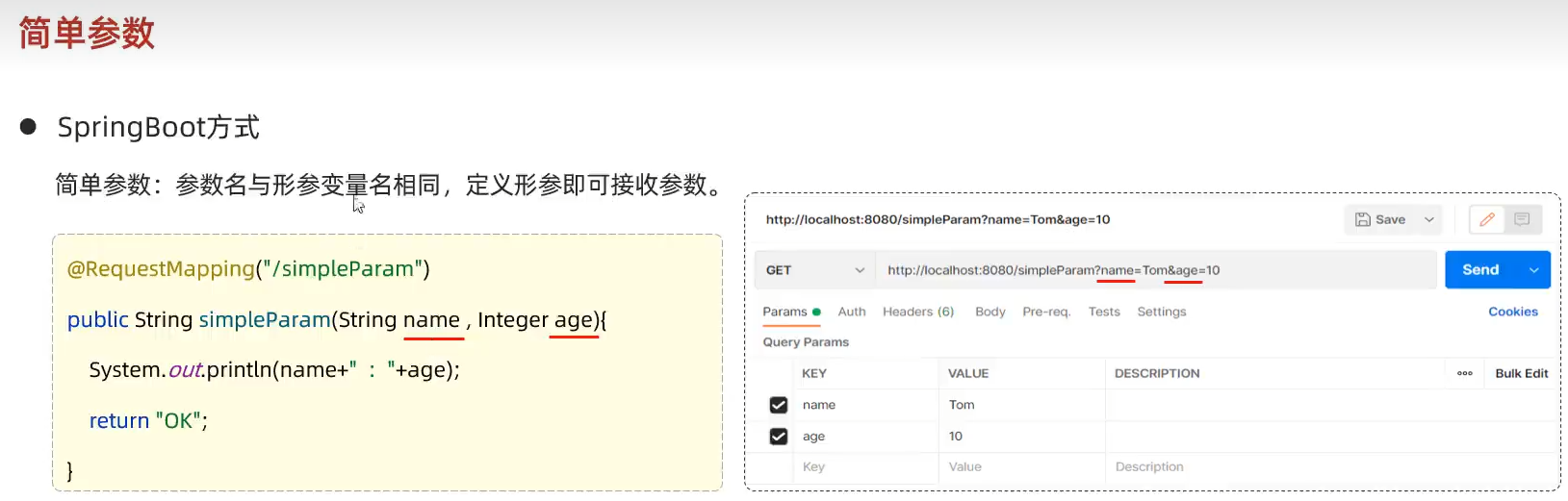
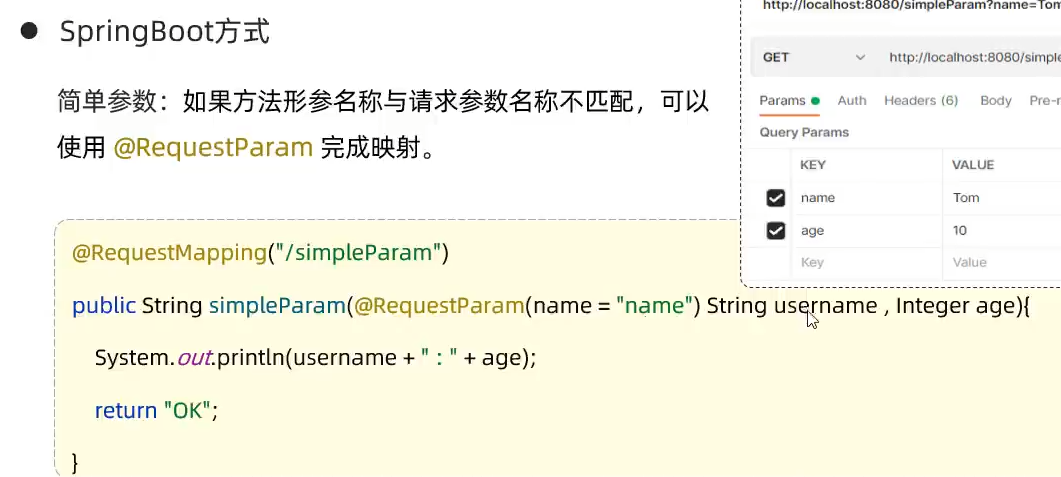
总结
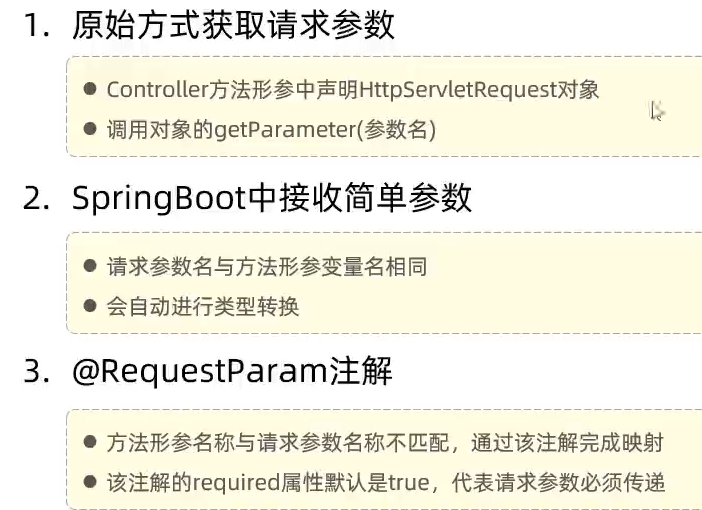
简单实体对象
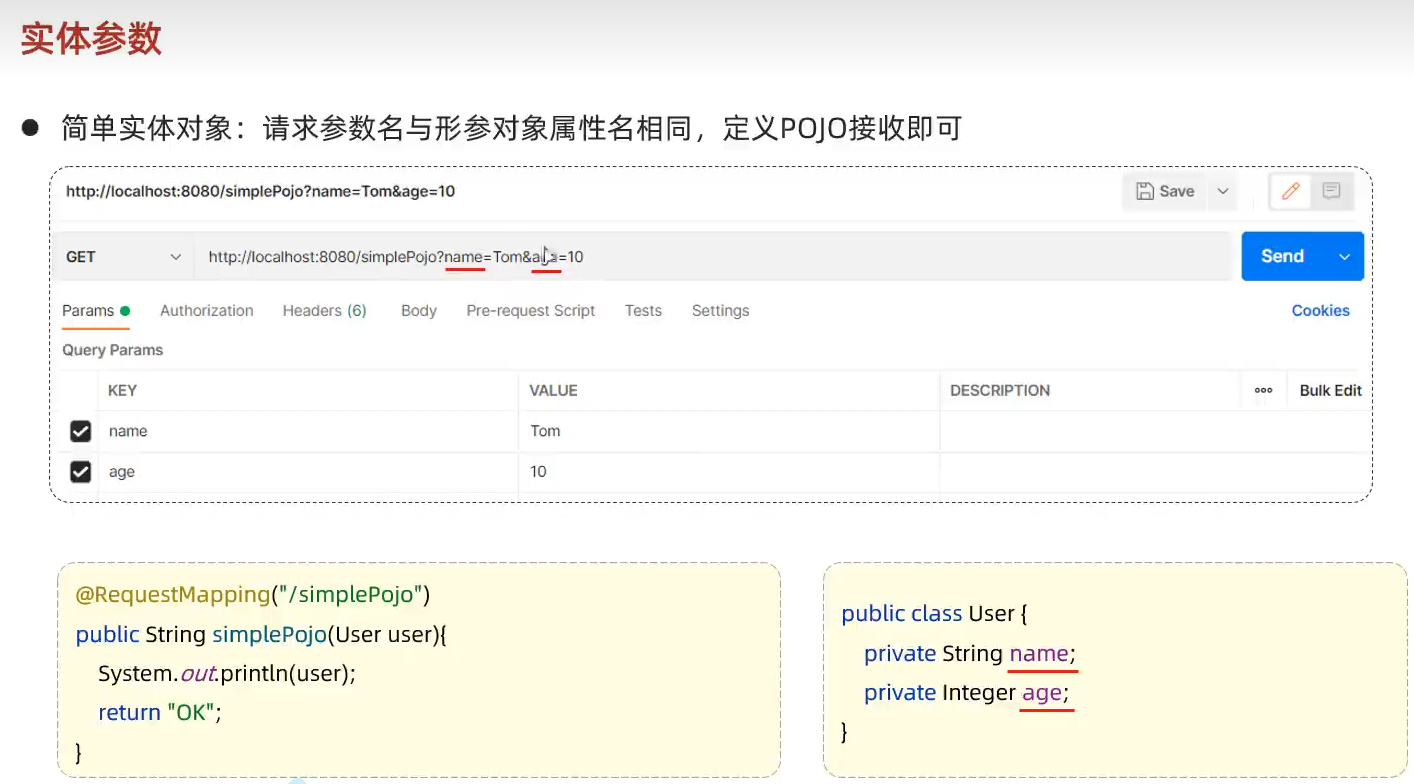
复杂实体对象
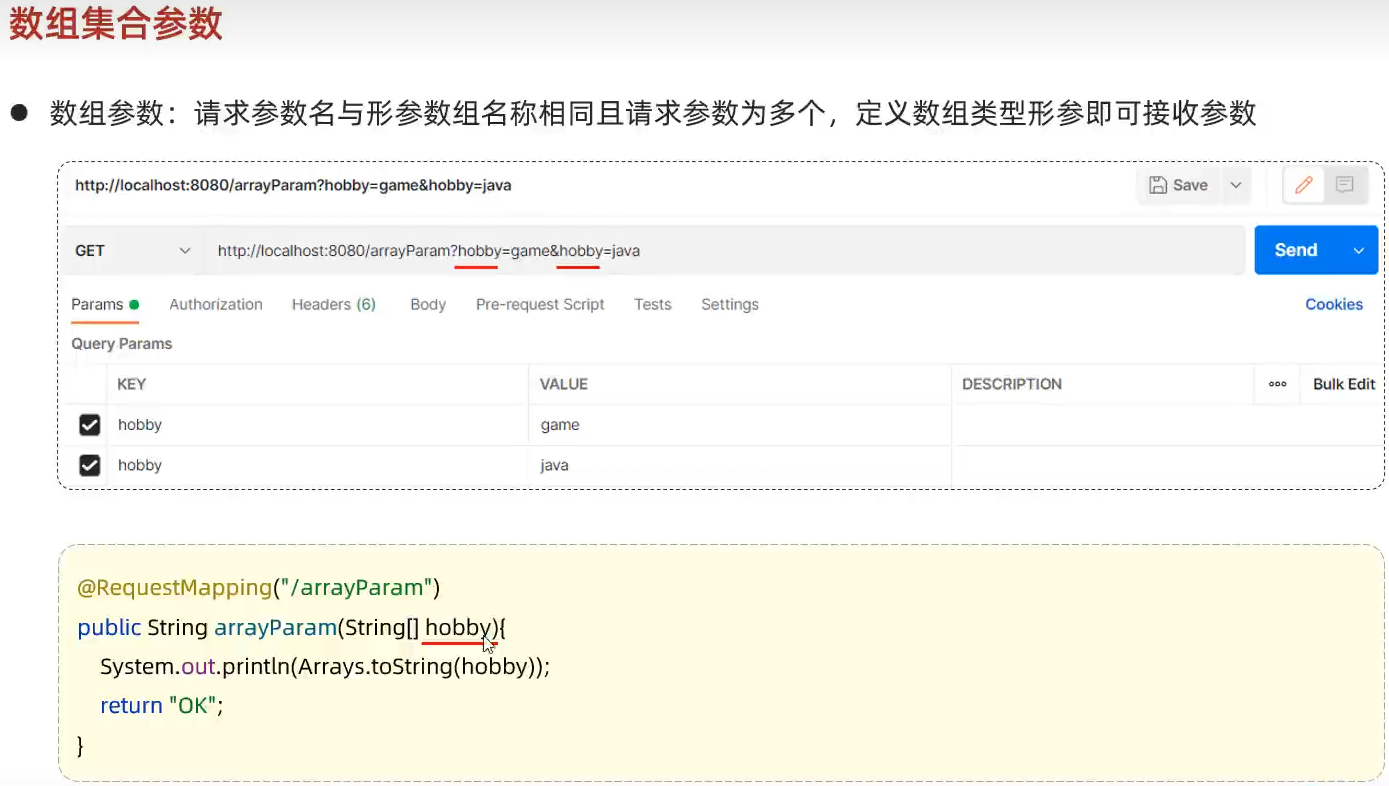
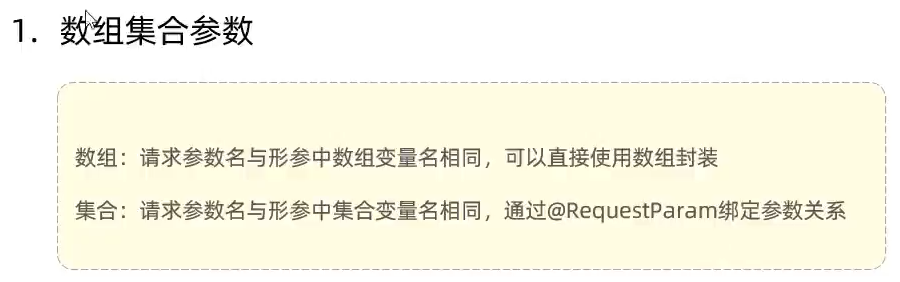
数组集合参数
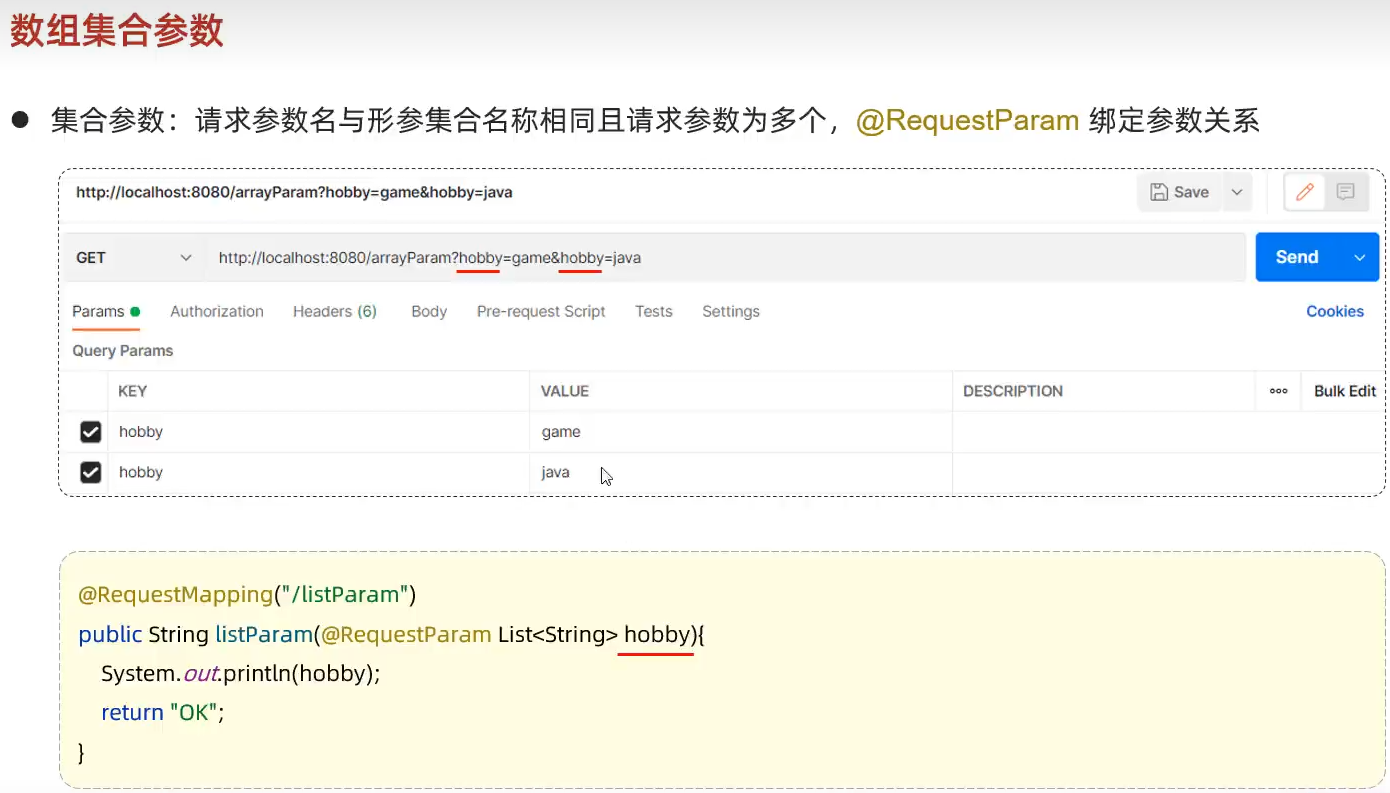
集合请求方式
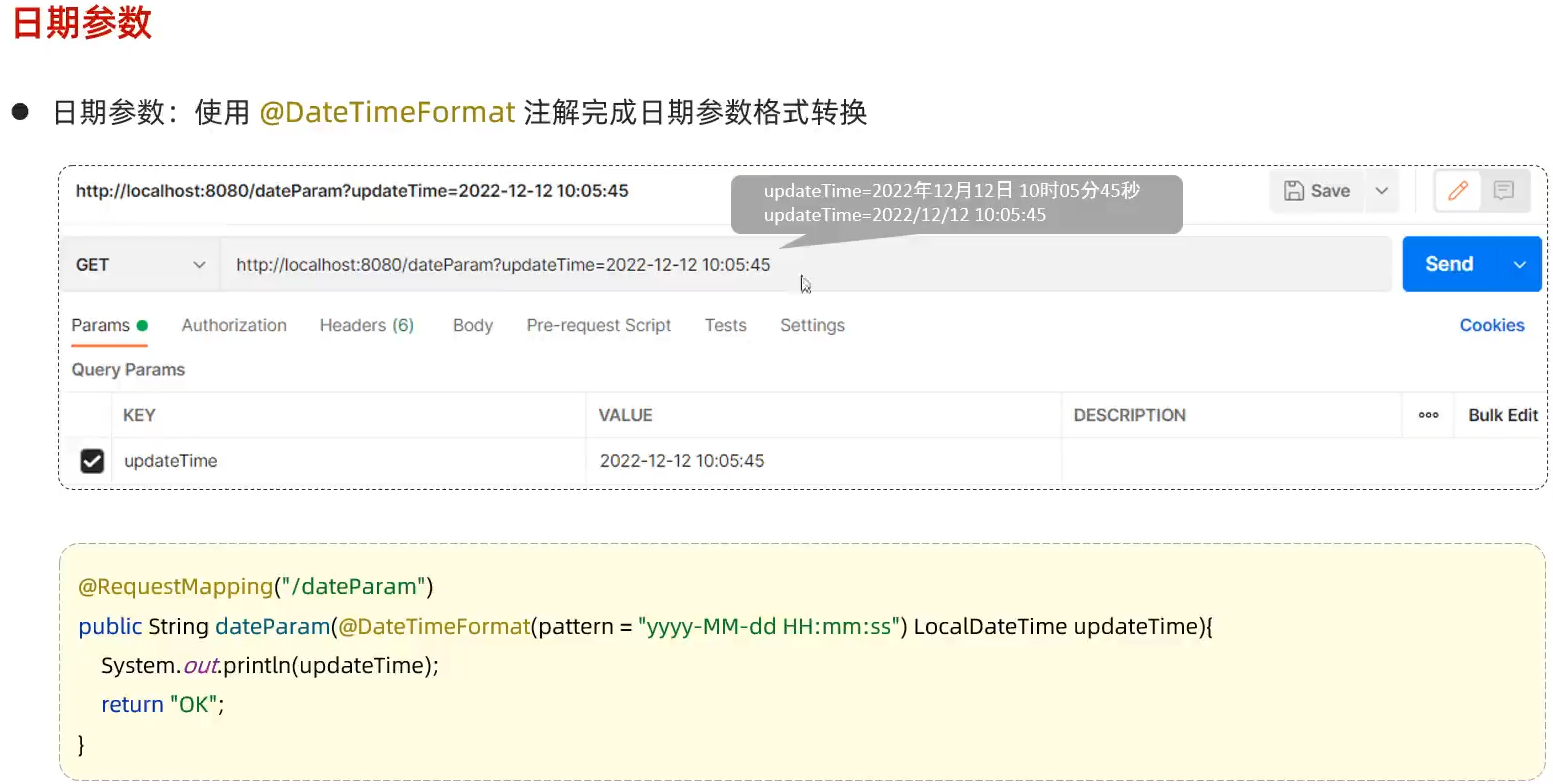
日期参数
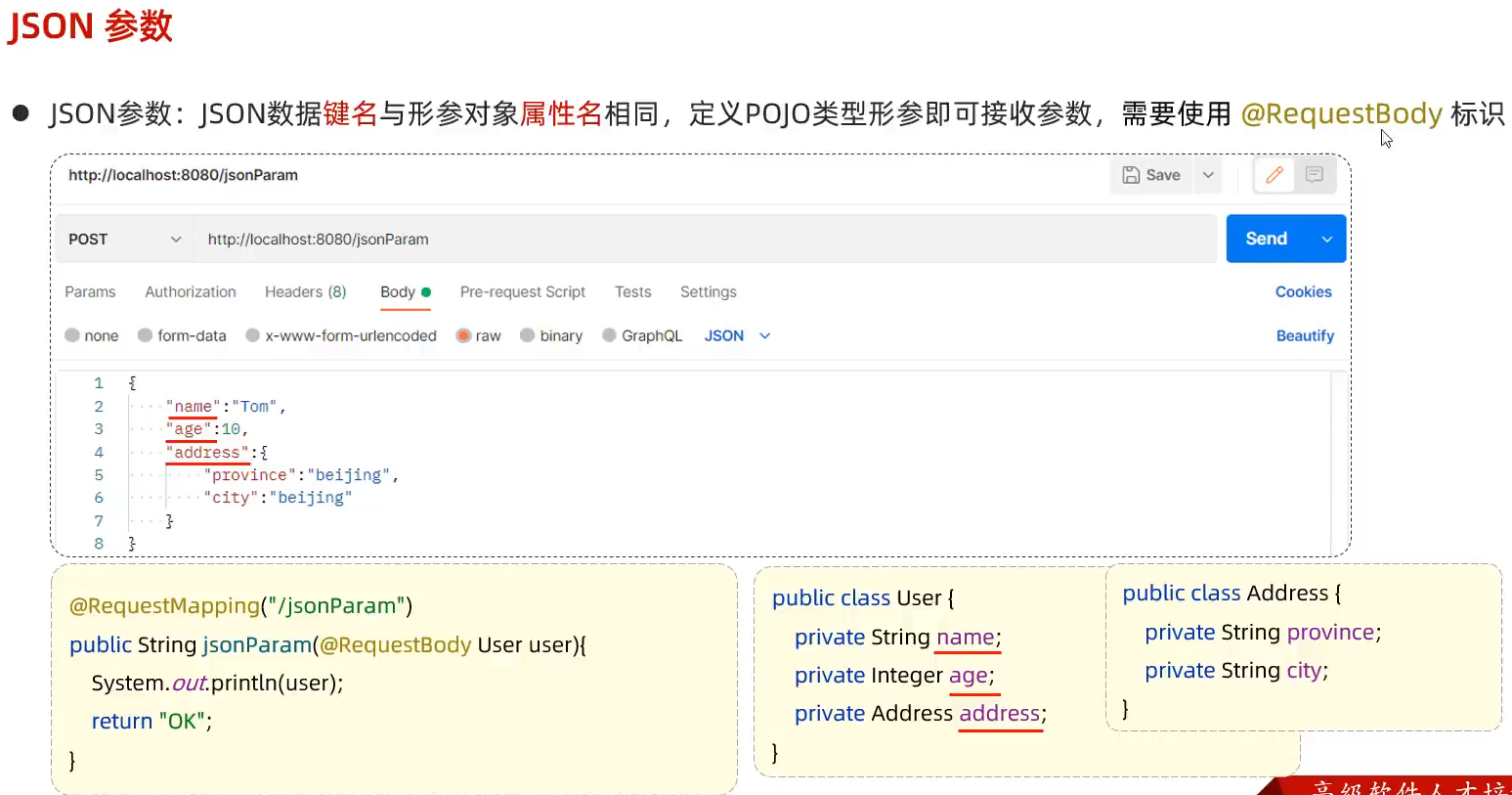
JSON参数
利用RequestBody注解
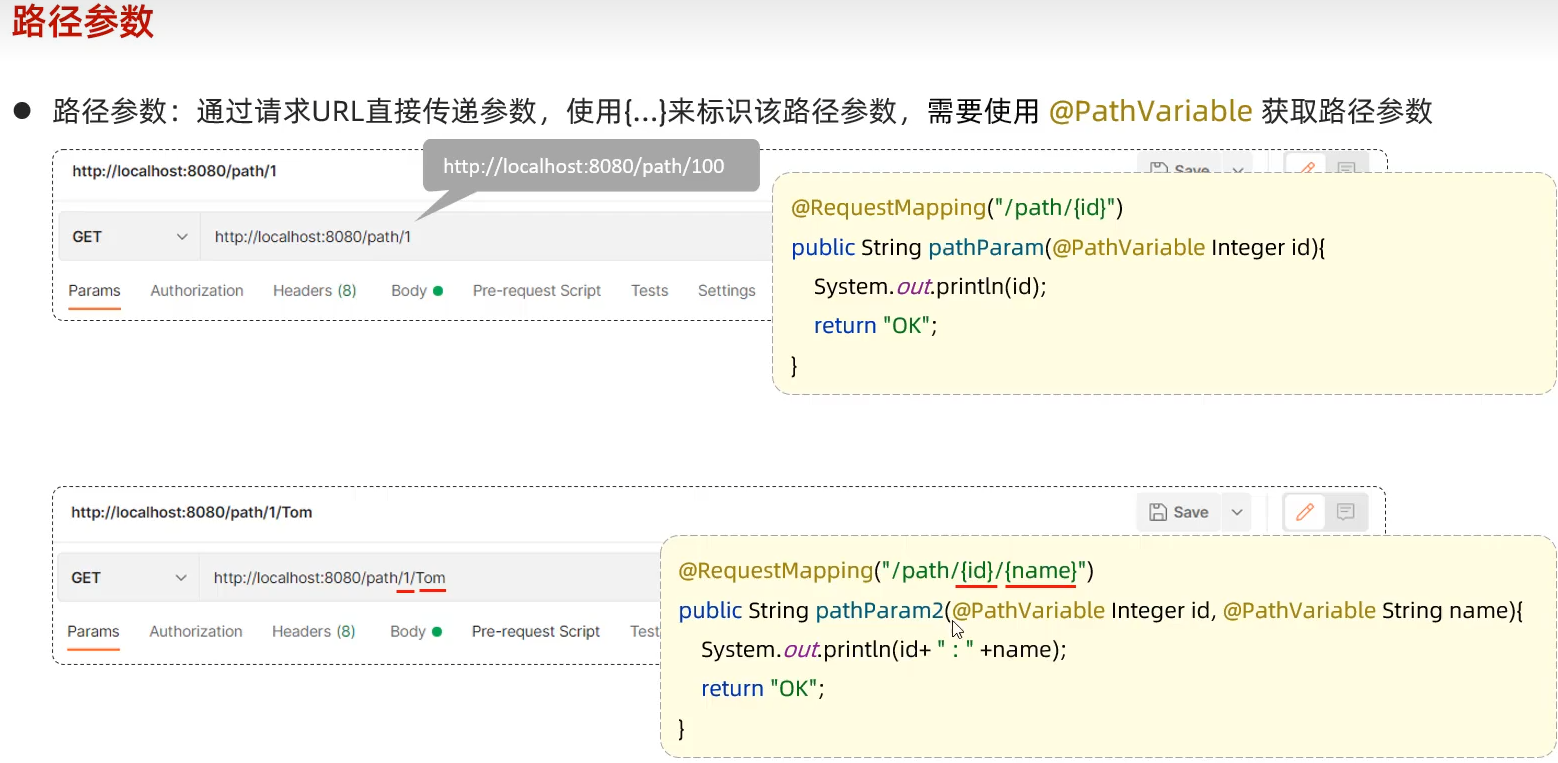
响应数据
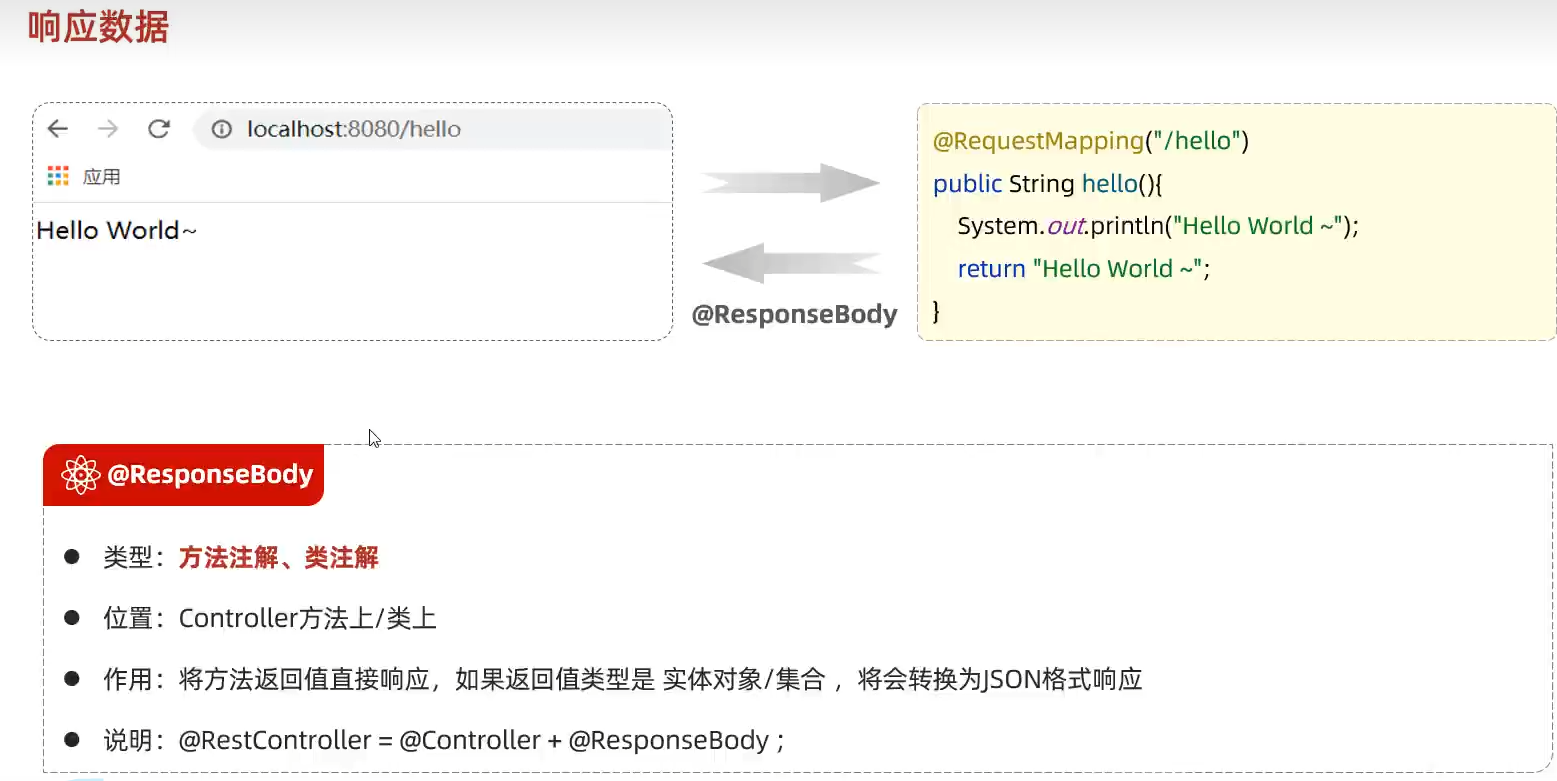
- 不便管理
- 难以维护
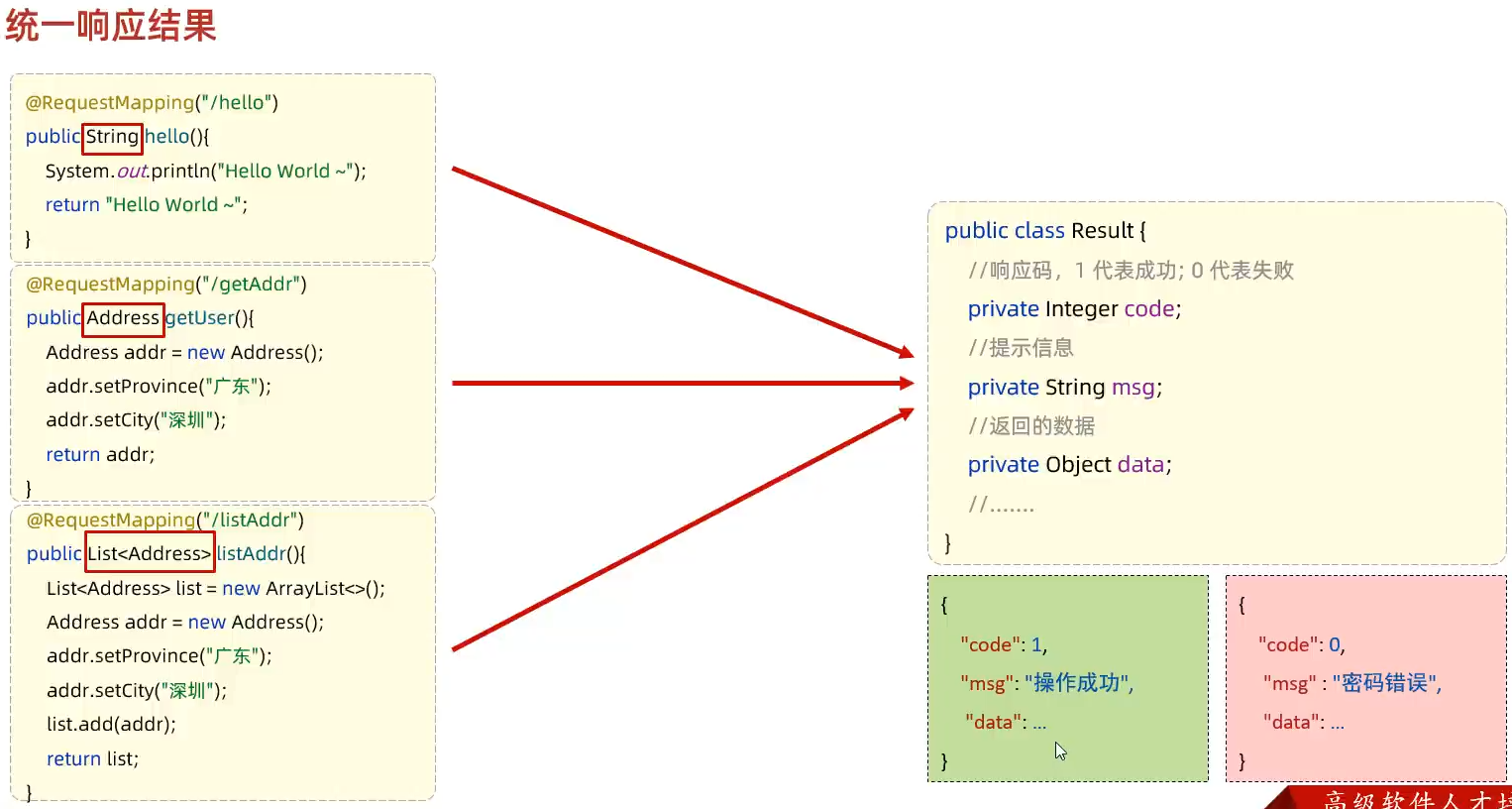
统一的响应结果
请求-响应
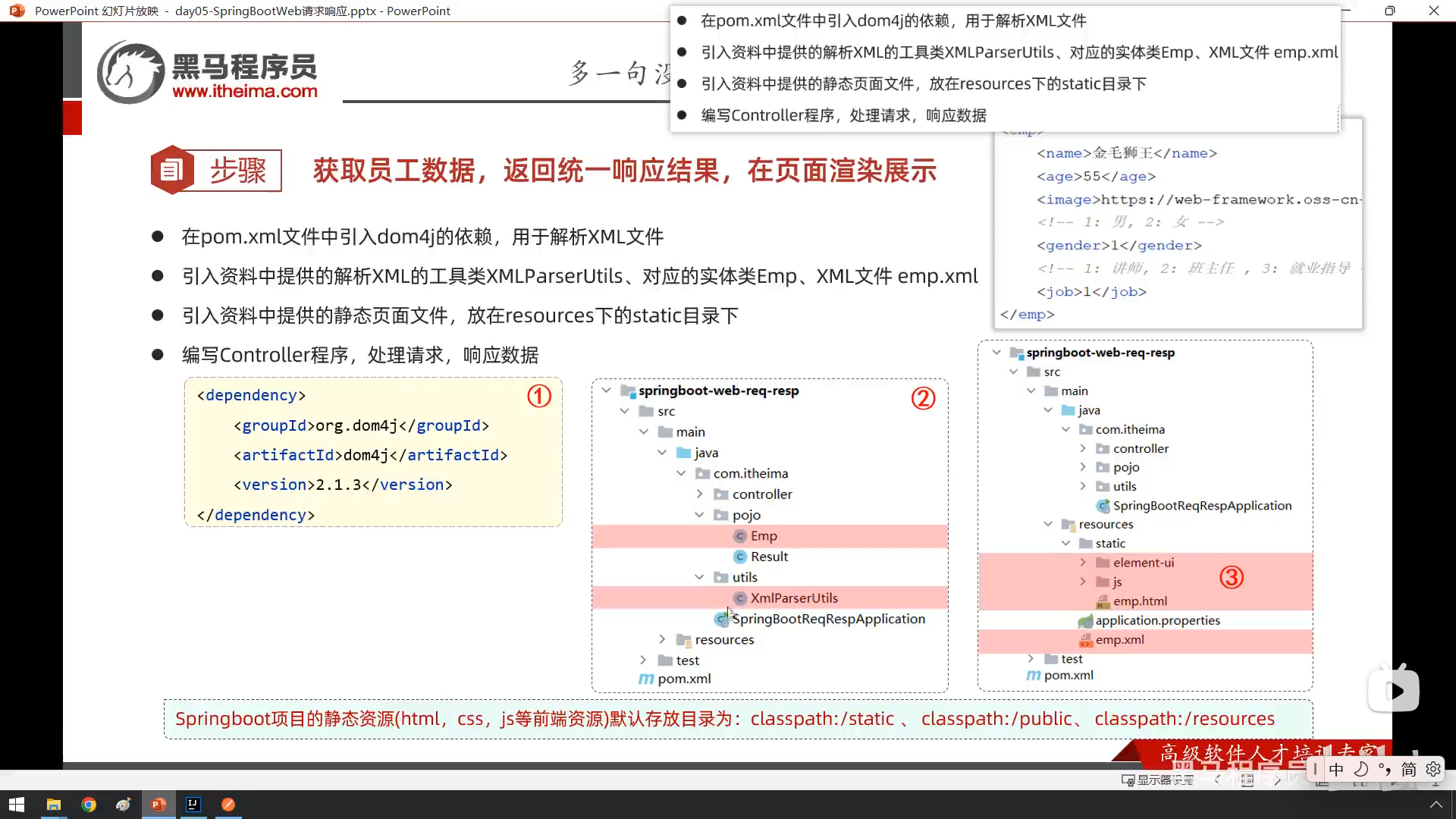
小demo
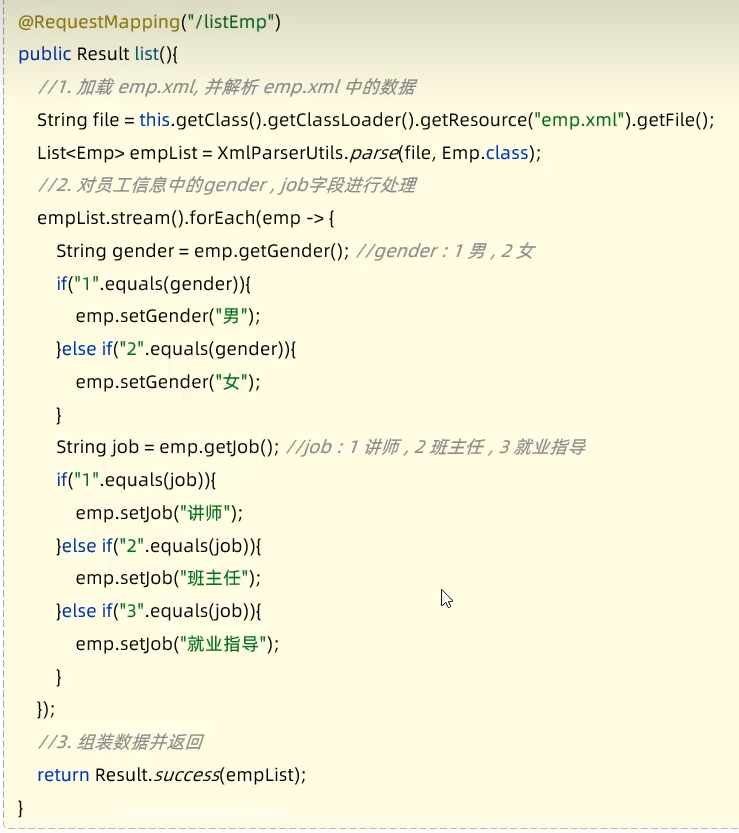
- 复用性差
- 难以维护
分层解耦
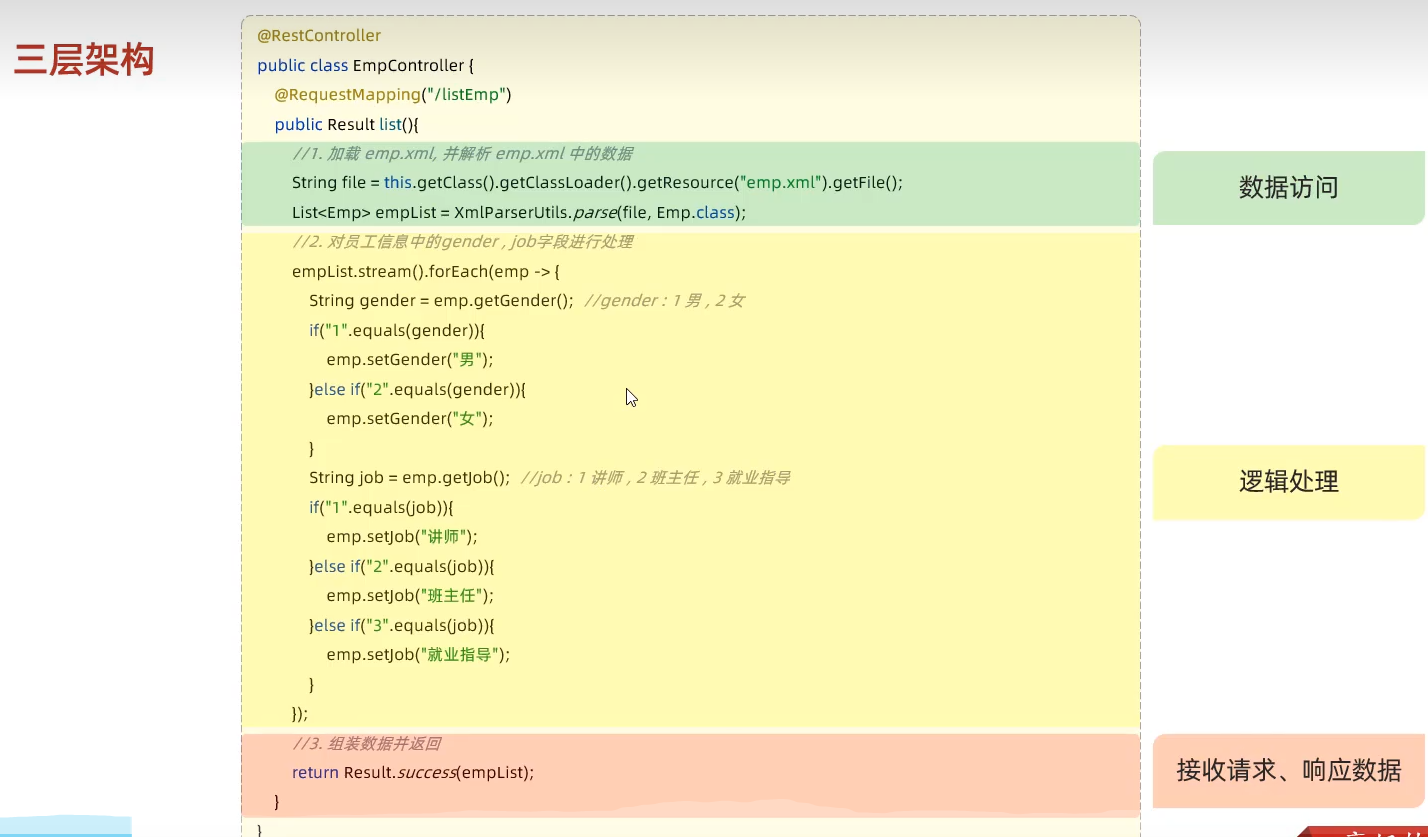
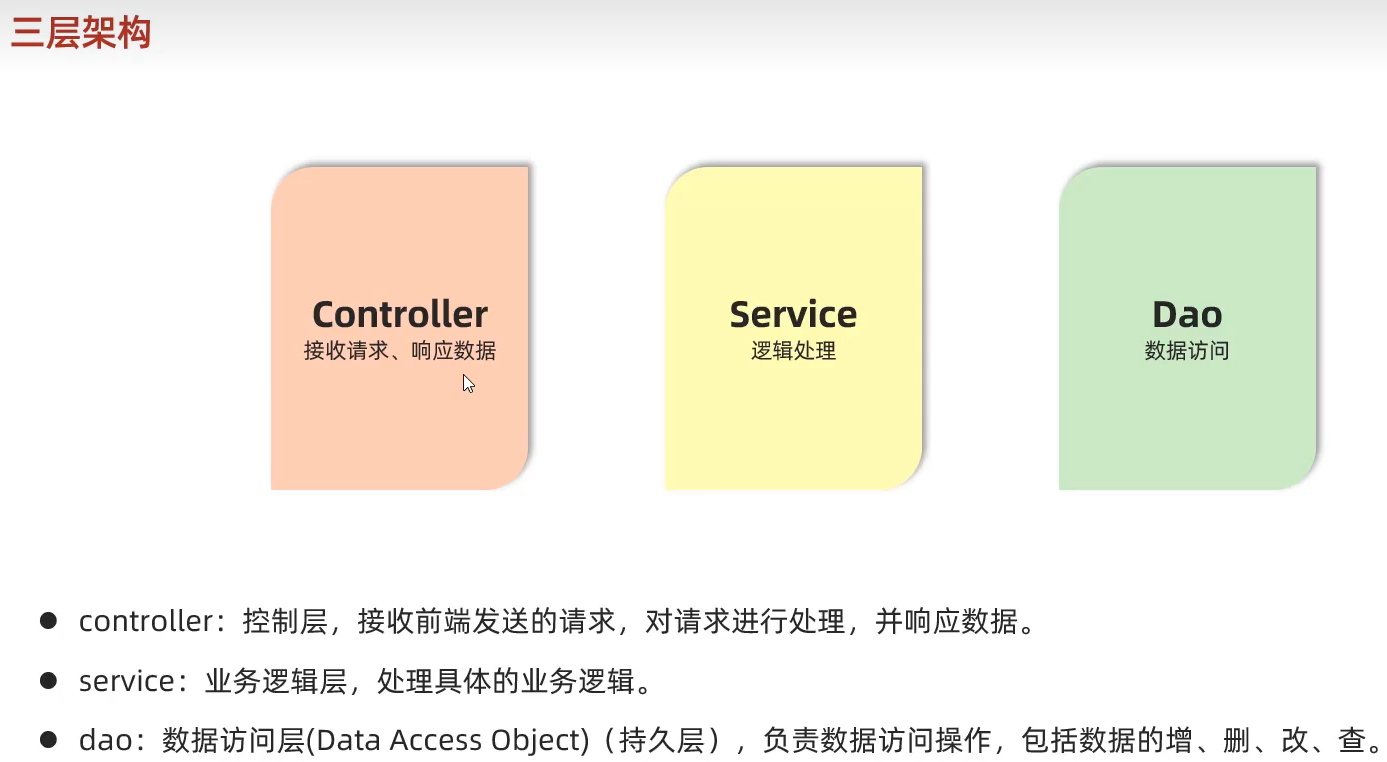
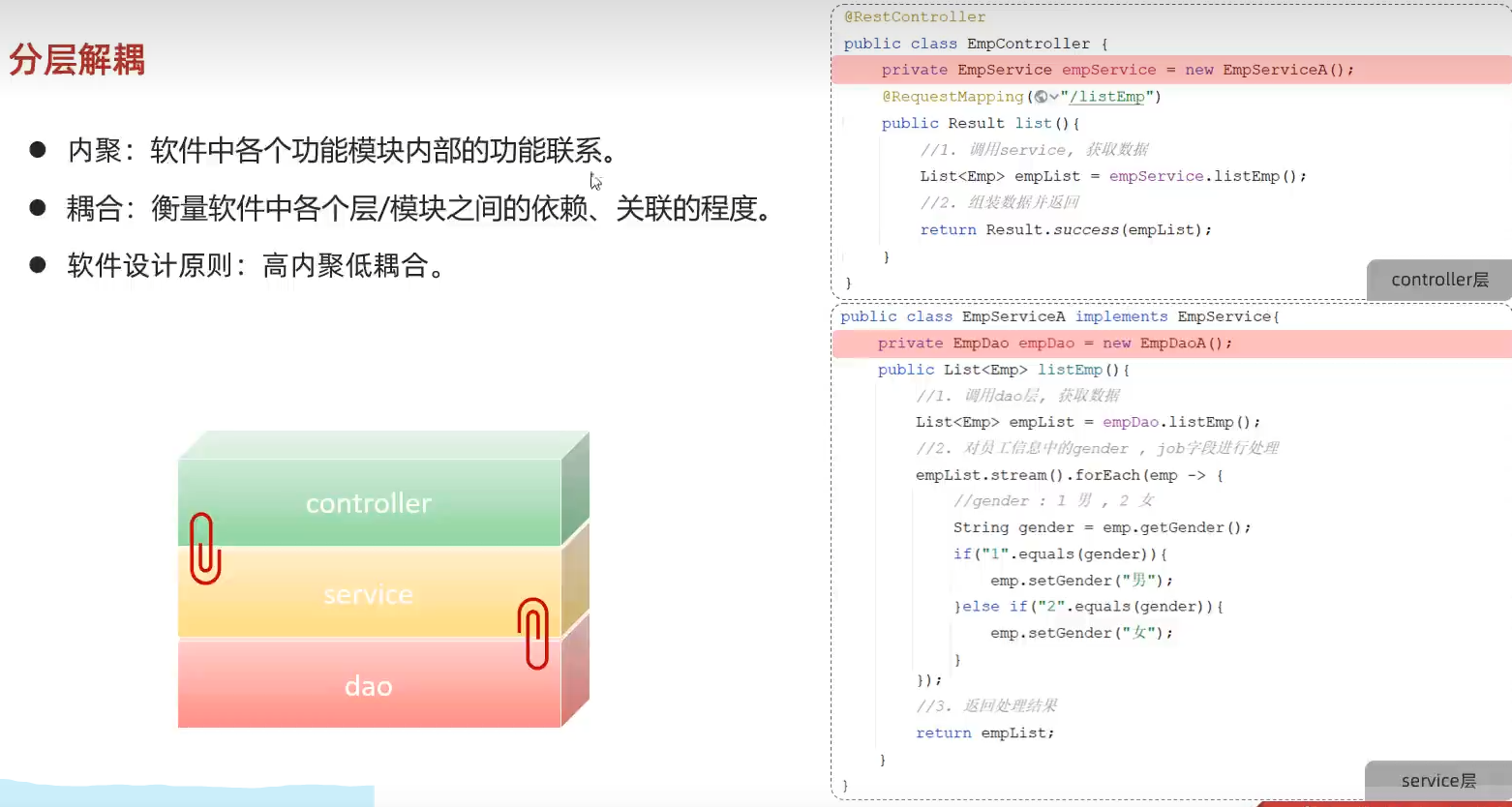
IOC&DI入门
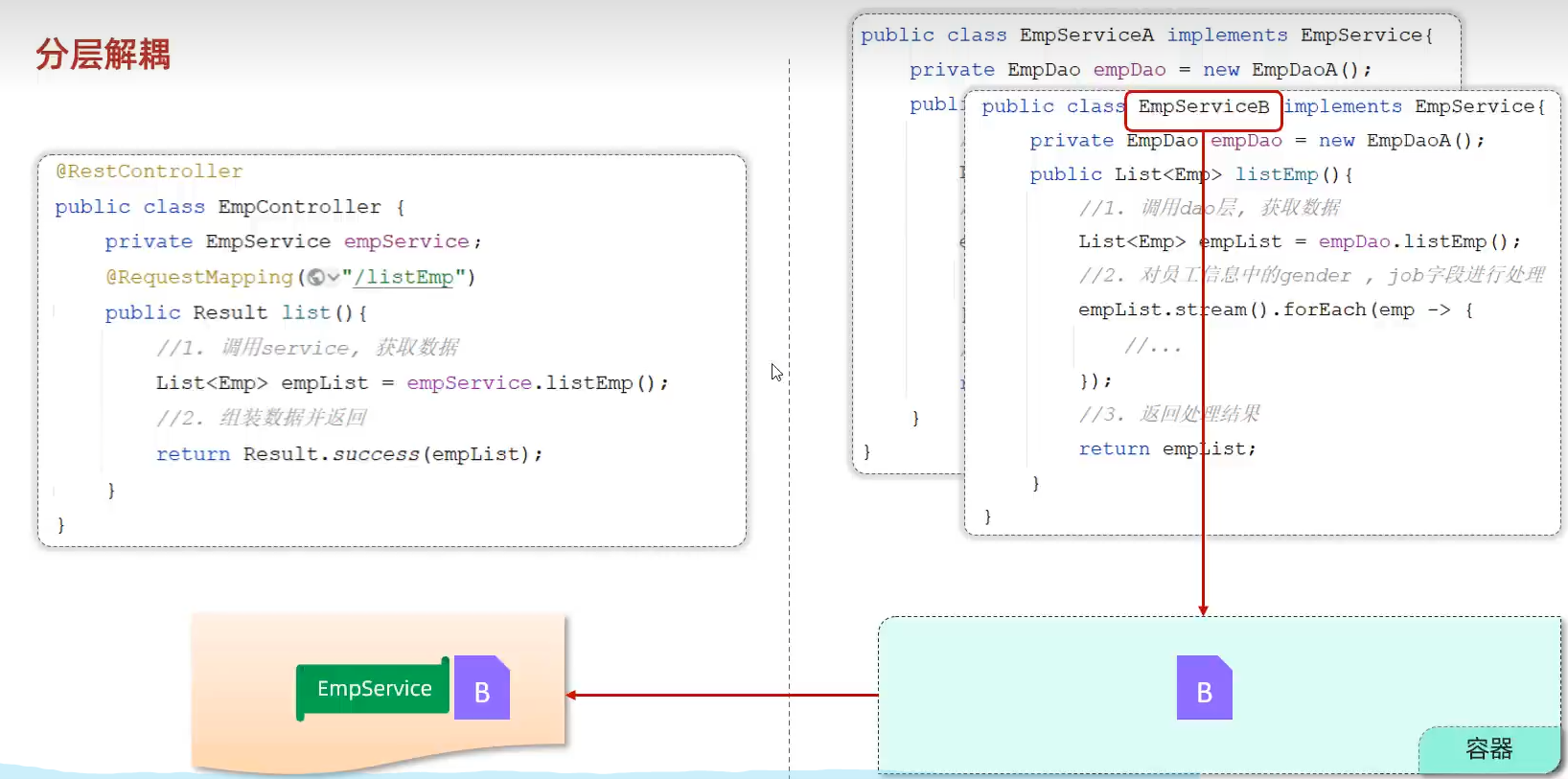
- 这个对象怎么交给容器进行管理–》控制反转
- 容器怎么为程序提供它所依赖的资源–》依赖注入

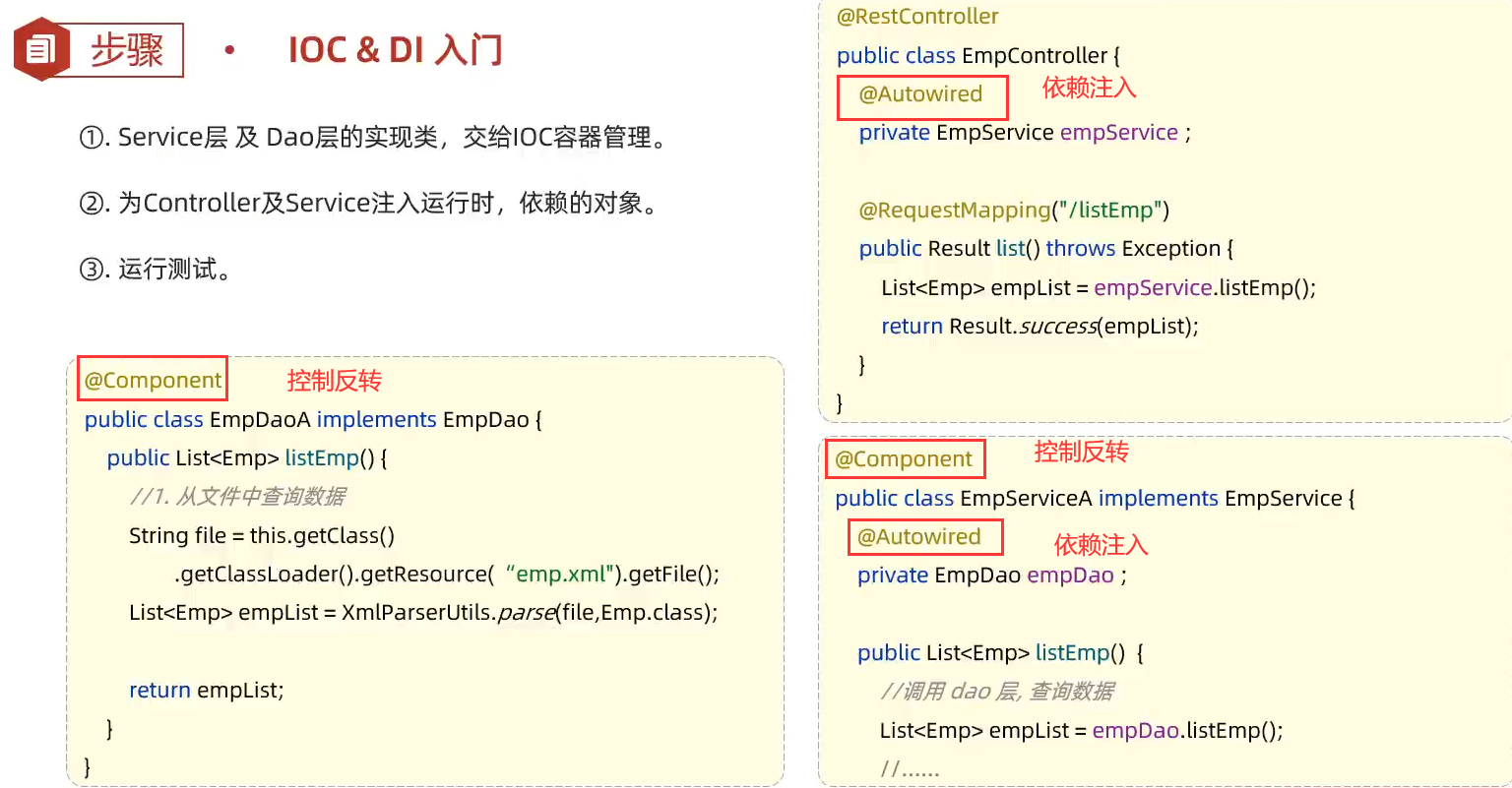
- 如果要切换实现类,只要将你想要切换的那个类加上@Component注解,将原来类的注解删掉就行
IOC详解
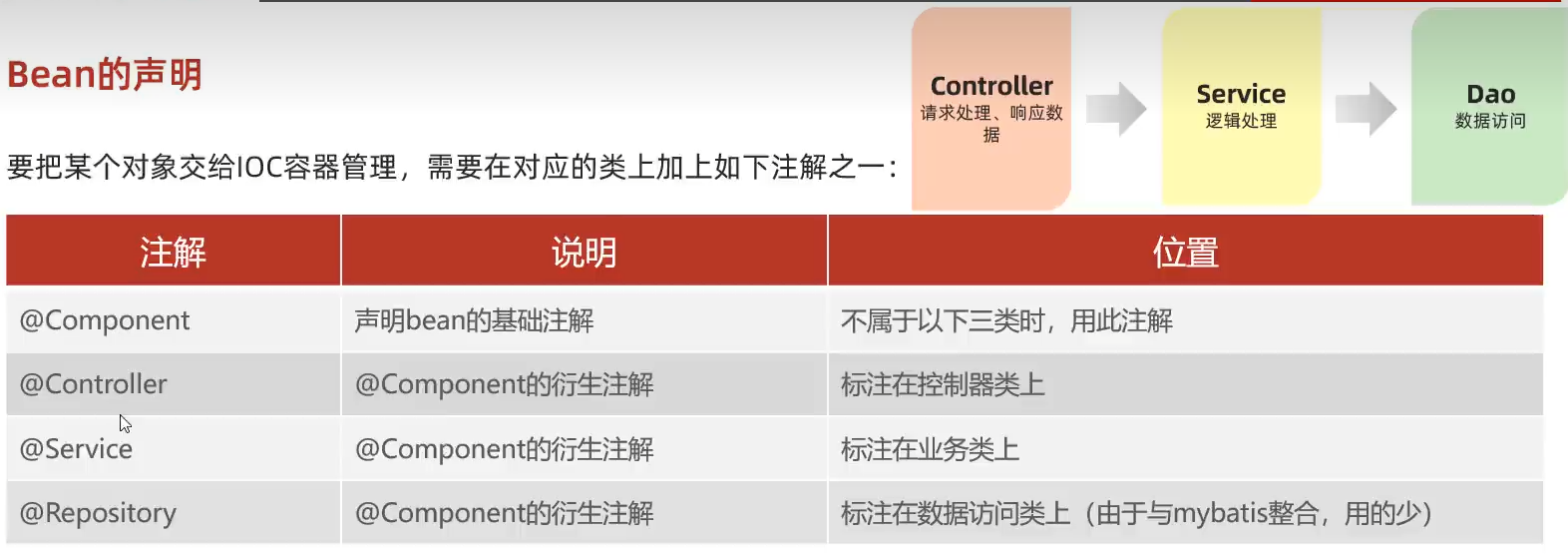

Bean组件扫描

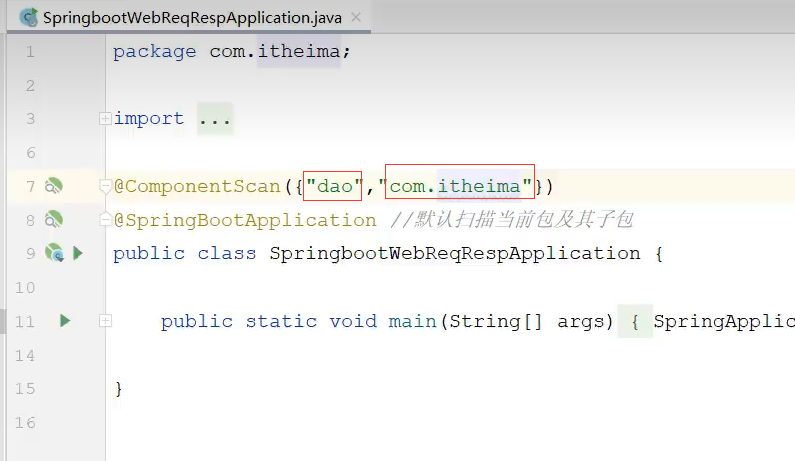
扫描不到包,有两个解决办法
- 在启动程序中,手动设置包扫描,手动设置之后,之前的包也需要手动设置一遍,比如:com.itheima
![image-20240112135443180]()
- 把所有包都放在启动类所在包的下面
Di详解
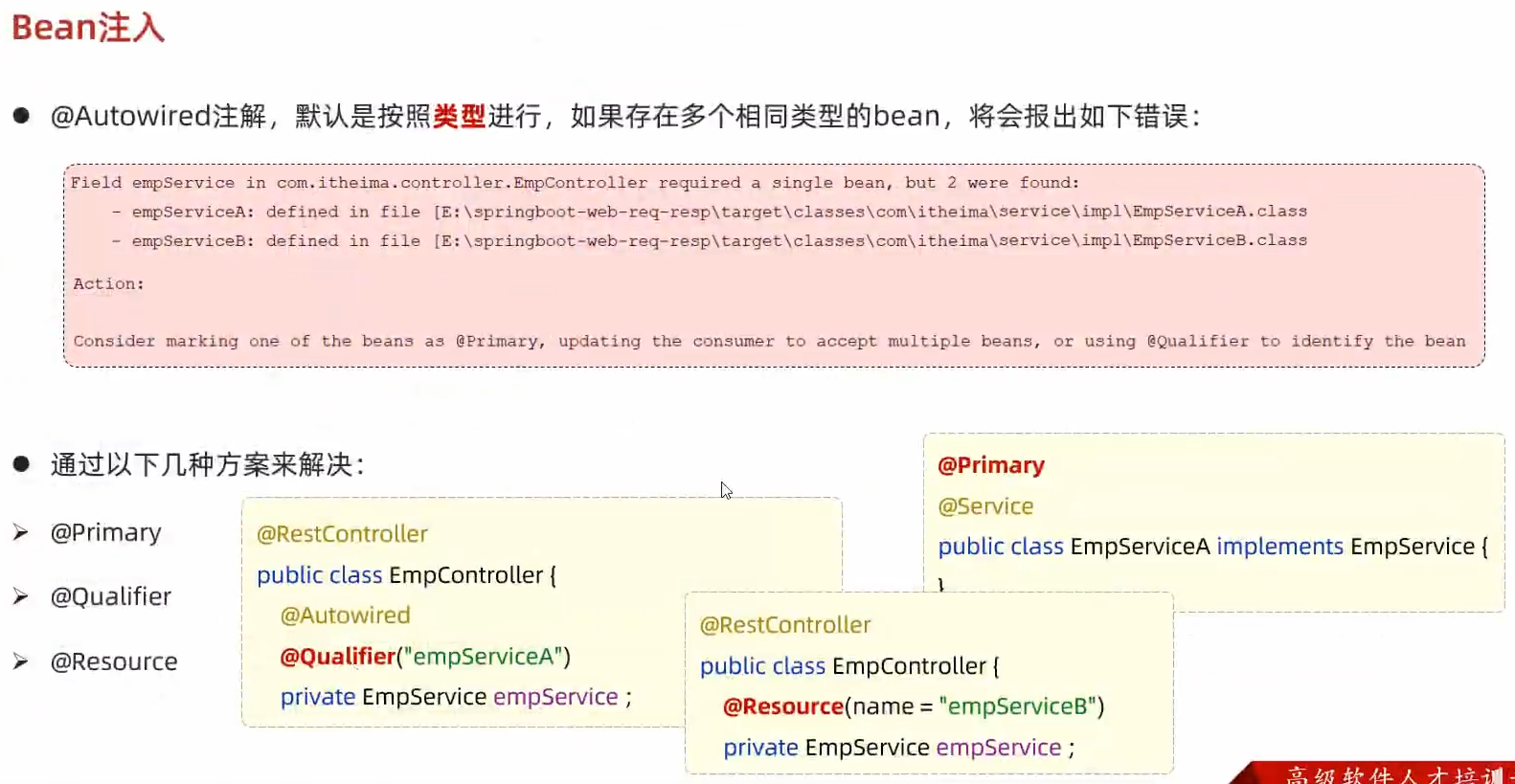
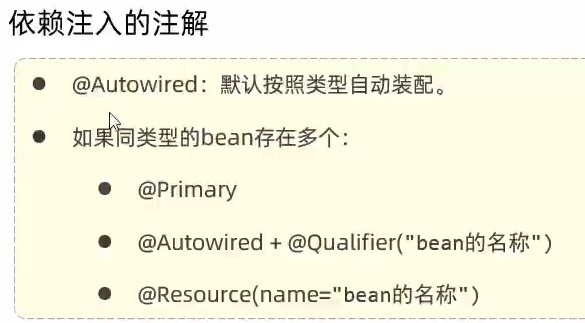
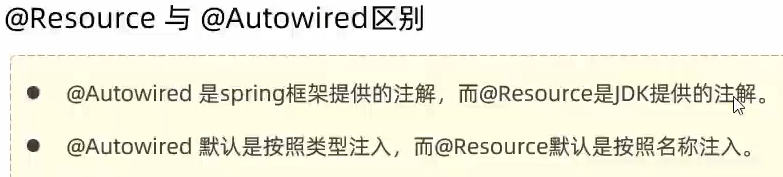
springboot中Autowired注解是什么作用?
在Spring Boot中,@Autowired 是一个用于自动装配DI的注解。它用于告诉Spring容器在需要某个类型的Bean时,通过自动装配的方式来提供该类型的实例。
动态sql写法
select
1
2
3
4
5
6
7
8
9
10
11
12
<select id="page" resultType="SetMeal">
    select * from setmeal
    <where>
        <if test="name != null">
        and name like concat('%',#{name},'%') </if>
        <if test="categoryId != null">
        and category_Id = #{categoryId}</if>
        <if test="status != null">
        and status = #{status}</if>
    </where>
    order by create_time desc
</select>
update
1
2
3
4
5
6
7
8
9
10
11
12
13
14
15
16
<update id="updateDish" useGeneratedKeys="true" keyProperty="id" parameterType="Dish">
    update dish
    <set>
        <if test="name != null">name = #{name},</if>
        <if test="categoryId != null">category_Id = #{categoryId},</if>
        <if test="price != null">price = #{price},</if>
        <if test="image != null">image = #{image},</if>
        <if test="description != null">description = #{description},</if>
        <if test="createTime != null">create_Time = #{createTime},</if>
        <if test="updateTime != null">update_Time = #{updateTime},</if>
        <if test="createUser != null">create_User = #{createUser},</if>
        <if test="updateUser != null">update_User = #{updateUser},</if>
        <if test="status != null">status =#{status},</if>
    </set>
    where id = #{id}
</update>