1.什么是MyBatis
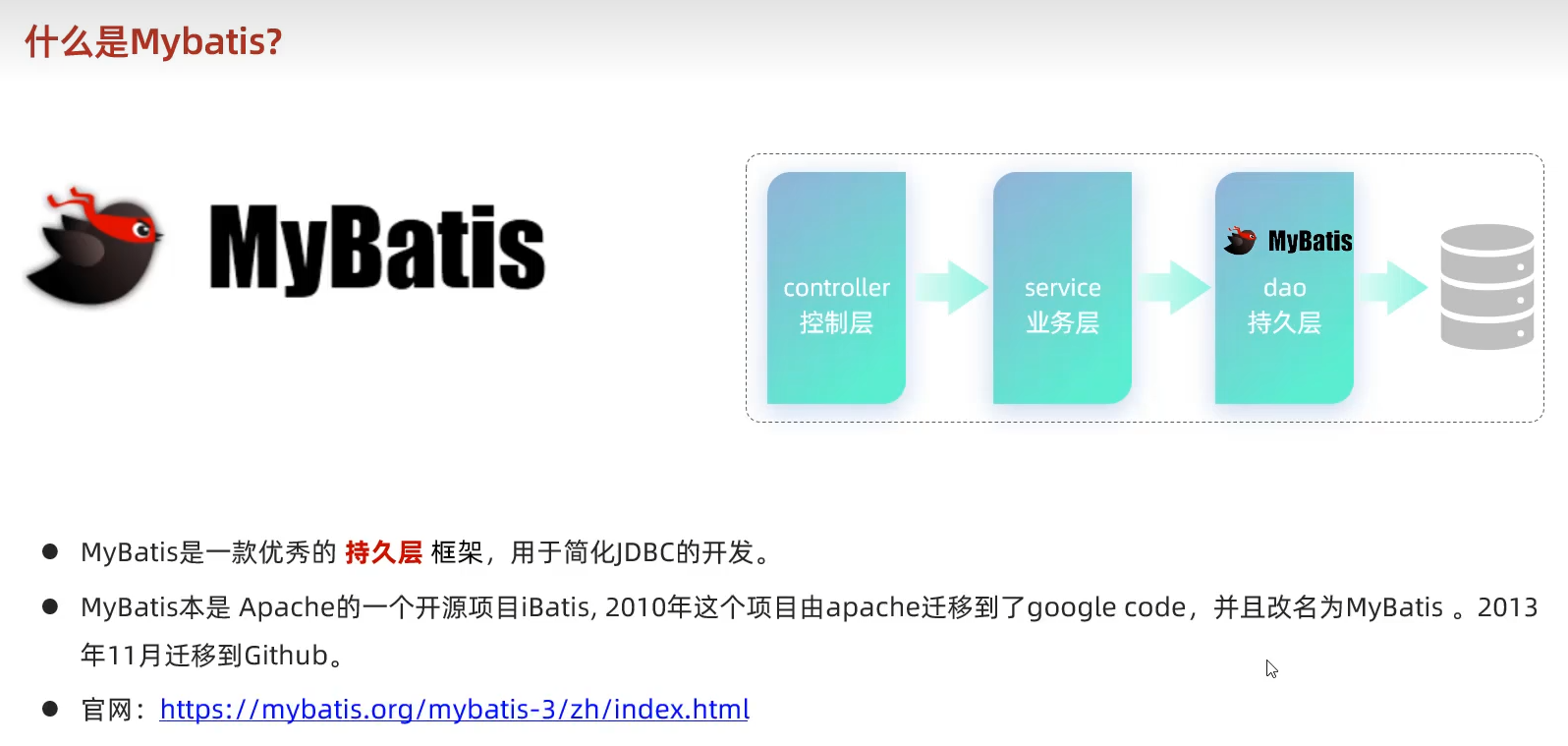
官网:MyBatis中文网
2.利用MyBatis操作数据库
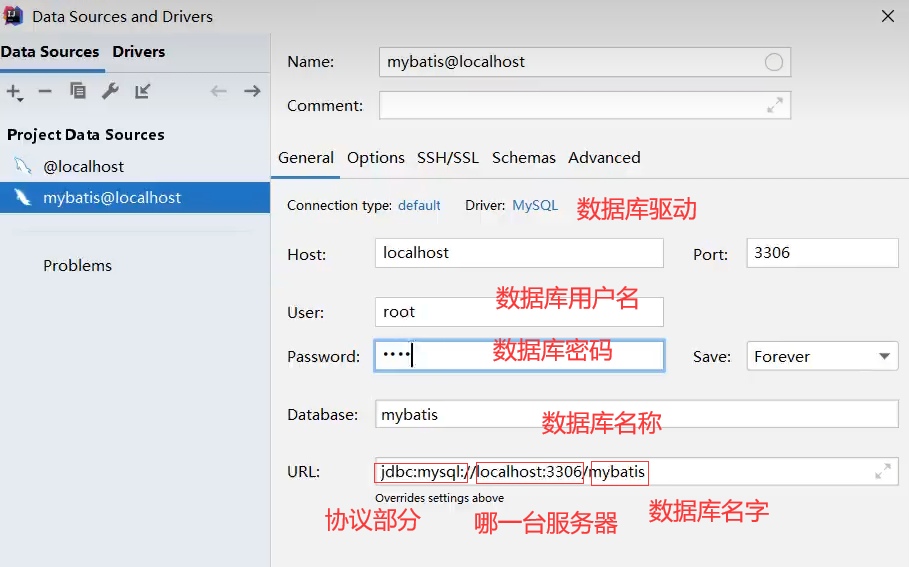
- 在IDEA中配置数据库
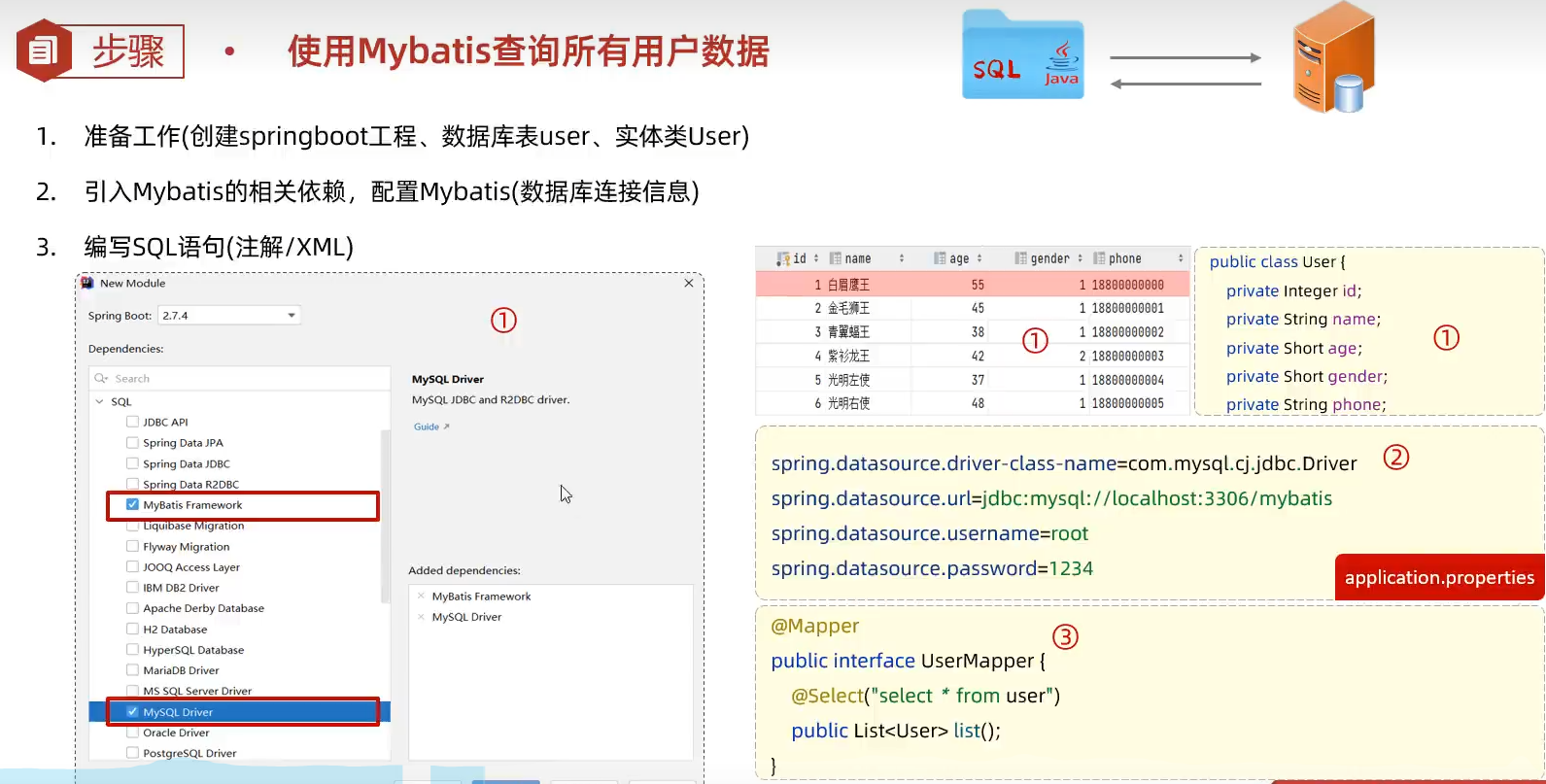
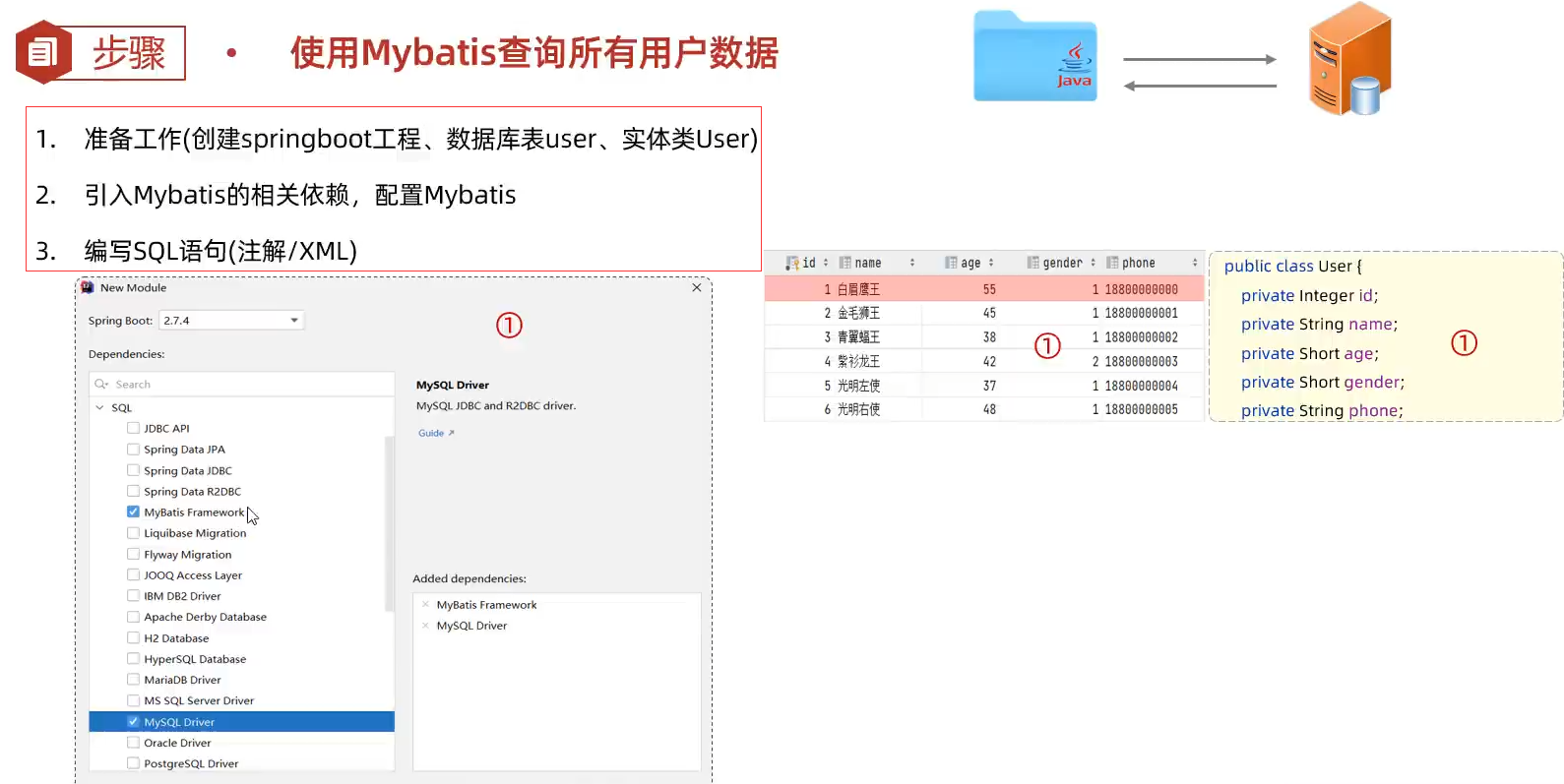
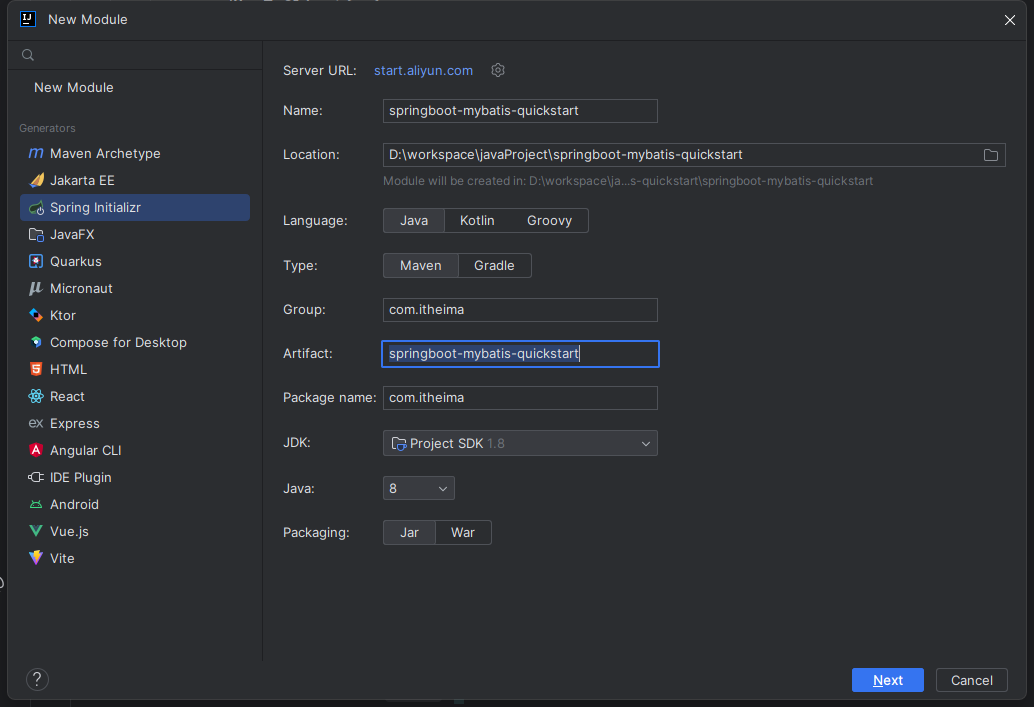
创建SpringBoot项目
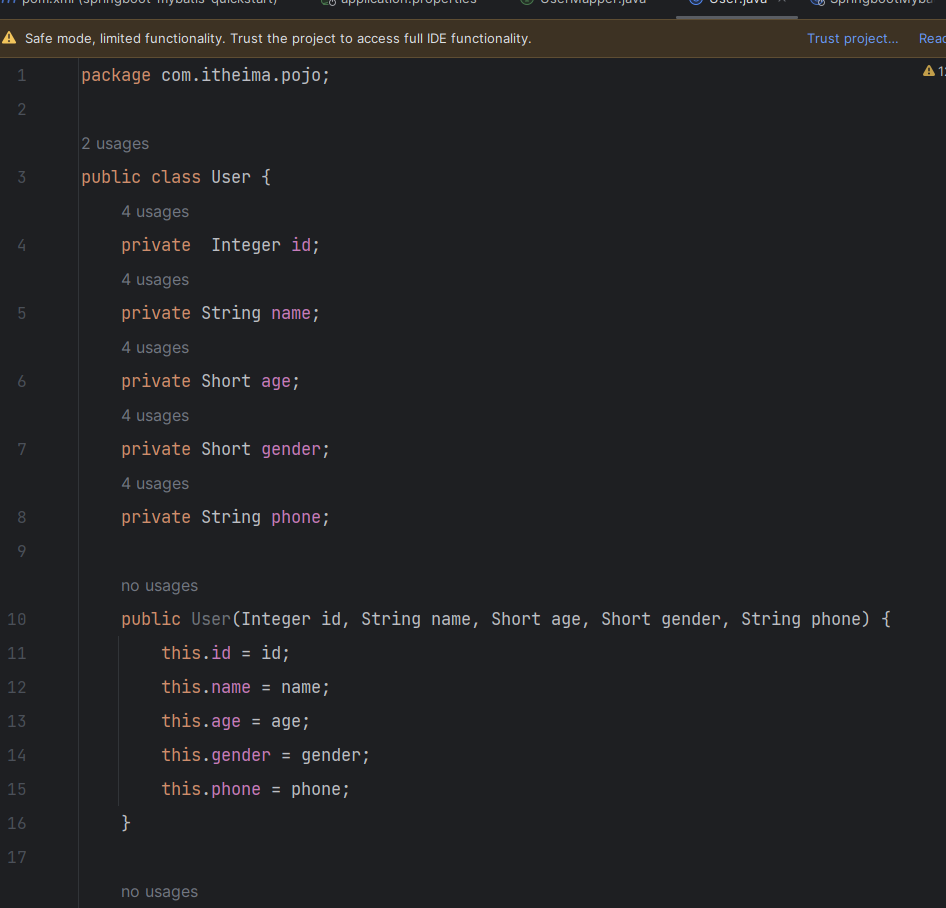
创建pojo.User实体类
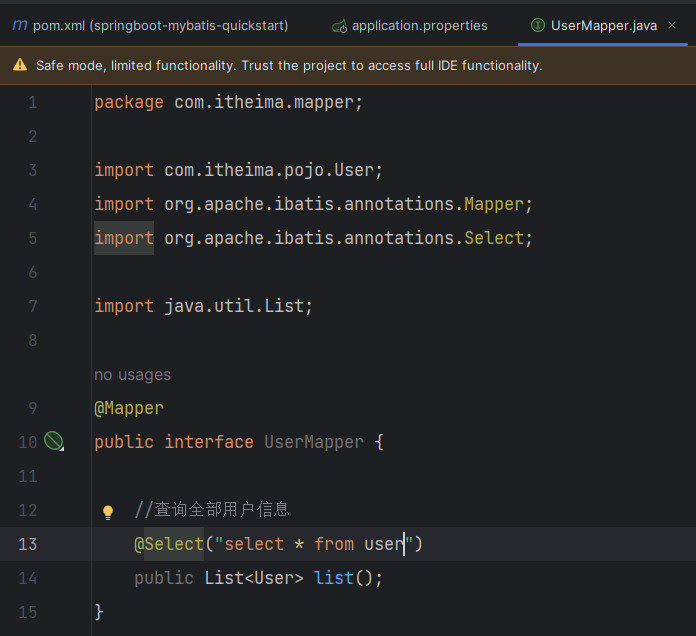
创建mapper.UserMapper接口
测试
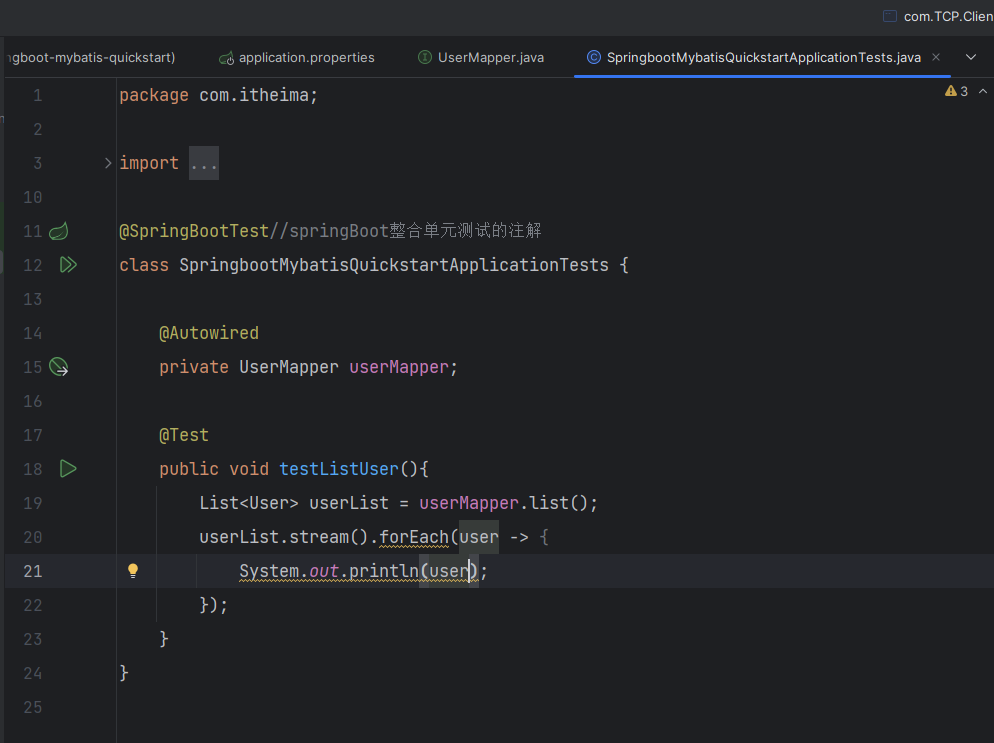
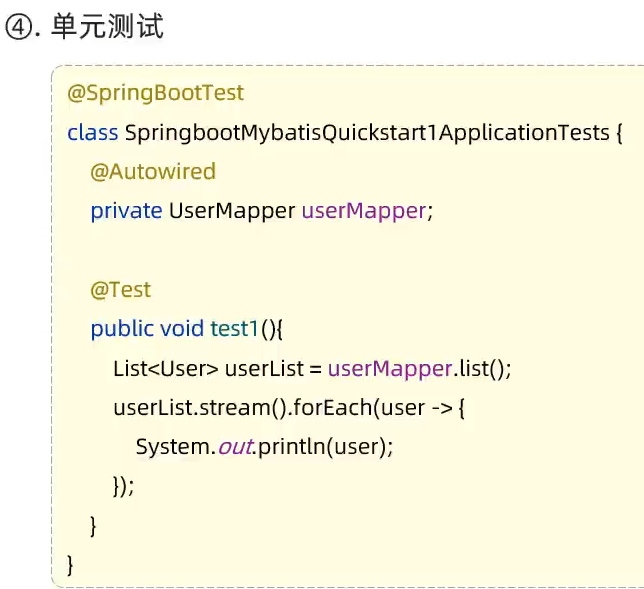
先写接口,然后再写测试类
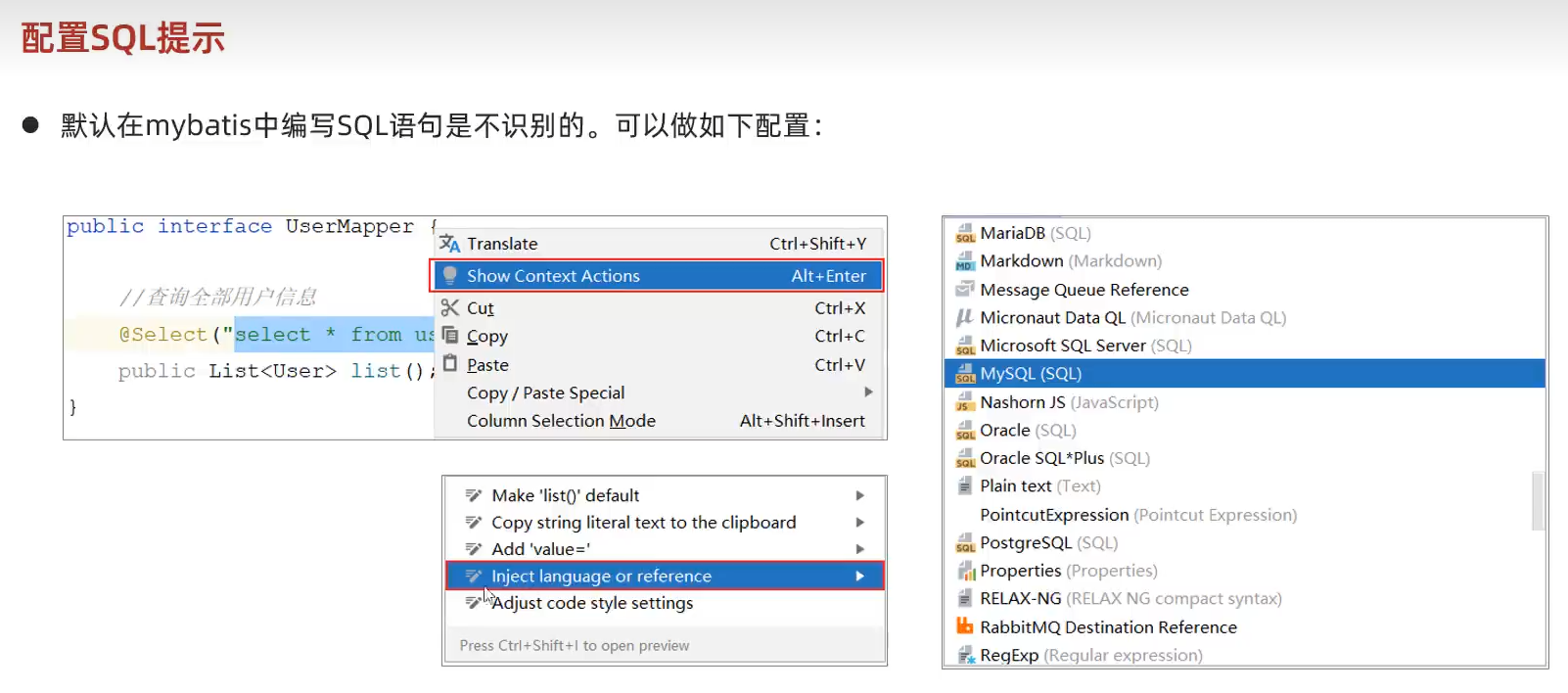
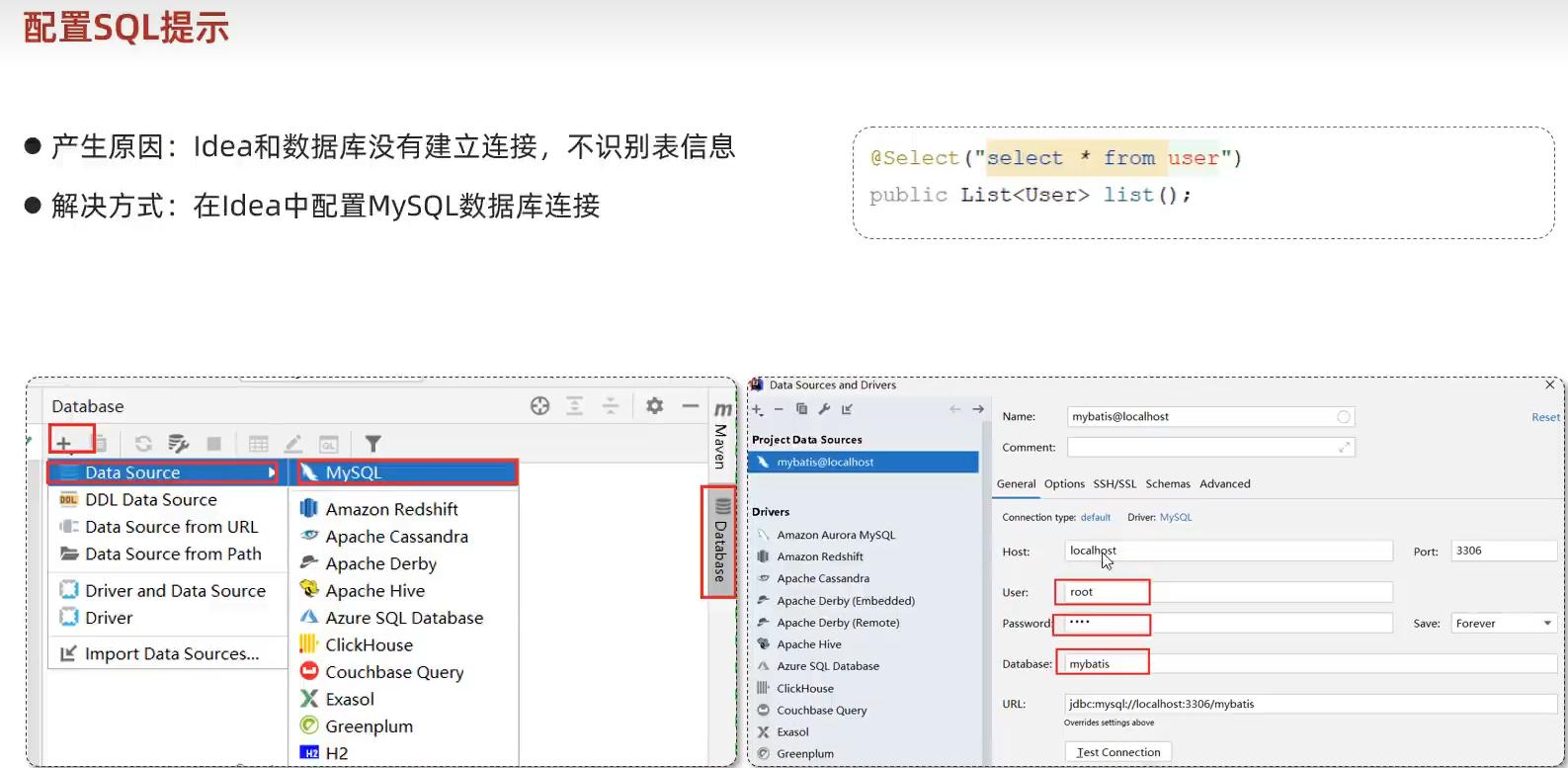
配置SQL语句
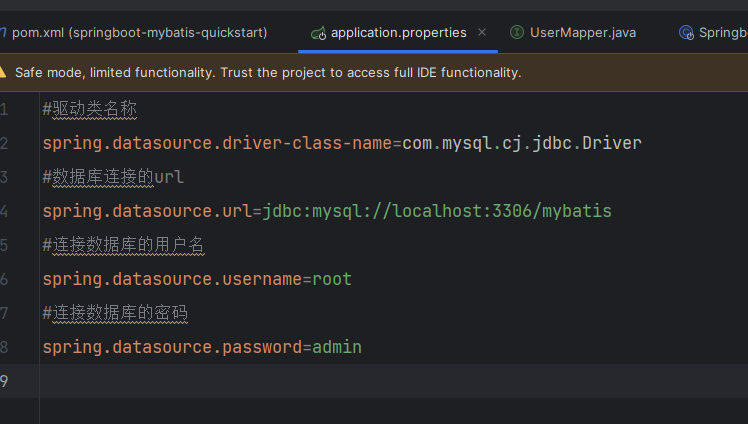
在IDEA中配置Mysql数据库
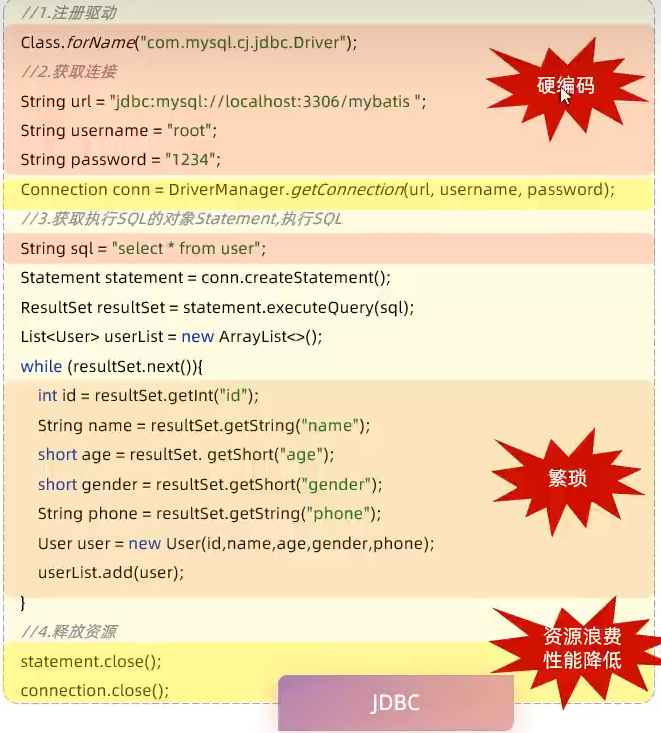
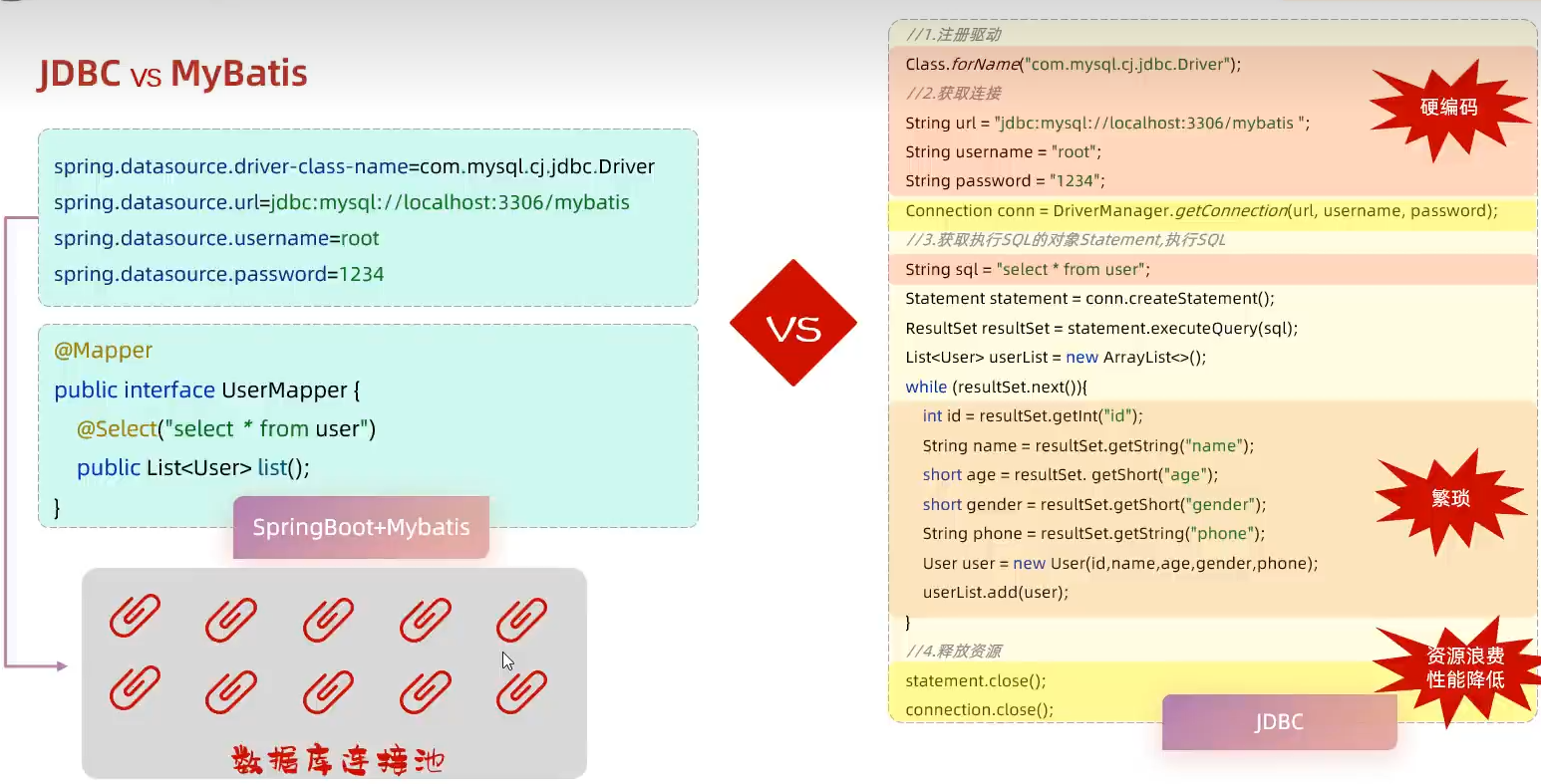
JDBC程序
MyBatis程序
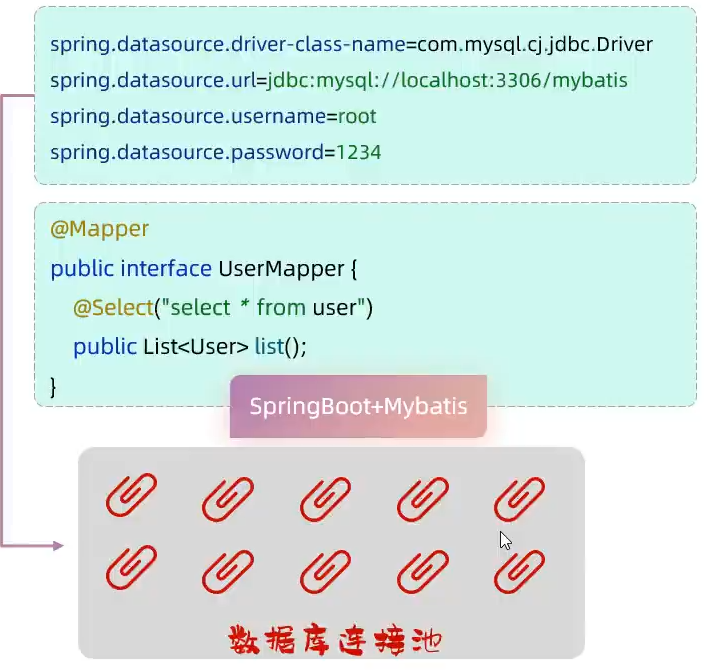
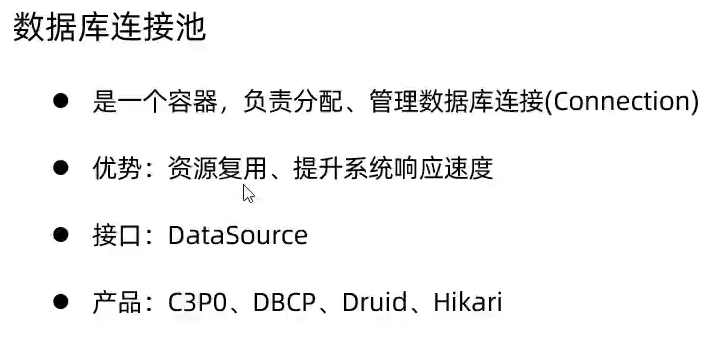
3.数据库连接池
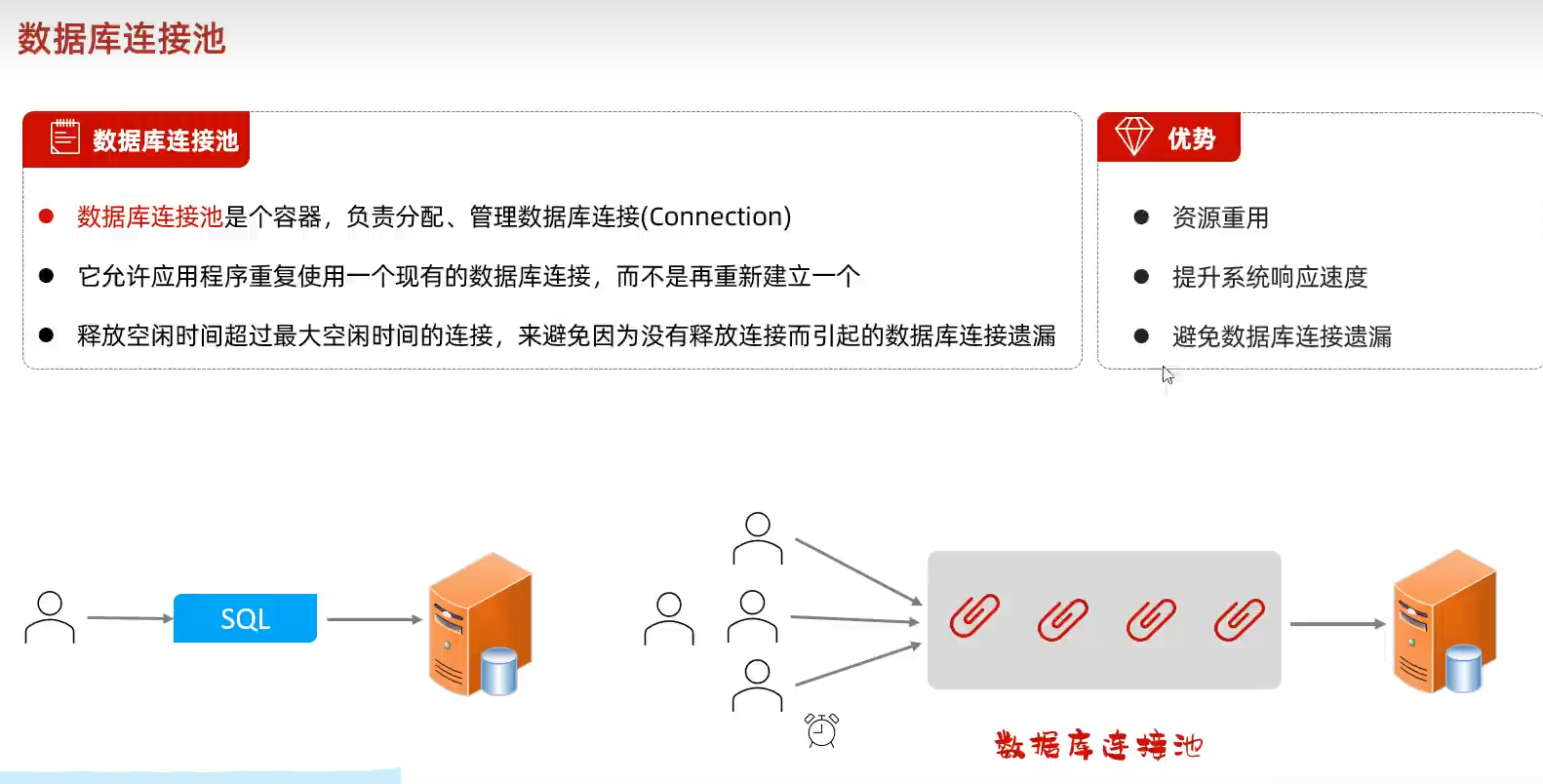
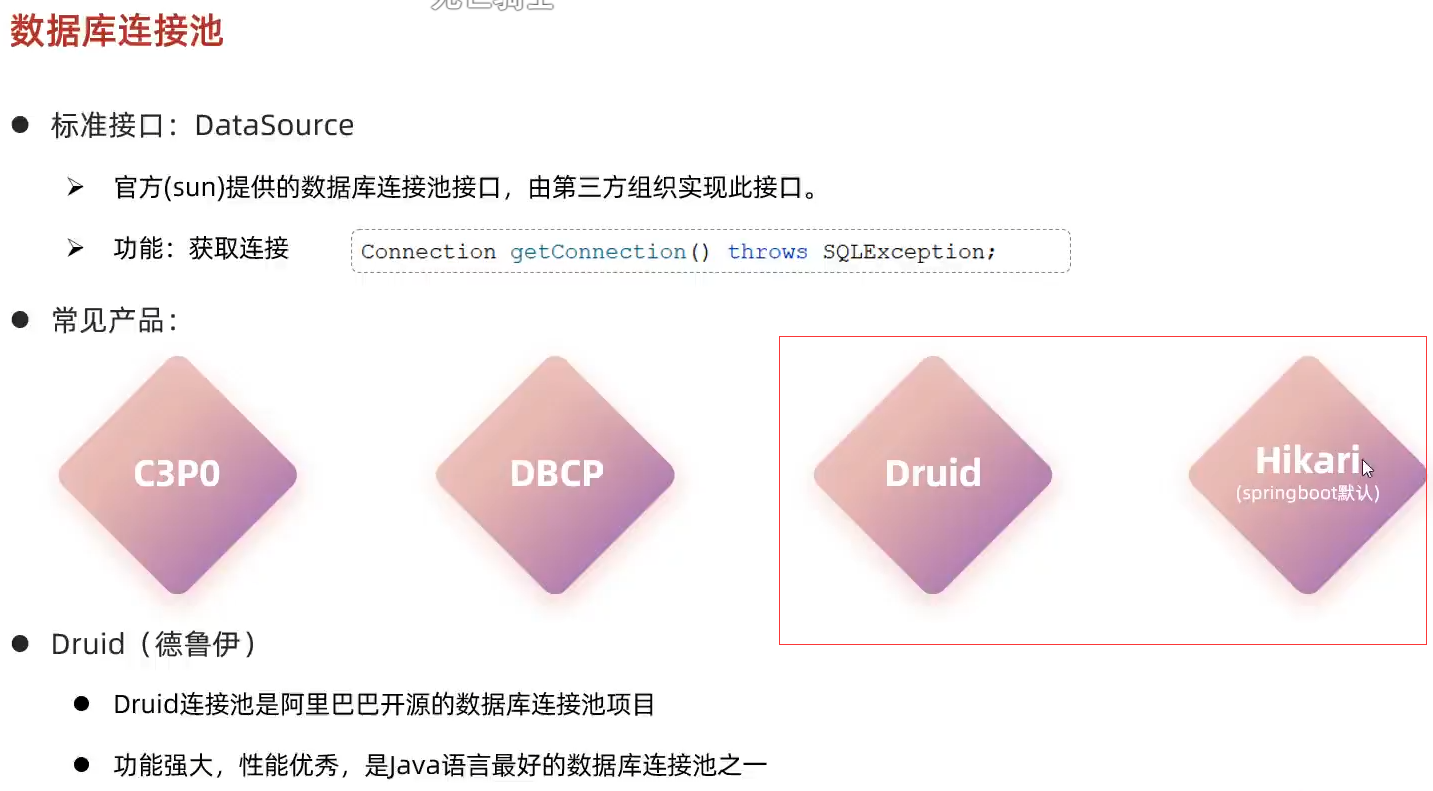
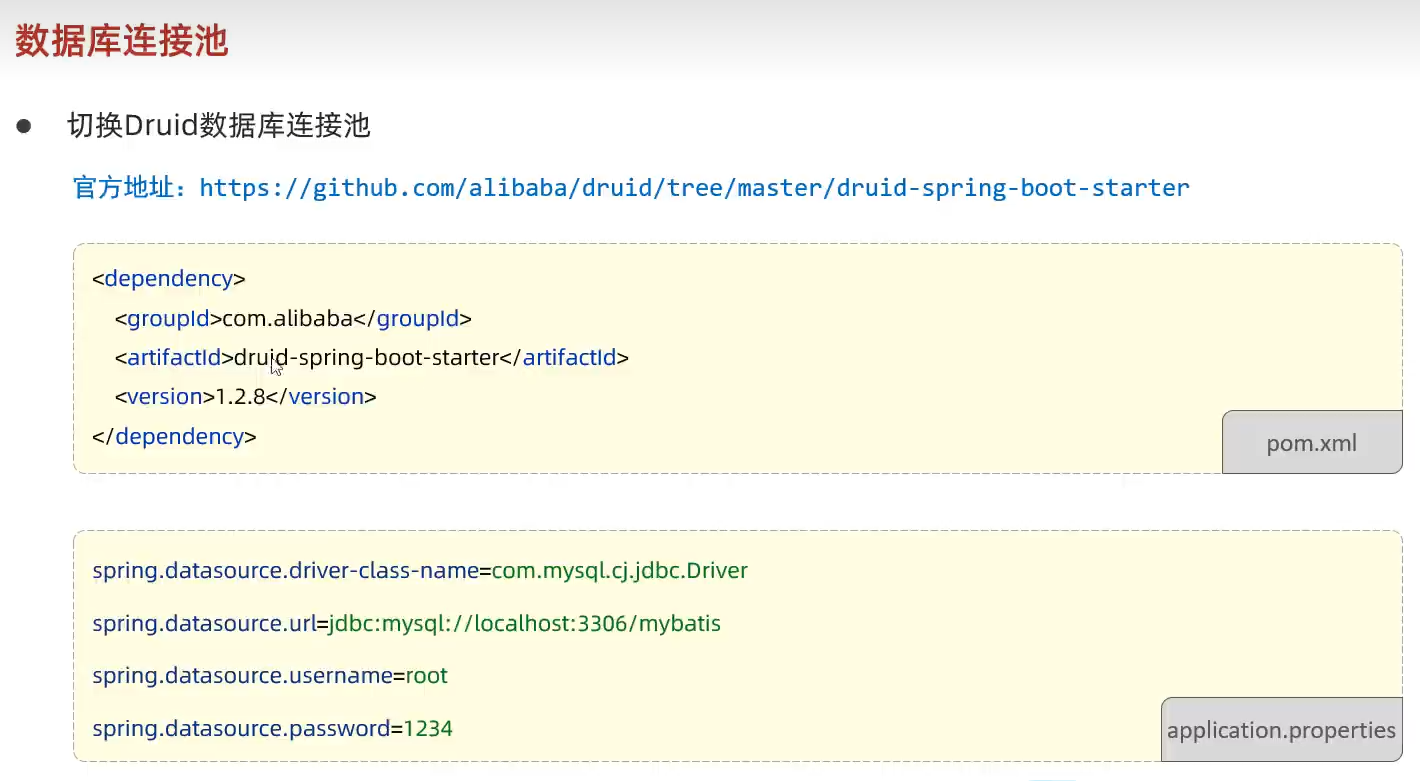
如何切换连接池
- 直接在依赖里面加入德鲁伊依赖
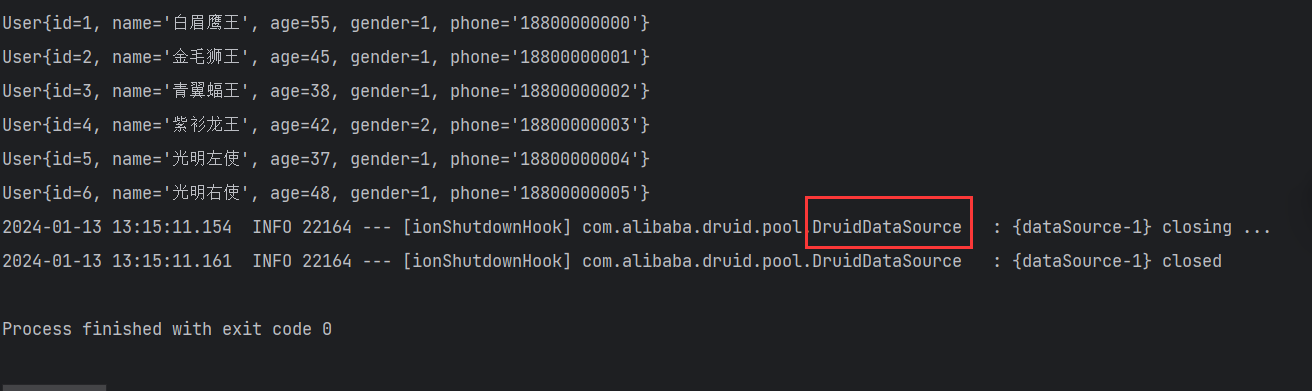
成功转换成德鲁伊
4.lombok
问题分析
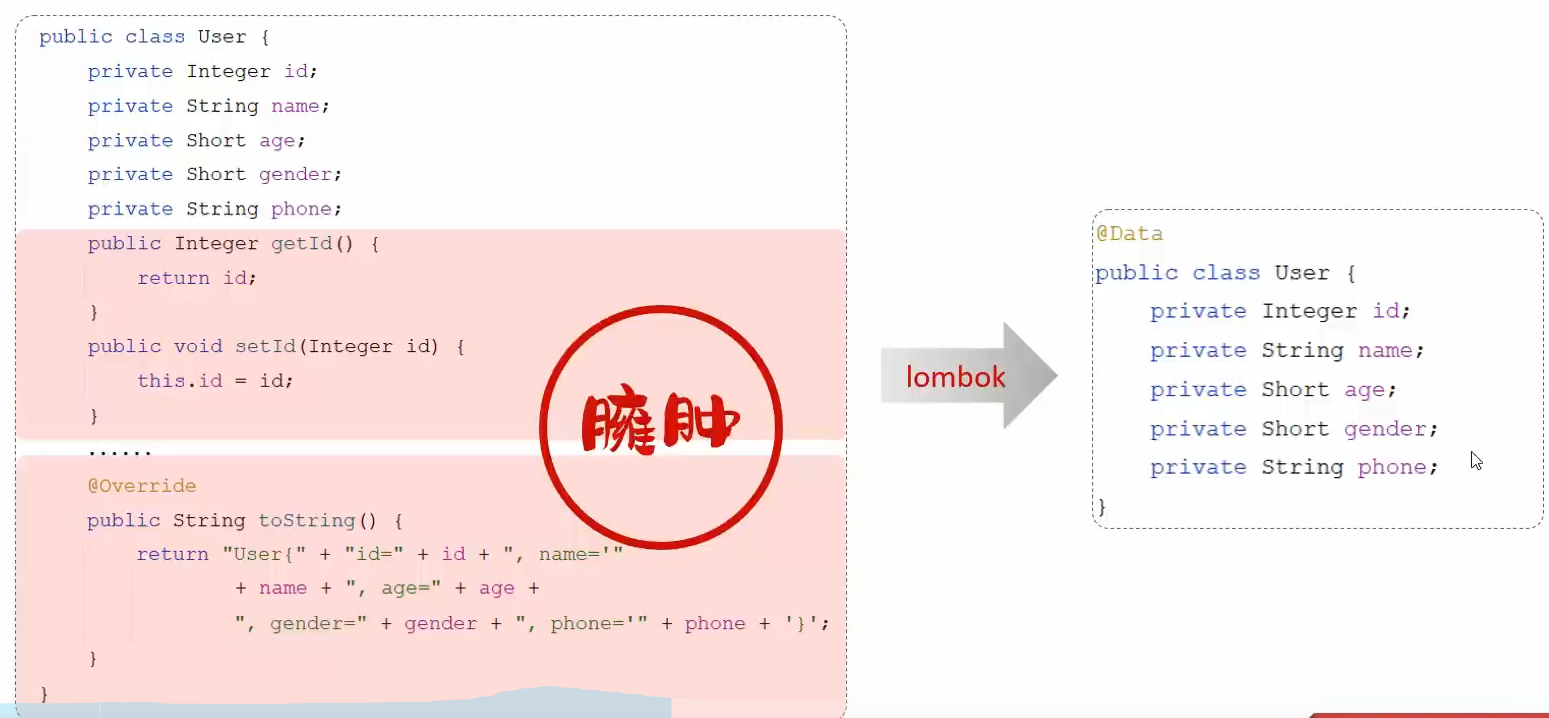
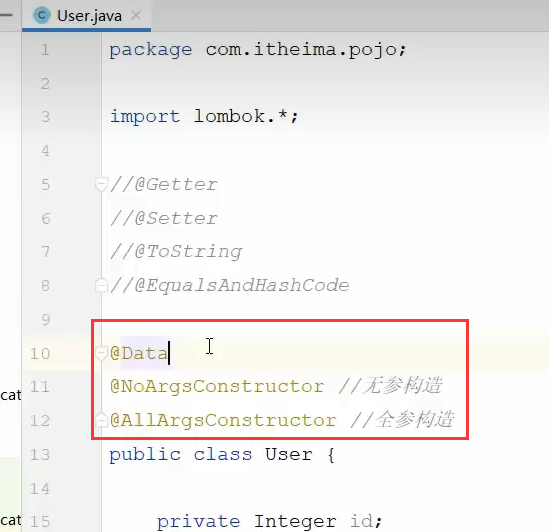
具体使用
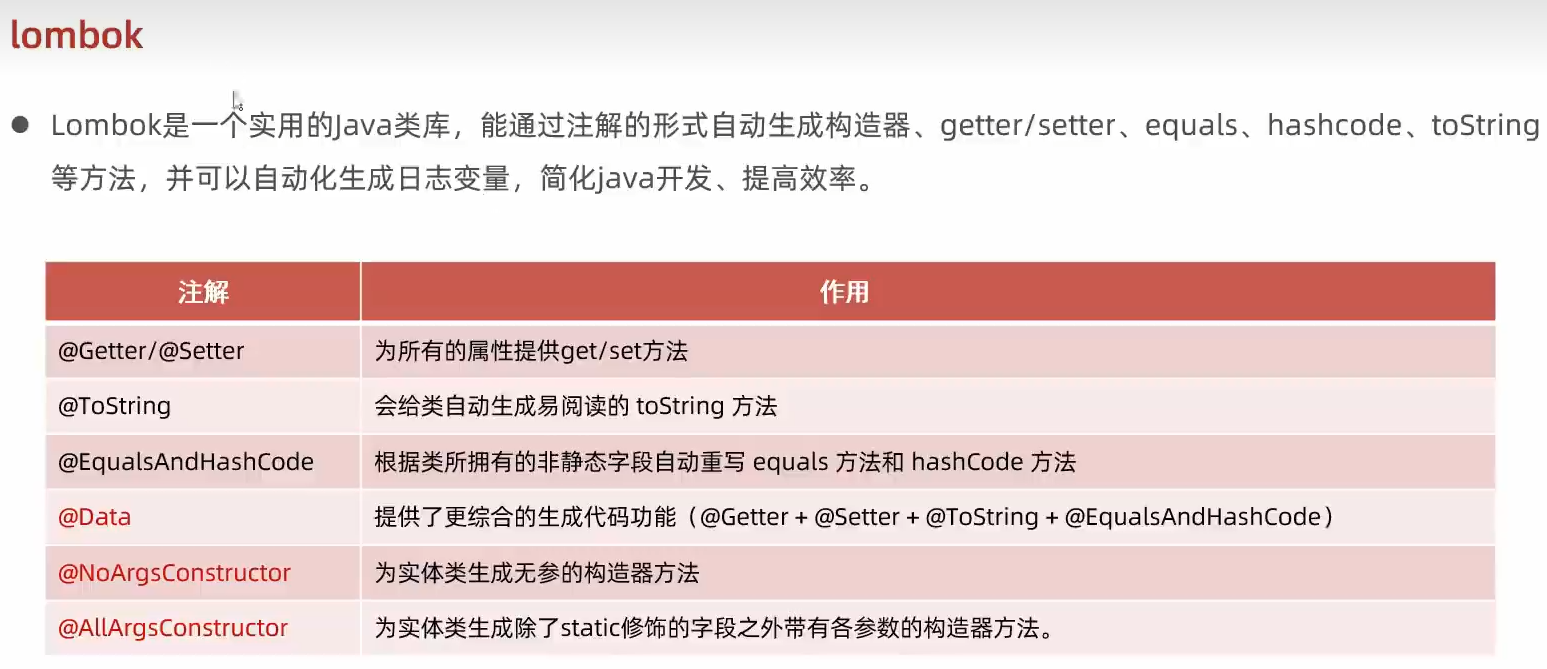
springboot中已经集成了lombok的版本,并且进行了统一的管理,这里就不需要再说明版本
1
2
3
4
<dependency>
    <groupId>org.projectlombok</groupId>
    <artifactId>lombok</artifactId>
</dependency>
5.MyBatis基础操作-环境准备
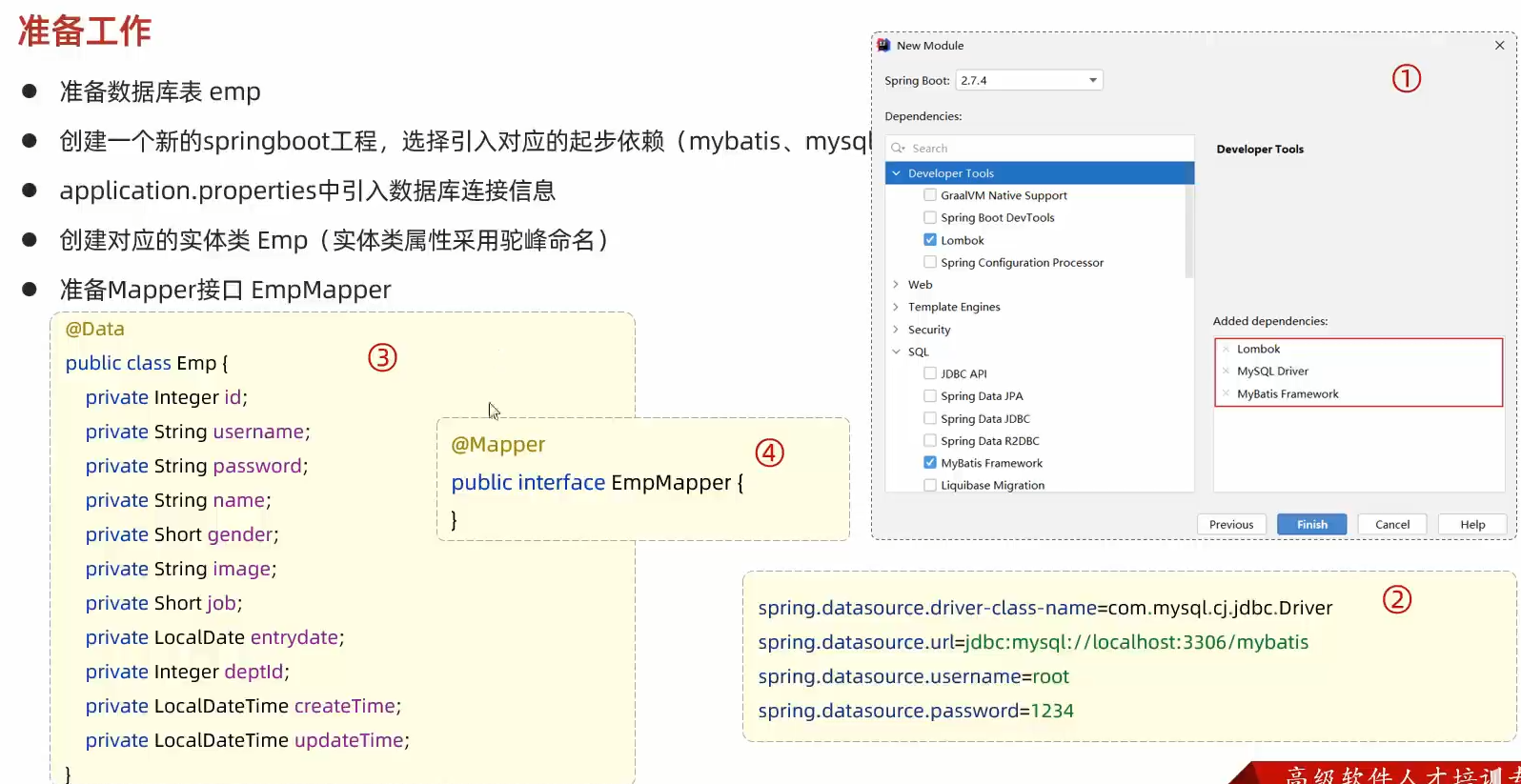
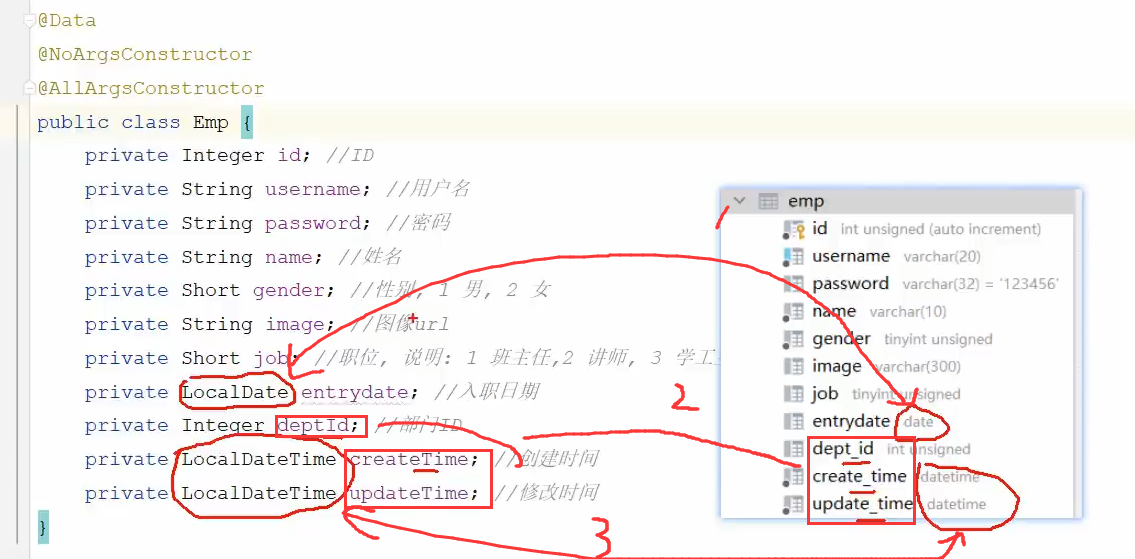
注意:
实体类和数据库中定义的名称有差别
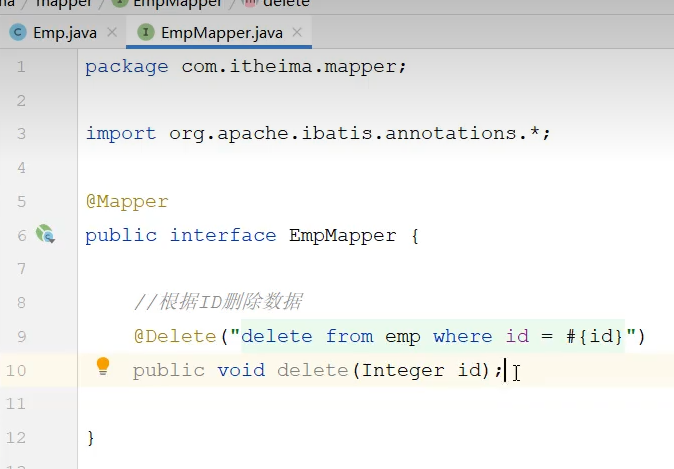
删除操作
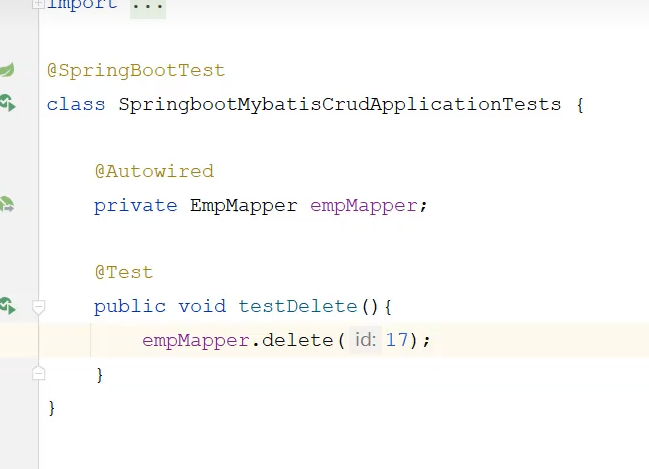
mybatis日志输出

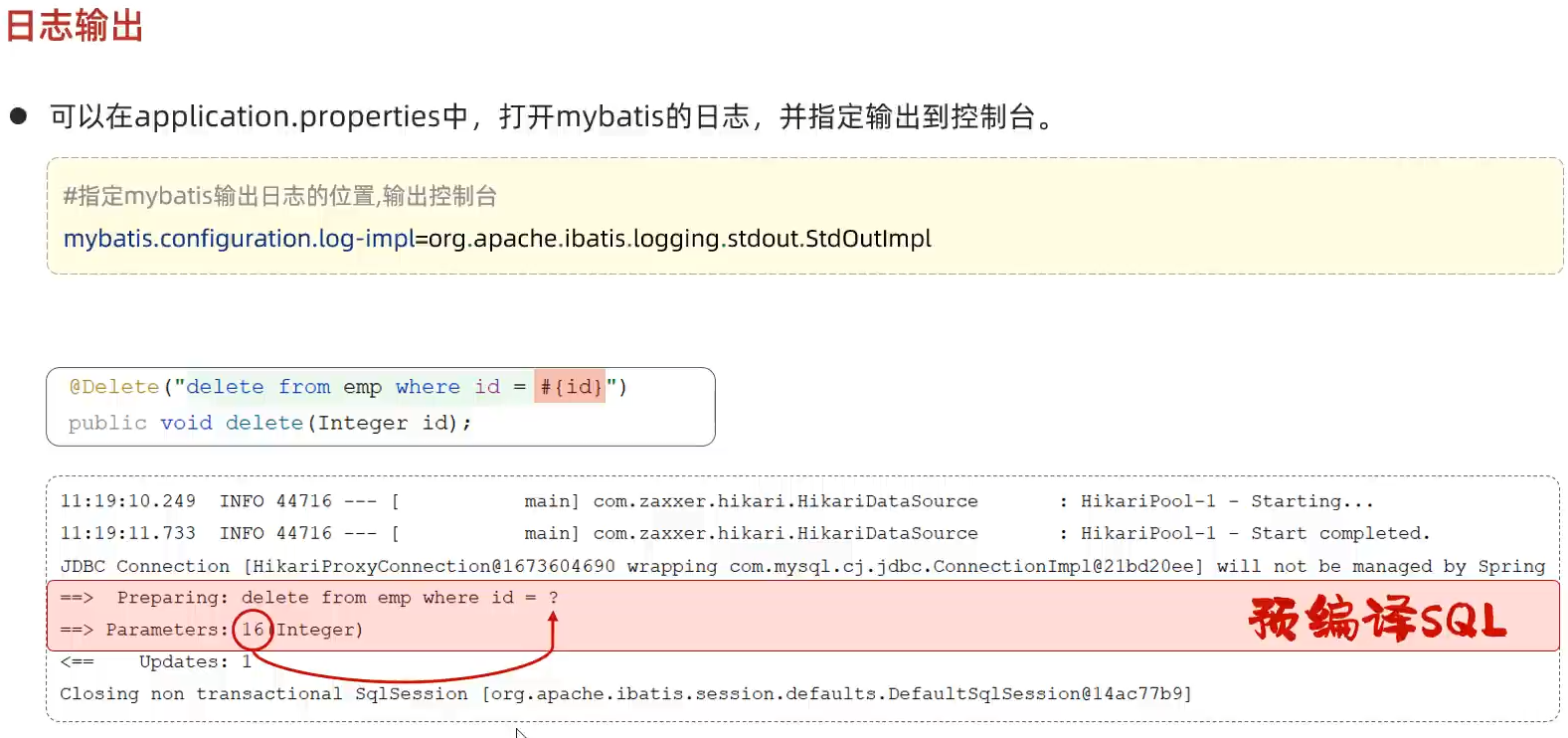
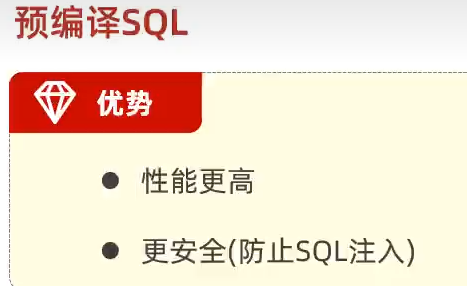
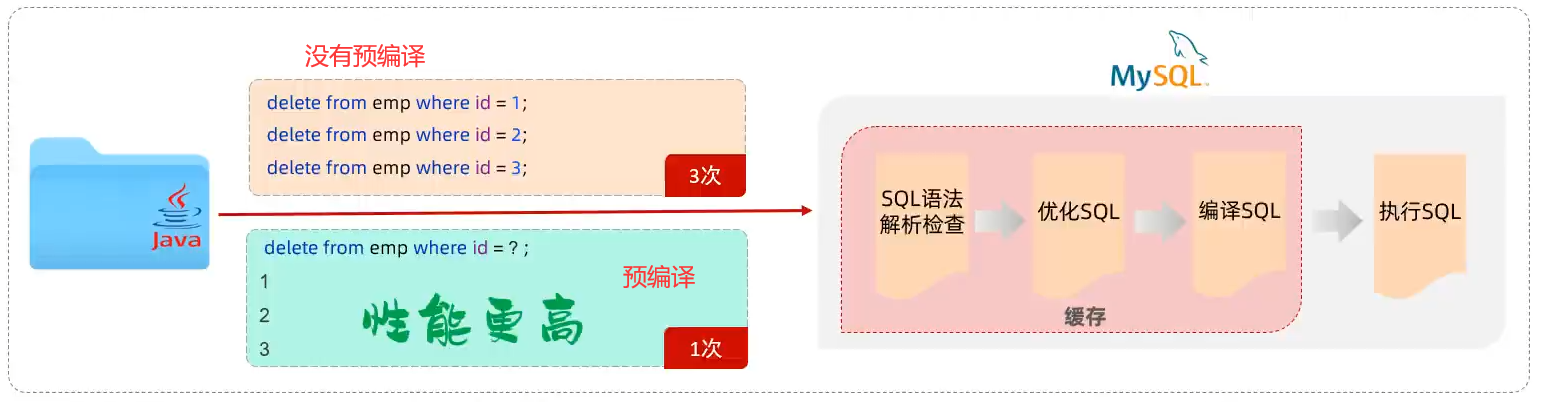
预编译SQL
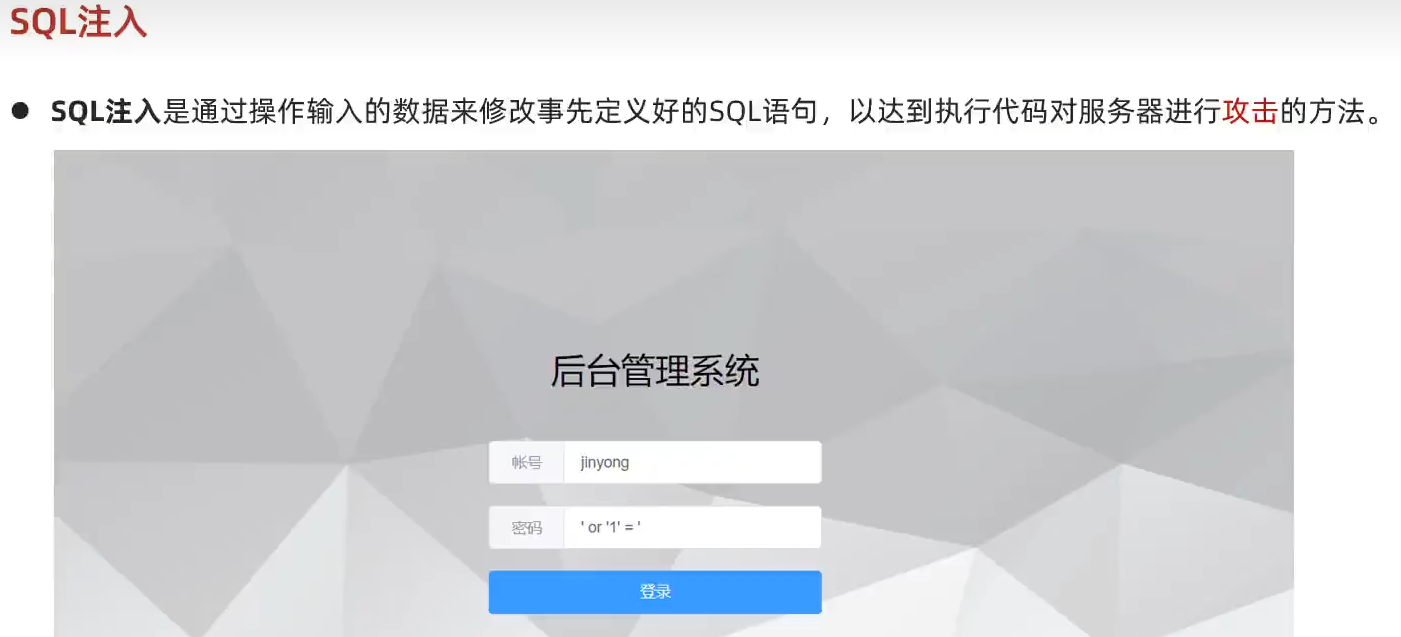
SQL注入
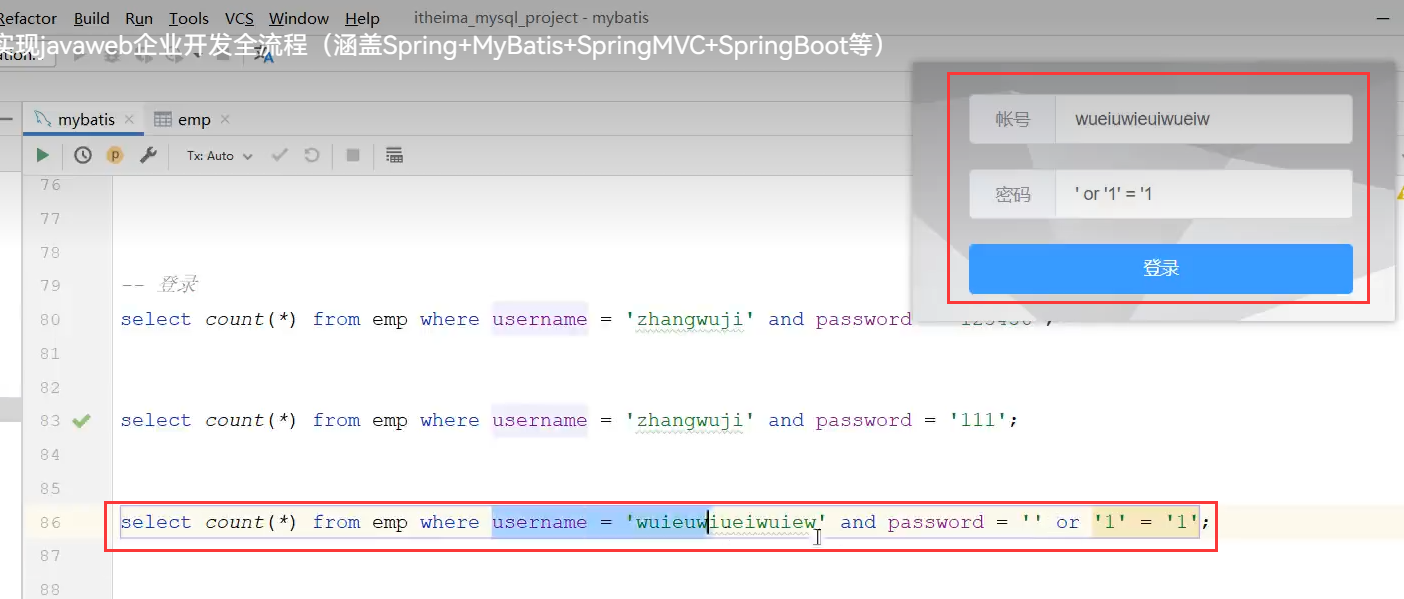
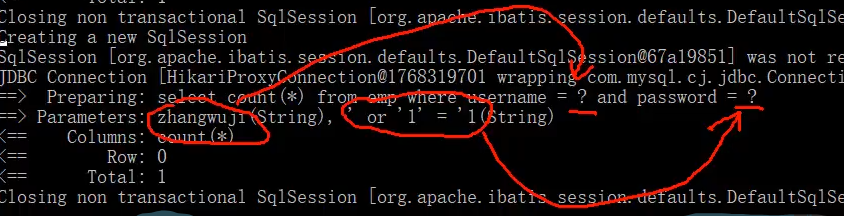
以下列子就是预编译
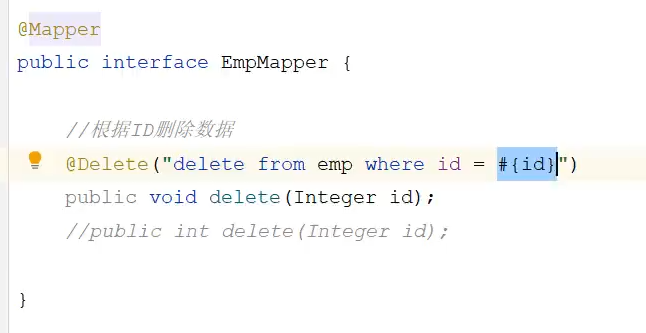
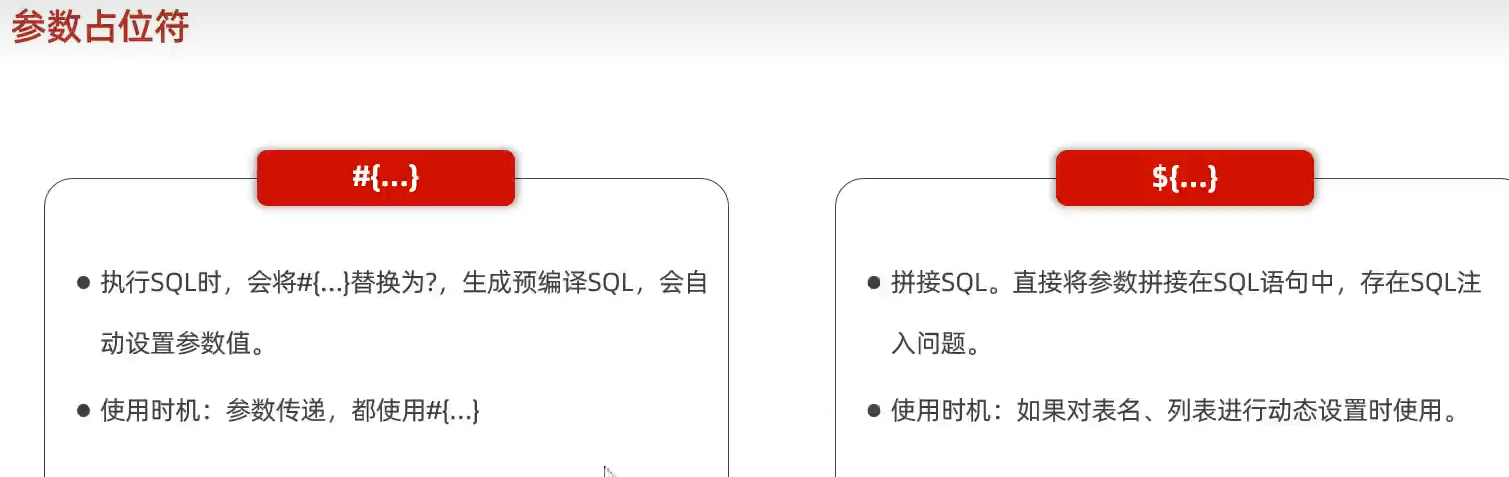
新增员工

更新员工
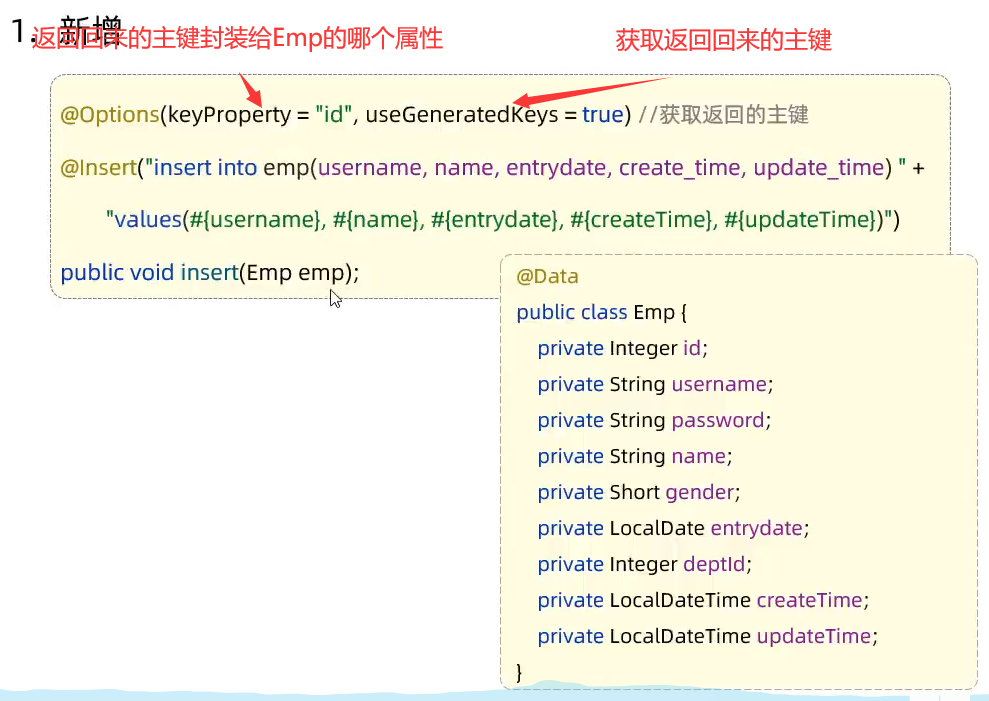
数据查询
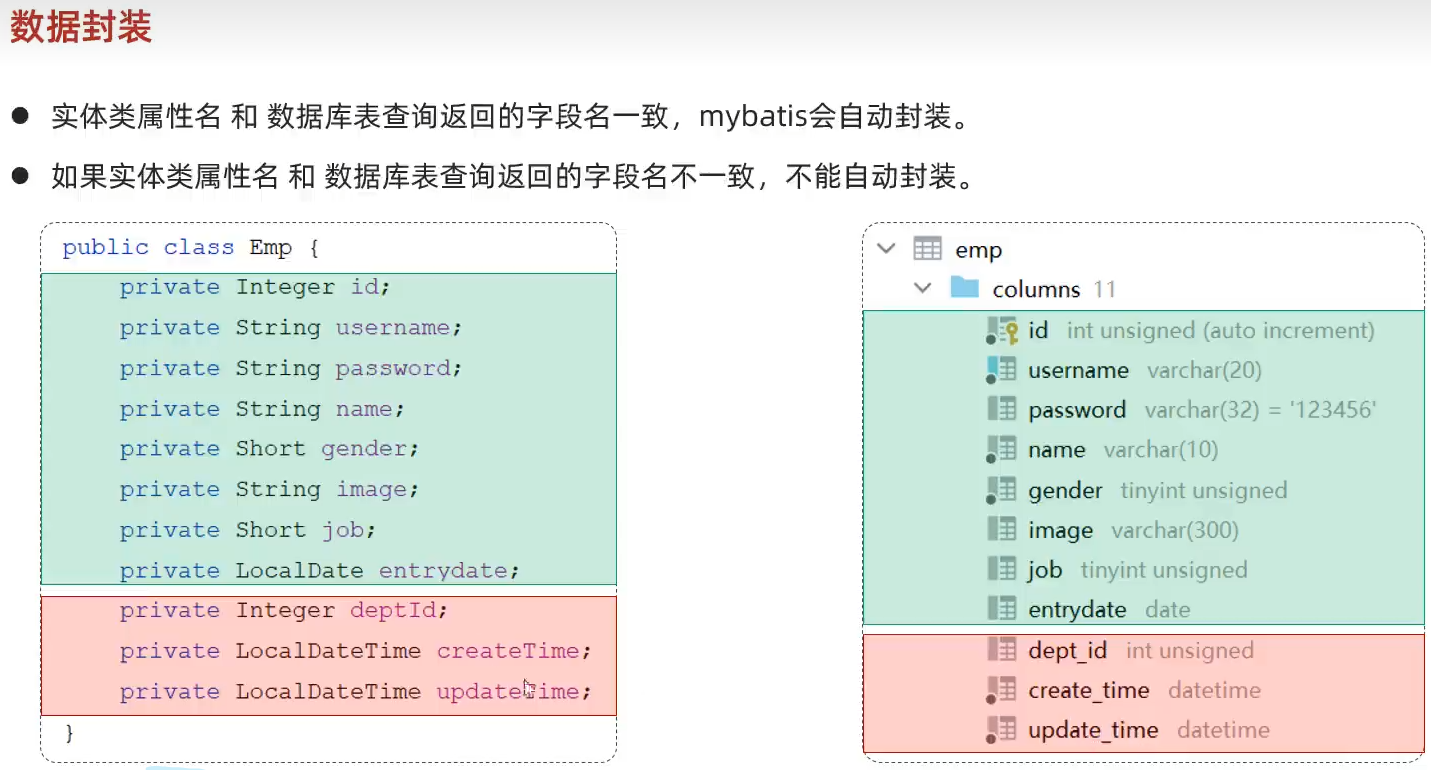
方案一:给字段起别名,让别名与实体类一致
![image-20240113175333789]()
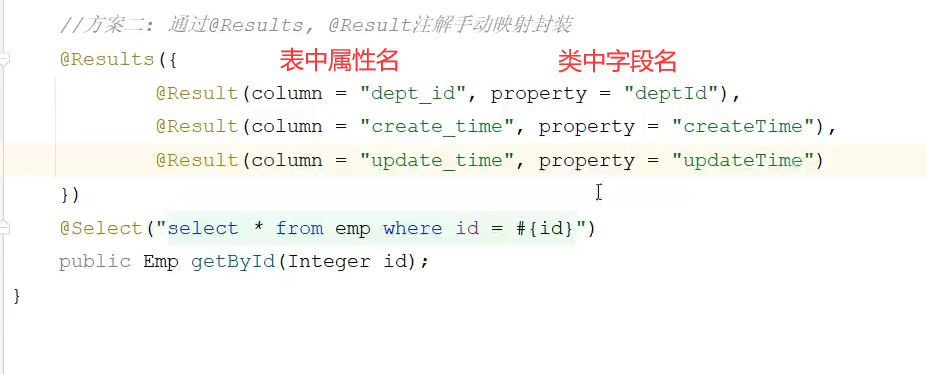
方案二:通过@Results,@Result注解手动映射封装

- 方案三:开启mybatis的驼峰命名的自动开关 —a Cloumn ————->aColumn
- 模糊查询

需要改进
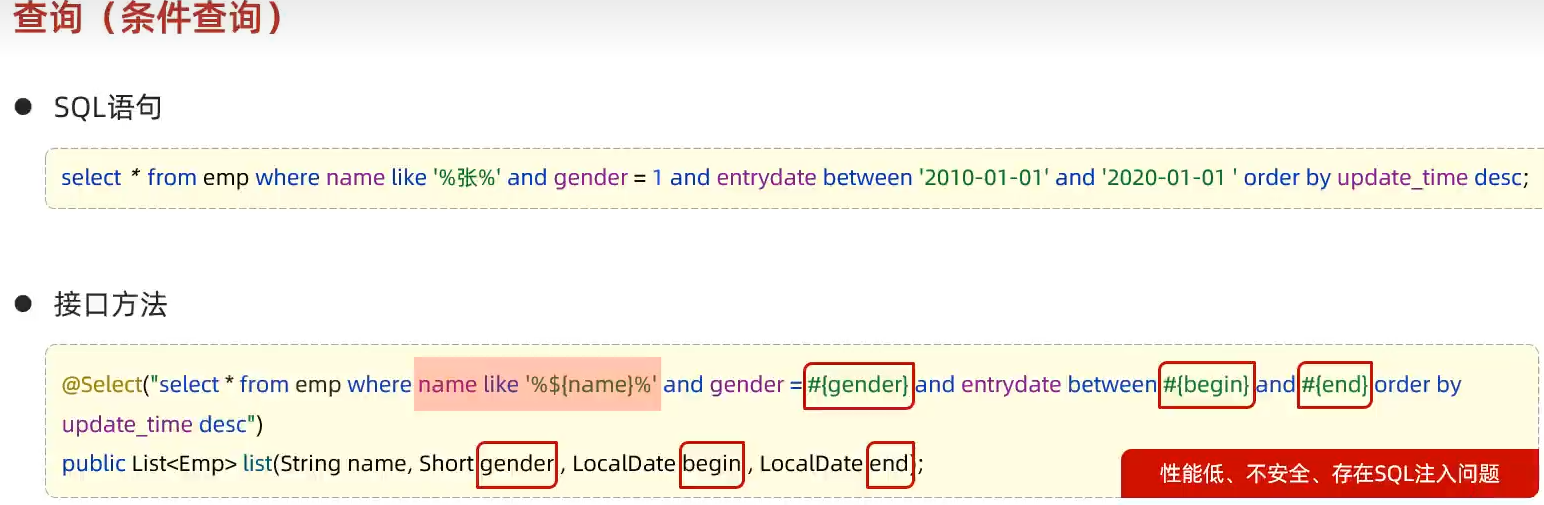
    //根据条件查询员工
    @Select("select * from emp where name like concat('%',#{name},'%')and gender = #{gender} and " +
            "entrydate between #{begin} and #{end} order by id desc ")
    public List<Emp> list(String name, Short gender, LocalDate begin, LocalDate end);
}

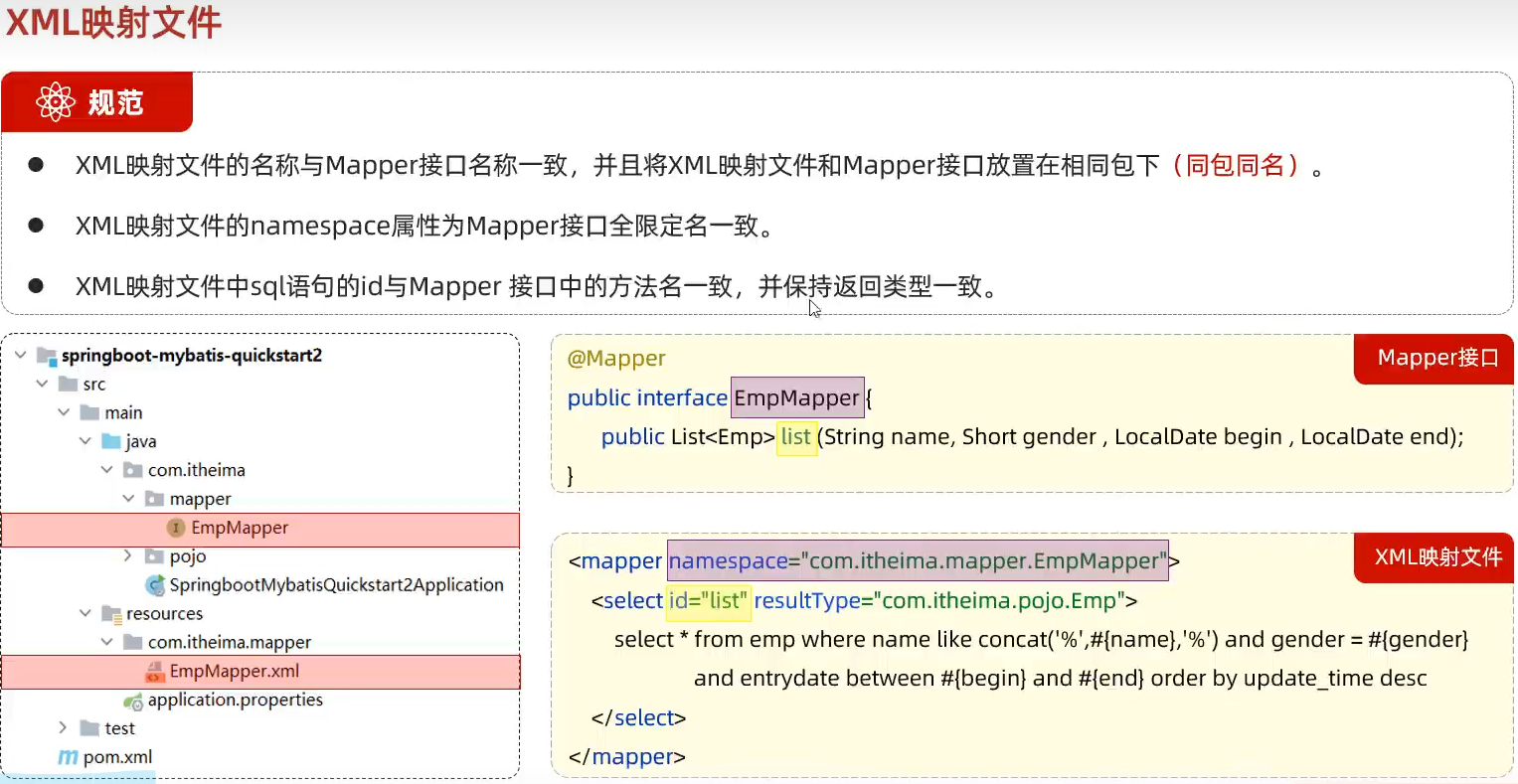
6.XML映射文件
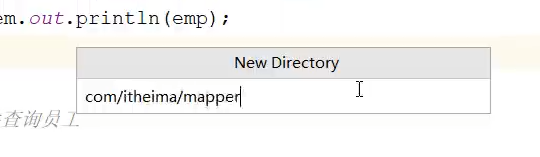
用/斜线分隔
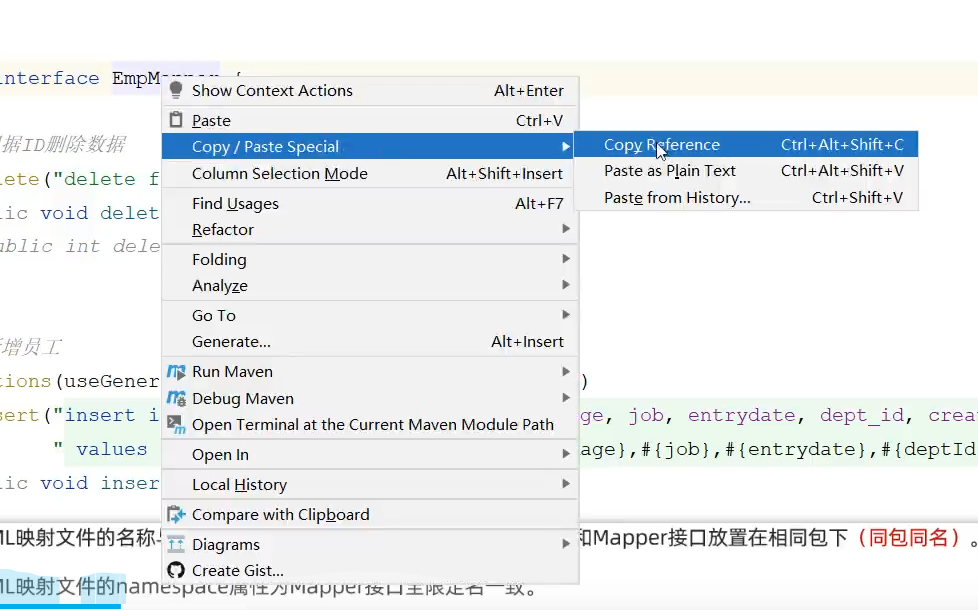
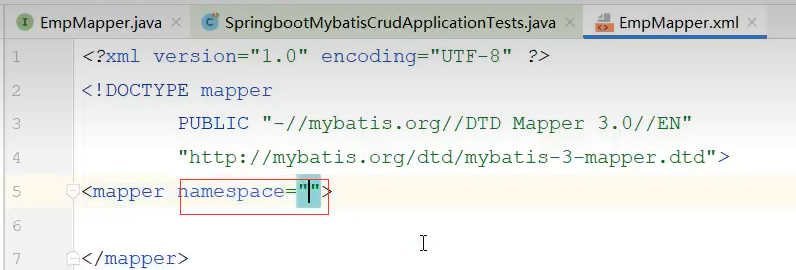
namespace的值要和映射文件中的类名相同

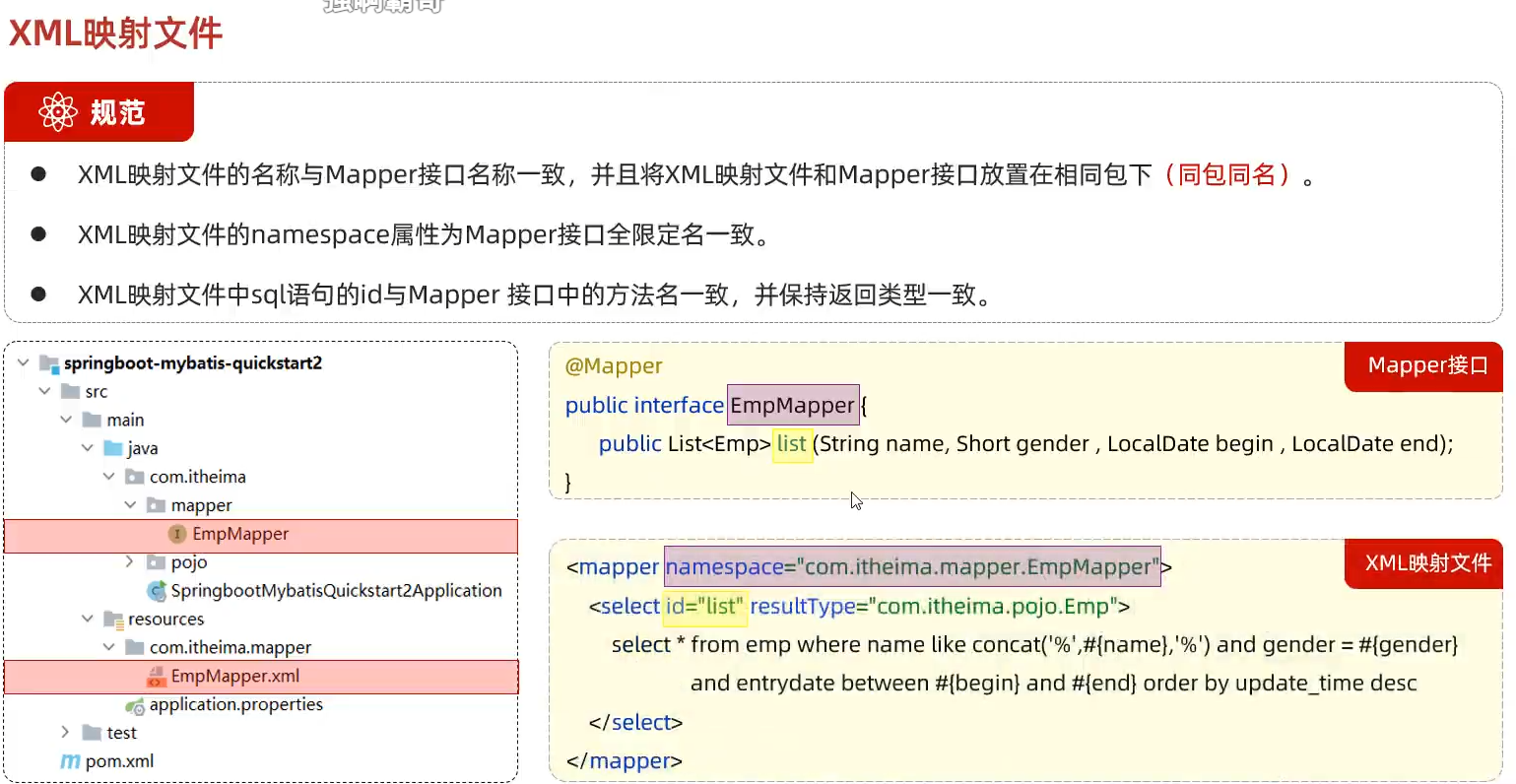
MyBatisX下载安装
MyBatisX动态SQL
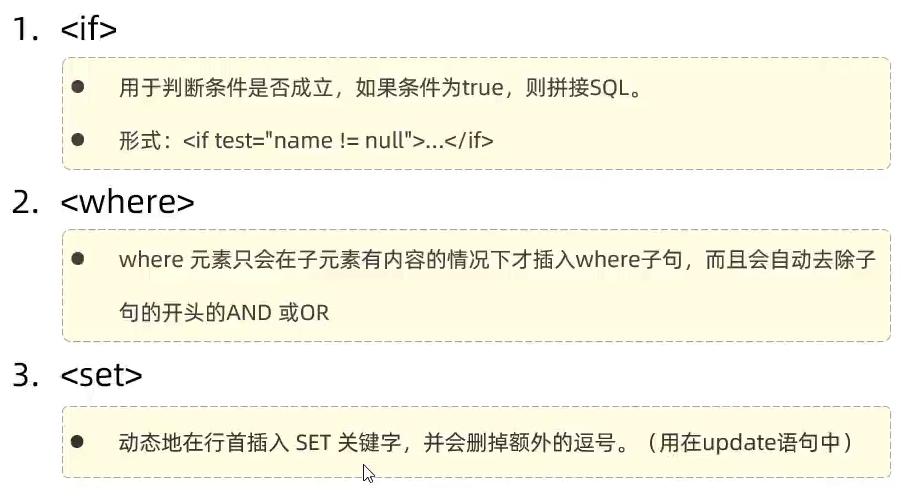
if
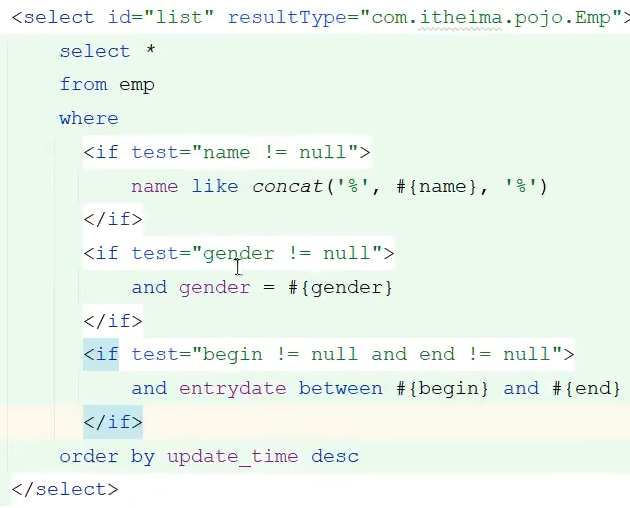
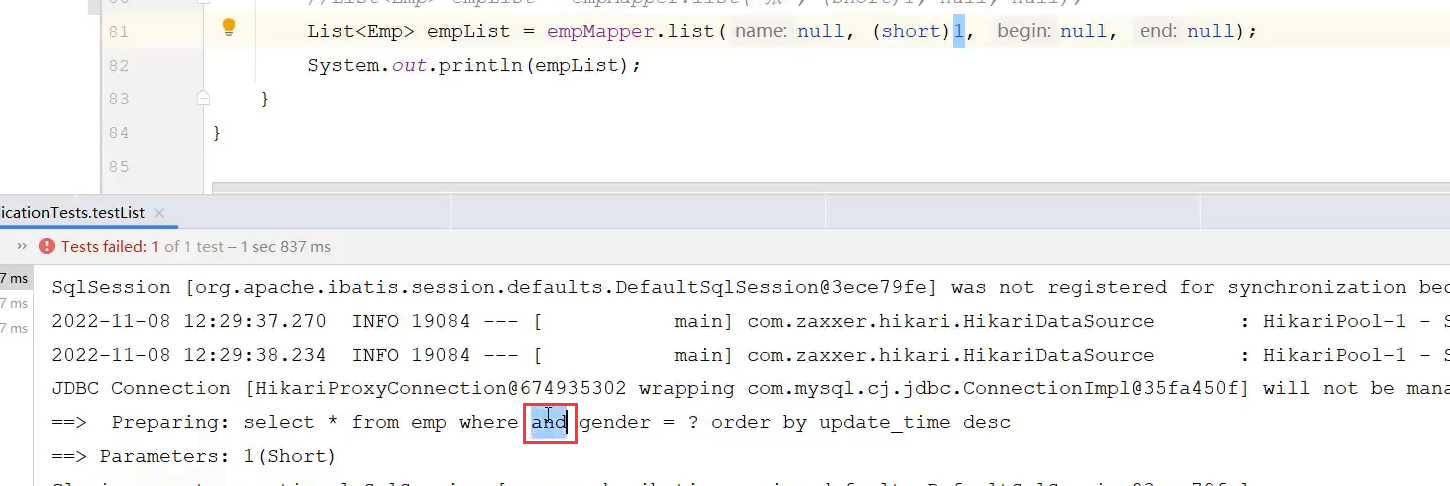
如果第一个参数为空,后面参数不为空,会出现以下错误
用where标签
![image-20240113200827996]()
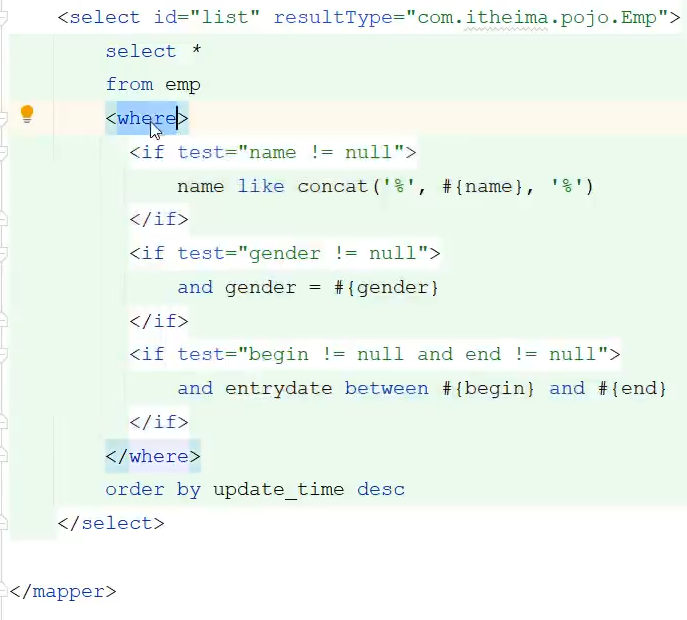
where标签的两个优点
- where元素只会在子元素有内容的情况下才插入where子句。而且会自动去除子句的开头的AND或OR。
update
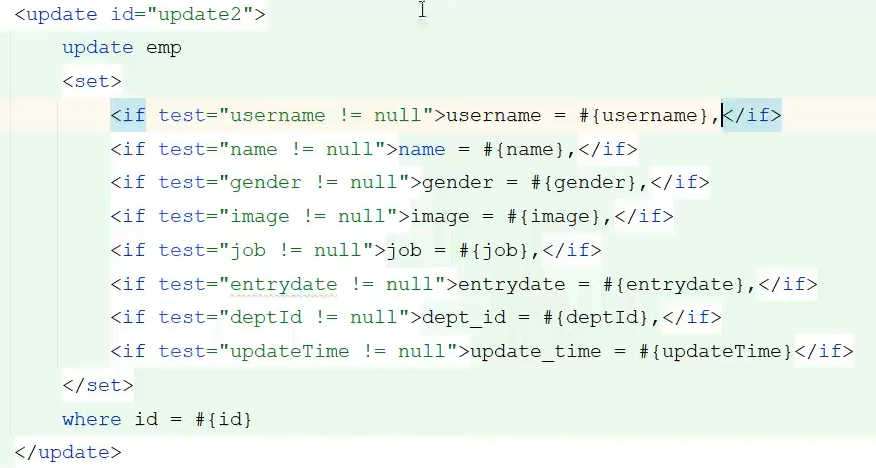
set标签的两个有点
- 动态的在行首插入SET关键字,并会删除额外的逗号。(用在update语句中)
foreach
1
2
3
4
5
6
7
8
9
10
11
12
13
14
<!--批量删除员工(18,19,20    -->
<!--
    collection:遍历的集合
    iten:遍历出来的元素
    separator:分隔符
    open:遍历开始前拼接的SQL片段
    close:遍历结束后拼接的片段
    -->
<delete id="deleteByIds">
    delete from emp where id in
    <foreach collection="ids" item="id" separator="," open="(" close=")">
        #{id}
    </foreach>
</delete>
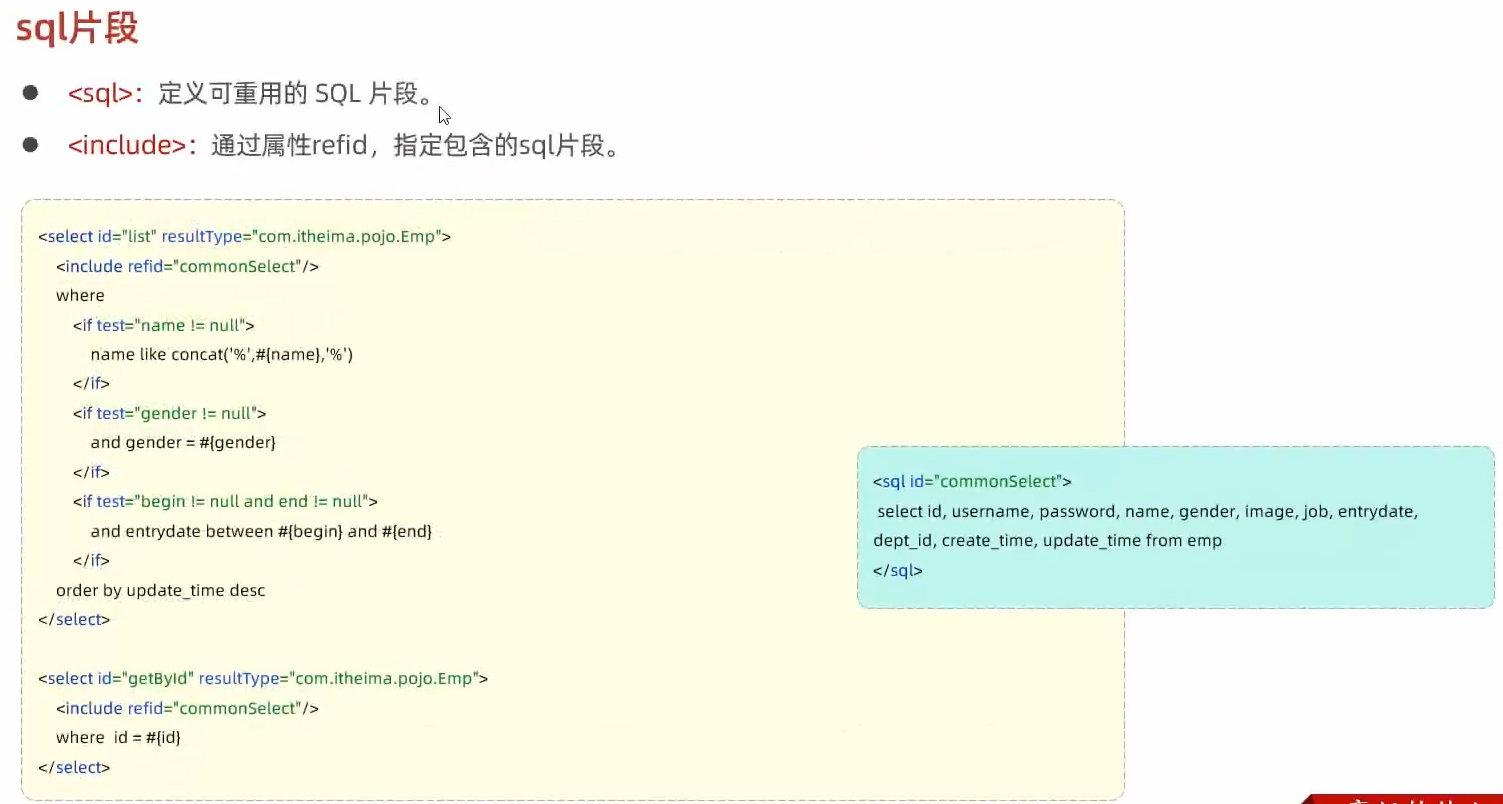
sql片段